


A Detailed Guide To Build Property Listing App Laravel
The real estate industry has experienced a rapid digital transformation lately, with enterprises and developers increasingly adopting Laravel for property listing apps due to its robust security, scalable architecture, and seamless integration with modern features (like AI-driven recommendations and geospatial search). With many real estate businesses, Laravel is a preferred choice for creating competitive platforms that enhance user engagement and conversion rates.
This comprehensive guide provides a complete roadmap for developing a Property Listing App Laravel, covering essential core features, optimal architecture and database schema design, step-by-step implementation processes, and best practices for deployment and maintenance.
What is the Property Listing App Laravel?
A Property Listing App built with Laravel is a web application that enables property owners, real estate agents, and prospective buyers or renters to publish, browse, and manage real estate listings online. Such an app serves as a centralized marketplace for property information — including sales or rentals — and facilitates communication, search, and transactions between parties. In the current climate of growing online real-estate demand, Laravel-based listing platforms offer real-time listings, secure data handling, and scalable infrastructure to support thousands of properties and user interactions.
Example:
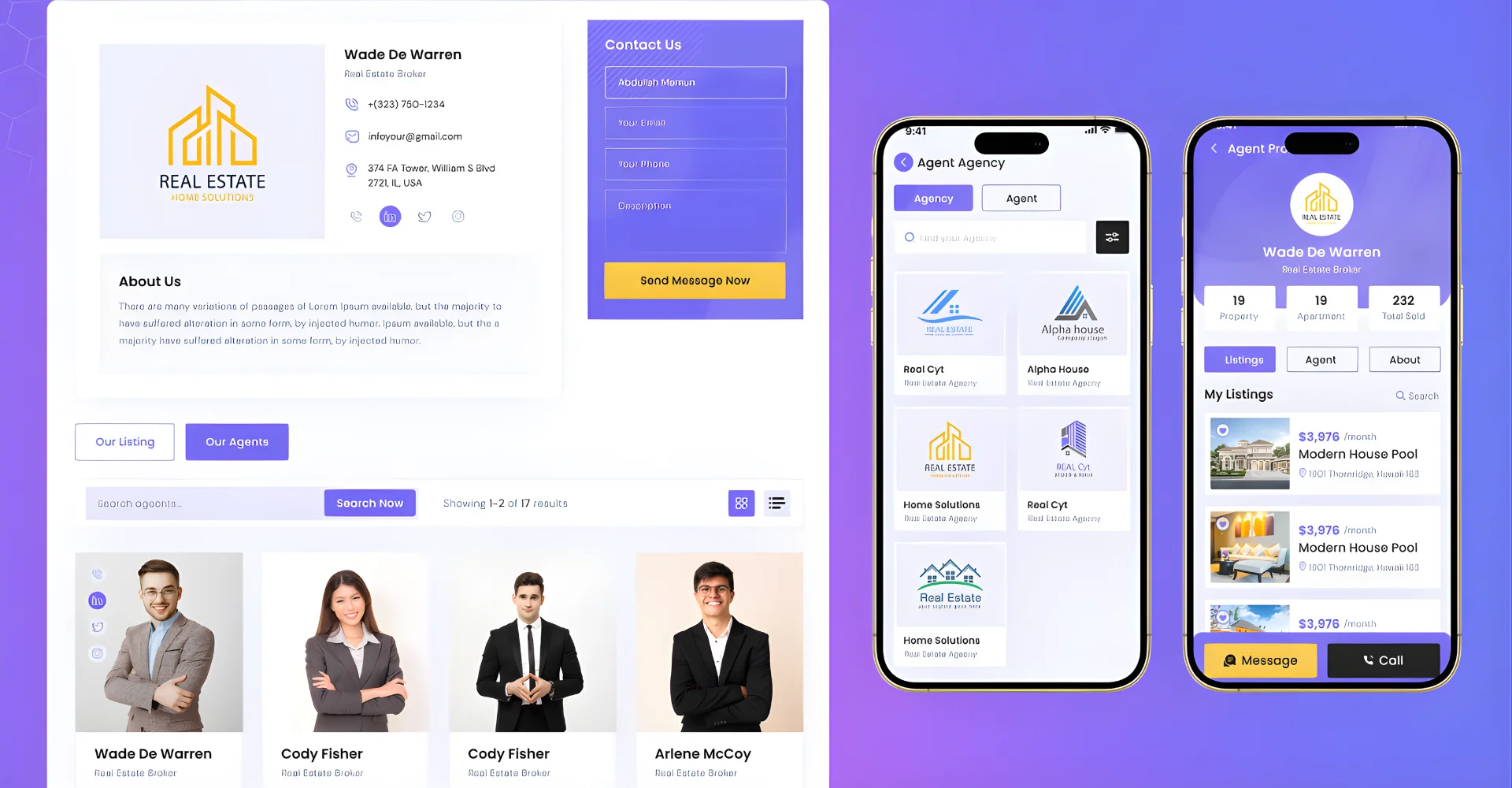
LuxHomes, a high-end real estate agency, implemented a sophisticated property listing app using Laravel’s Eloquent ORM and Blade templating engine to manage luxury property listings with advanced search filters and interactive maps. This Laravel-based solution significantly enhanced user engagement through intuitive interfaces and streamlined property searches, resulting in higher conversion rates and improved operational efficiency for their premium clientele.
>>> See more: Top 8 Apps Like Snapchat: Best Snapchat Alternatives
Core Features of a Laravel-based Property Listing App
- Advanced Search & Filtering: A Laravel-based property listing app provides users with the ability to narrow down properties by location, price range, property type, amenities, and other criteria — thereby enhancing user satisfaction by delivering relevant results quickly and accurately.
- High-Quality Media Galleries: The platform supports multiple images (and optionally videos) per property, which helps showcase property details visually and enriches user engagement by enabling clear, transparent property previews.
- User Authentication & Role Management: The application offers secure login, user registration, and role-based access (buyer, seller/agent, admin) so that different types of users (owners, agents, customers) can interact safely under proper permissions and manage their listings or inquiries accordingly.
- Favorites, Saved Searches & User Dashboard: Users receive personal dashboards where they can save favorite listings, store custom search criteria, track their inquiries or saved searches, which enhances user retention and convenience for return visits.
- Map Integration & Geo-Location Search: The system integrates with map services to display property locations visually and enables location-based search or proximity filtering — simplifying the user’s search for properties in preferred neighborhoods.
- Secure Transactions & Inquiry System: The app includes modules for secure contact or booking inquiries between users and property owners or agents, with safe data handling and communication mechanisms to support property negotiations or rental/sale processes.
- Admin Panel & Content Management for Listings: Administrators have access to a backend dashboard allowing them to manage properties, users, categories, listings status, and media, which ensures consistency, data control, moderation capability, and smooth system administration.

Why Laravel for Property Listing Apps?
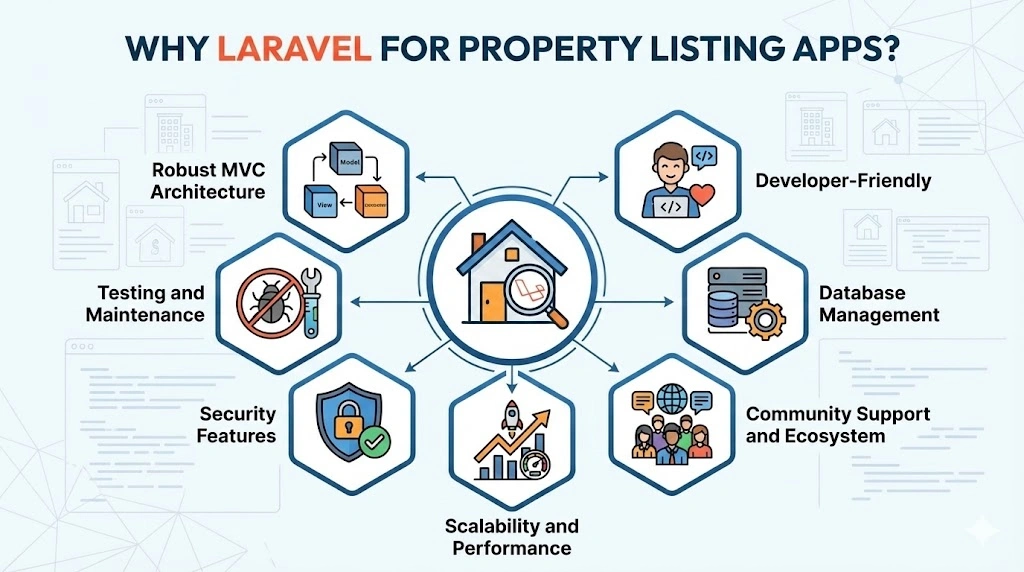
Growing demand in the real estate sector has driven many agencies, brokers, and property platforms to adopt Laravel for building scalable and secure property listing apps. Below are some of the top reasons why Laravel stands out for this use case:
- Robust MVC Architecture: Laravel follows the Model-View-Controller (MVC) architectural pattern, which provides a structured and organized way to build applications. This separation of concerns allows developers to manage the application’s data (Model), user interface (View), and logic (Controller) independently, enhancing maintainability and scalability.
- Developer-Friendly: Laravel simplifies common tasks such as routing, authentication, caching, and sessions, saving developers significant time and effort. Its elegant syntax and clear documentation make it accessible even for developers new to the framework.
- Database Management: Laravel’s Eloquent ORM (Object-Relational Mapping) simplifies database interactions by allowing developers to work with database objects and relationships using PHP syntax. This makes querying databases and managing relationships between models straightforward and intuitive.
- Community Support and Ecosystem: Laravel boasts a vibrant community of developers who contribute packages and resources, extending the framework’s capabilities. From authentication packages to integration with third-party APIs, Laravel’s ecosystem provides solutions for various application needs.
- Scalability and Performance: Laravel is designed with scalability in mind, making it suitable for applications of all sizes. Its built-in caching features, queue management, and support for cloud-based deployments ensure optimal performance even under heavy loads.
- Security Features: Security is paramount in real estate applications, handling sensitive user data and transactions. Laravel provides built-in protection against common security threats like SQL injection, cross-site scripting (XSS), and cross-site request forgery (CSRF), along with robust authentication and authorization mechanisms.
- Testing and Maintenance: Laravel supports unit testing out of the box, allowing developers to verify the application’s functionality and prevent regressions. The framework’s modular structure and clear separation of concerns facilitate ongoing maintenance and updates without disrupting the entire application.
Typical Architecture & Database Schema for a Property Listing App Laravel
A typical Laravel-based property listing application adopts the standard MVC (Model-View-Controller) structure, with Models managing data entities (properties, users, images, favourites, inquiries), Controllers handling business logic and requests, and Views or API endpoints delivering responses to clients. This structure ensures clean separation of concerns, maintainability, and scalability as the application evolves.
Example — Database Schema Overview:
| Table / Model |
Purpose / Data Stored |
| properties | Stores core data for each listing: title, description, price, location, type, amenities, status, and timestamps. |
| users | Manages user accounts: buyers, sellers/agents, admins — including credentials, profiles, roles, and permissions. |
| property_images | Holds media metadata (image URLs or paths) associated with each property, enabling image galleries. |
| favorites / saved_searches | Tracks user-specific data such as favorite listings or saved search filters for personalization. |
| inquiries/messages | Stores communications or inquiries between users and agents/owners, including contact requests, messages or booking interests. |
| property_types / amenities | Normalized tables for property metadata (types, amenities, features) enabling flexible categorization and filtering. |
This schema supports relationships such as one-to-many (a property may have many images), many-to-many (users saving multiple favorites, or users having many inquiries), and implements relational integrity via foreign keys. Such a design ensures efficient querying, maintainability, and scalability as the number of listings and users grows.
Building a Property Listing App Laravel: Step-by-Step Guide
Laravel provides a robust framework for developing property listing apps, offering a wide range of features and tools that simplify the development process. Let’s explore the key steps in building a property listing app using Laravel:
Step 1. Setting up the Laravel Development Environments
To begin developing your property listing app, you must set up a Laravel development environment. Follow these steps:
- Install Laravel: Use Composer to install Laravel, ensuring you have the latest version.
- Set up a Database: Configure your database in the .env file for seamless data management.
- Create Models and Migrations: Define your data structure and generate the necessary tables with Laravel’s migration feature.
- Build Controllers and Views: Implement the logic for listing properties and create user-friendly interfaces.
- Implement Authentication: Secure your app with Laravel’s built-in authentication system.
With these steps, you can efficiently develop a robust property listing app in Laravel.
Step 2. Creating Database Schema
The database schema acts as the blueprint, defining different rooms to store information. Here are some essential rooms for your property listing app:
- Properties: This room holds details about each property, like location, size, and features.
- Users: Buyers, sellers, and agents all have their own spaces with login information and profiles.
- Property Types: Different property types, like apartments or houses, need dedicated storage.
- Amenities: A separate room stores details about amenities offered, like a pool or gym.
- Locations: This room helps categorize properties by city, neighborhood, etc.
- Favorites: Let users bookmark interesting properties in their own space.
- Inquiries: Facilitate communication by storing messages between users about properties.
Laravel’s migration system makes creating and managing these rooms a breeze. With simple commands, you can set up the foundation of your database.
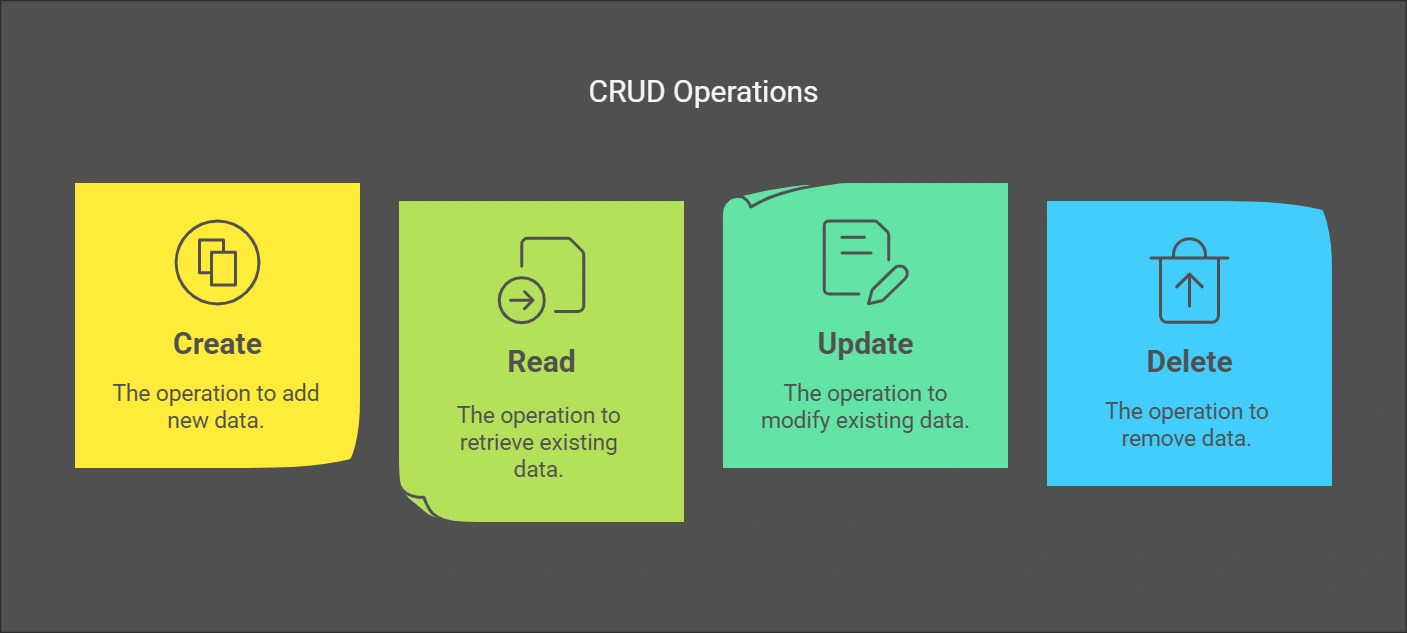
Step 3. Implementing Property Listing CRUD Operations
When creating a property listing app using Laravel, it’s essential to implement CRUD operations efficiently. Here’s how to do it:
Define Data Models:
Start by defining models for the entities involved in your property listing system. These models represent the data structures that will be stored in the database. For instance, you’ll need models for Property, User, and PropertyType.
Generate Resource Controllers:
Laravel’s Artisan command-line tool comes in handy for generating resource controllers associated with each model. These controllers will handle the logic for CRUD operations. For example, the PropertyController will handle property-related actions.
Implement CRUD Operations:
Within each resource controller, implement the CRUD methods:
- create(): Handles creating new properties, typically using a form submission.
- read(): Retrieves a list of properties or a specific property based on an ID.
- update(): Allows editing existing property information.
- delete(): Removes a property from the database.
Create Views for CRUD Actions:
Craft views for each CRUD action, providing a user interface for interacting with property listings. These views will typically work in conjunction with the corresponding controllers.
- create.blade.php: Presents a form for users to enter new property details.
- index.blade.php: Displays a list of properties, typically with search and filtering options.
- show.blade.php: Displays detailed information about a specific property.
- edit.blade.php: Provides a form for editing existing property data.
These views will work in conjunction with your controllers to provide a user-friendly interface for managing property listings.
Step 4. Integrating User Authentication and Authorization
To secure your property listing app using Laravel, integrate user authentication and authorization:
- Utilize Laravel’s built-in authentication system.
- Create user roles such as buyer, seller, agent, and admin.
- Implement middleware for role-based access control.
- Develop user profile management features.
This approach ensures that your Laravel real estate app is secure and user-friendly.
Step 5. Enhancing the App with Advanced Features
To develop a competitive property listing app using Laravel, consider incorporating these advanced features:
Search and Filtering:
To make your property listing app stand out, start by implementing a powerful search engine using Laravel Scout. This helps users quickly find properties based on their preferences. Additionally, create advanced filtering options so users can easily narrow down their search by property characteristics like price range, location, and amenities.
Property Details Pages:
Designing detailed property views is crucial. Include all necessary information about each property to help users make informed decisions. Enhance these pages with image galleries showcasing property photos and virtual tours that give users a realistic view of the property.
Favorites and Saved Searches:
Enable users to save their favorite properties for easy access later on. Implement a feature where users can save their search criteria and receive email notifications when new properties matching their preferences are listed.
In-App Messaging:
Facilitate seamless communication between users and property owners with a built-in messaging system. Implement real-time notifications using Laravel Echo and WebSockets to ensure users stay updated on new messages instantly.
Map Integration:
Integrate maps into your app using services like Google Maps or Mapbox. This allows users to visualize property locations accurately and perform map-based searches to find properties in specific areas easily.
Step 6. Utilizing Laravel’s Built-in Features
When developing your property listing app with Laravel, it’s crucial to harness its robust built-in functionalities effectively:
- Caching: Enhance app performance by implementing caching strategies. Utilize Laravel’s cache facades to store frequently accessed data efficiently.
- Routing: Craft clear and SEO-friendly routes for seamless navigation. Implement route model binding to streamline your code structure.
- Validation: Ensure data integrity with Laravel’s form request validation. Customize validation rules to meet specific property listing requirements.
- Queues: Optimize app responsiveness by using job queues. Employ Laravel’s queue system for tasks such as image processing and notification sending.
- Localization: Offer multi-language support using Laravel’s localization capabilities. Develop language files tailored to diverse regions and markets.
By leveraging these built-in features, your Laravel-based property listing app can achieve optimal performance and user satisfaction effortlessly.
>>> See more: Dating App Development: How To Create A Dating App
Conclusion
By utilizing Laravel’s built-in tools and extensive ecosystem, developers can create a scalable, secure, and feature-rich Property Listing App Laravel that meets the evolving needs of the market. Remember to continuously refine and update your application based on user feedback and emerging industry trends to ensure long-term success.
If your real estate business faces challenges in applying Laravel to build an effective property listing app, Newwave Solutions stands ready to provide comprehensive support through our specialized Hire Laravel Developers services. Our experienced Laravel professionals possess deep expertise in creating scalable property platforms featuring advanced search filters, interactive maps, and real-time notifications that drive user engagement and conversion rates.
We guarantee to deliver scalable and innovative solutions tailored to meet diverse industry needs, ensuring your Laravel real estate project achieves optimal performance and user satisfaction. Contact us today, and we can discuss this collaboration further!
Contact Information:
- Head Office (Hanoi): 1F, 4F, 10F, Mitec Building, Cau Giay Ward, Hanoi City, Vietnam
- Branch Office (Tokyo): 1chōme118 Yushima, Bunkyo City, Tokyo 1130034, Japan
- Hotline: +84 985310203
- Website: https://newwavesolution.com
- Email: [email protected]
To Quang Duy is the CEO of Newwave Solutions, a leading Vietnamese software company. He is recognized as a standout technology consultant. Connect with him on LinkedIn and Twitter.



Read More Guides



Get stories in your inbox twice a month.
Let’s Connect
Let us know what you need, and out professionals will collaborate with you to find a solution that enables growth.
Leave a Reply