


What is Android Development? The Complete Guide for Mobile App Development
In today’s digitally-driven world, the ability to create software that fits in the palm of your hand has transformed how we live, work, and connect. At the heart of this mobile revolution is Android development, the process of building applications for the world’s most popular operating system. But what does it truly take to become an Android developer, and why has this platform dominated the global market? This comprehensive guide will walk you through everything from the core concepts and rich history of Android to the practical aspects of building apps, helping you understand why investing in robust Android app development services is a strategic move for any business looking to make a mobile impact.
What is Android Development?
To understand Android development, we must first understand Android itself. In simple terms, Android is an open-source operating system based on the Linux kernel, designed primarily for touchscreen mobile devices like smartphones and tablets. Think of the operating system as the foundation and brain of your phone, managing all its hardware and software resources, from the touchscreen and battery to the apps you use daily.
Android app development, therefore, is the specialized process of creating software applications that run on this Android operating system. An Android developer uses a specific set of tools and programming languages to write code that the OS can understand and execute. This process involves designing the user interface (UI), programming the app’s functionality, testing it across various devices, and finally publishing it to the Google Play Store for millions to download. It’s the art and science of building the digital experiences—from social media and banking apps to games and productivity tools—that we rely on every day, making it a cornerstone of modern software development services.
The History of Android
The story of Android is a fascinating journey that began not at Google, but in a small startup. Android Inc. was founded in Palo Alto, California, in October 2003 by Andy Rubin, Rich Miner, Nick Sears, and Chris White. Interestingly, their initial goal was to develop an advanced operating system for digital cameras. However, they soon realized the market was limited and pivoted to the burgeoning mobile phone market.
The pivotal moment came in 2005 when Google acquired Android Inc. This move signaled Google’s ambition to enter the mobile space. The first commercial version, Android 1.0, was released in September 2008 on the T-Mobile G1 (also known as the HTC Dream). It was a basic but functional OS, featuring a web browser, email support, and the first version of the Android Market.
What followed was an unprecedented period of growth and innovation. Google’s decision to make Android open-source through the Android Open Source Project (AOSP) allowed device manufacturers like Samsung, LG, and Xiaomi to adopt and customize the OS for their hardware. This strategy led to an explosion of Android devices at every price point, rapidly capturing market share and evolving through dozens of versions, each named after a dessert or sweet treat, to become the global powerhouse it is today.
Versions of Android
One of the most distinctive aspects of Android’s journey is its sequential, dessert-themed version names. From Cupcake to Pie, each release introduced significant improvements, new features, and refined user experiences. Understanding this evolution is key to appreciating the platform’s depth and why Android app development solutions must account for a diverse device landscape.
The version history showcases Google’s relentless focus on improving user interface design, battery life, security, and performance. This constant innovation, however, leads to “fragmentation,” where many different versions of Android are actively used simultaneously. This is a critical consideration for developers, as apps must be designed to work reliably across this wide spectrum of operating systems.
The table below captures the key milestones in Android’s flavorful history:
| Version Name | Version Number | Release Year | Key Feature Introduced |
| Cupcake | 1.5 | 2009 | On-screen keyboard, widgets |
| Donut | 1.6 | 2009 | Support for different screen sizes, Quick Search Box |
| Eclair | 2.0-2.1 | 2009 | Google Maps navigation, live wallpapers |
| Gingerbread | 2.3 | 2010 | UI refresh, NFC support |
| Honeycomb | 3.0 | 2011 | First tablet-only interface, holographic UI |
| Ice Cream Sandwich | 4.0 | 2011 | Unified design for phones & tablets, “Holo” UI |
| Jelly Bean | 4.1-4.3 | 2012 | “Project Butter” for smoothness, Google Now |
| KitKat | 4.4 | 2013 | Lighter OS, immersive mode, “Ok Google” |
| Lollipop | 5.0 | 2014 | Material Design language, new runtime (ART) |
| Marshmallow | 6.0 | 2015 | Granular app permissions, native fingerprint support |
| Nougat | 7.0 | 2016 | Split-screen mode, Vulkan API for graphics |
| Oreo | 8.0 | 2017 | Picture-in-Picture, notification channels |
| Pie | 9.0 | 2018 | Gesture navigation, Adaptive Battery |
| Android 10 | 10 | 2019 | System-wide dark mode, full-screen gestures |
| Android 11 | 11 | 2020 | One-time permissions, conversation notifications |
| Android 12 | 12 | 2021 | “Material You” dynamic theming, privacy dashboard |
| Android 13 | 13 | 2022 | Per-app language settings, themed app icons |
| Android 14 | 14 | 2023 | Customizable lock screen, accessibility improvements |
What are Features of Android?
The widespread success of Android is built upon a powerful set of core features. These functionalities are not just benefits for the end-user; they are the fundamental building blocks that an Android developer leverages to create sophisticated and powerful applications. From its open nature to its deep integration with Google services, these features provide a flexible and robust foundation for modern mobile app development solutions.
Open-Source Foundation
At the very core of Android development is the Android Open Source Project (AOSP). This means that the source code is freely available for anyone to use, modify, and distribute. This openness has encouraged massive adoption by device manufacturers, leading to a vast ecosystem of devices at all price points. For developers, it provides unparalleled freedom to customize and innovate, a stark contrast to closed, walled-garden operating systems.
Multitasking and Notifications
Android was built from the ground up to allow true multitasking. Users can seamlessly switch between applications, and apps can run services in the background to perform tasks like playing music or downloading files. Coupled with a rich and interactive notification system that allows users to see and act on messages, emails, and alerts from a central shade, this makes for a highly efficient and engaging user experience.
Connectivity and Hardware Integration
Android offers extensive support for a wide range of connectivity technologies, including GSM/EDGE, CDMA, Bluetooth, Wi-Fi, and 5G. Furthermore, the Android software development kit (SDK) provides APIs that allow apps to communicate directly with a device’s hardware, such as the camera, GPS, accelerometer, and gyroscope. This enables the creation of feature-rich apps like augmented reality games, fitness trackers, and navigation tools.
Google Play Store and Distribution
The Google Play Store is the official app marketplace for Android, providing developers with a massive, built-in distribution channel to over 2.5 billion active devices worldwide. While other app stores exist, the Play Store offers a streamlined process for publishing, updating, and monetizing applications, making it an essential component of any Android app development strategy.
Which languages are used to develop in Android?
The choice of programming language is one of the most critical decisions in an Android project. Each language offers a unique blend of performance, development speed, and community support. The ecosystem has evolved significantly, moving from a single primary language to a multi-language environment where the right tool can be selected for the right job, a philosophy that expert software development services strongly embrace.
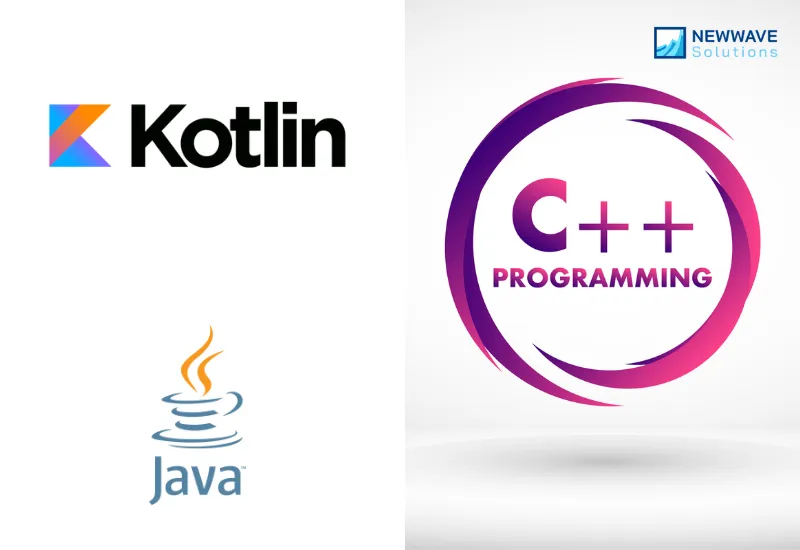
Kotlin: The Modern Champion
Google announced Kotlin as its preferred language for Android development in 2017, and it has since become the gold standard. It is fully interoperable with Java, meaning existing Java code can be used seamlessly in a Kotlin project.
- Why it’s great: Kotlin is concise, safe, and expressive. It significantly reduces the amount of boilerplate code required, which leads to fewer bugs and easier maintenance.
- Key Features: Null safety to prevent common crashes, extension functions, and coroutines for simplified asynchronous programming.
- Best For: All new Android projects. It is the clear future of the platform and the recommended choice for developers and businesses alike.
Java: The Time-Tested Veteran
For many years, Java was the official and sole supported language for Android. It has a vast ecosystem, immense community support, and a deep pool of experienced developers.
- Why it’s used: It’s a mature, object-oriented language with extensive documentation and libraries. Many legacy enterprise applications are built in Java.
- Considerations: It is more verbose than Kotlin and lacks some of its modern safety features, which can lead to more code and potential for certain types of errors.
- Best For: Maintaining existing large codebases written in Java, or for teams with deep Java expertise.
C++: The Power for Performance-Critical Tasks
For applications that require raw processing power, such as high-end games or complex image processing software, developers can use C++ through the Android Native Development Kit (NDK).
- Why it’s used: To achieve maximum performance and leverage existing C++ libraries.
- Important Note: The NDK is not for building a full app. It is used to create small, performance-critical parts of an application, which are then integrated into the main project, typically written in Kotlin or Java.
- Best For: Game engines, CPU-intensive computations, and reusing existing C++ codebases.
How to Enable Developer Options on Android?
Unlocking the full potential of your Android device for development or advanced troubleshooting requires access to a special menu known as Developer options. This hidden settings panel provides powerful tools for an Android developer, but it’s disabled by default to prevent accidental changes that could disrupt your device. Enabling it is a straightforward process that serves as the first step for anyone involved in testing or creating Android app development solutions.
The process is designed to be simple yet intentional, ensuring that only users who understand its purpose can access these advanced features. Whether you are a professional developer debugging an application, a tester evaluating mobile app development solutions, or a tech-savvy user wanting to tweak system behavior, enabling developer options is your gateway. The steps are generally consistent across most modern Android devices, though the exact names of menu items might vary slightly depending on your phone’s manufacturer and Android version.
Here is the step-by-step guide to unlock your phone’s developer settings:
- Open the Settings app on your Android device.
- Scroll down and tap on About Phone (or “About Device”).
- Locate the Build Number entry on this screen.
- Tap on the Build Number repeatedly, about 7 times. You will see a countdown message (e.g., “You are 4 steps away from being a developer”).
- After the final tap, you will see a message that says, “You are now a developer!” or something similar.
Once this is done, you will find the Developer options menu listed directly in your main Settings menu, usually under “System” or “Additional Settings.” From here, you can enable crucial features for development, such as USB debugging (which allows your device to communicate with the Android SDK on a computer), monitor GPU rendering, or even simulate different device scenarios to test how an app performs, which is a fundamental part of professional software development services. Remember to use these options with care, as misconfigurations can affect your device’s stability and security.
Advantage and Disadvantage
Choosing a platform for mobile app development solutions requires a clear-eyed view of its strengths and weaknesses. Android offers a phenomenal reach and flexibility that is unmatched, but this comes with its own set of unique challenges that development teams must navigate. A thorough understanding of these pros and cons is essential for any business planning to invest in Android app development services to ensure a successful and sustainable product.
Advantages
Massive Market Reach and Global Dominance
Android holds over 70% of the global mobile OS market share. This provides an unparalleled potential user base, allowing businesses to reach customers across all demographics and geographies, from high-end users in developed markets to first-time smartphone owners in emerging economies.
Open-Source Flexibility and Customization
The open-source nature of AOSP grants tremendous freedom. Manufacturers can customize the OS, and developers can create deeply integrated apps or even fork the OS for specific purposes. This flexibility fosters innovation and allows for tailored solutions that would be impossible on more restricted platforms.
Easier App Store Approval Process
Compared to its main competitor, the Google Play Store has a more straightforward and faster app review process. This allows for quicker time-to-market and more frequent updates, which is crucial for agile development cycles and rapid iteration based on user feedback.
Diverse Hardware Integration
The vast ecosystem of Android devices means apps can leverage a wide array of hardware features, from foldable screens and styluses to advanced camera systems and sensors. This allows for the creation of unique and hardware-specific experiences.
Disadvantages
Platform and Device Fragmentation
The biggest challenge for an Android developer is fragmentation. With thousands of device models from various manufacturers, all running different versions of Android and featuring different screen sizes and hardware capabilities, ensuring consistent app performance and appearance requires significant additional testing and development effort.
Increased Security Vulnerabilities
The open and diverse nature of the ecosystem makes it a more attractive target for malware and security threats. Furthermore, the availability of apps from third-party stores outside the Google Play Store can increase risk, placing a greater responsibility on developers to implement robust security practices.
Generally Slower Adoption of New OS Versions
Unlike its competitor, where users quickly update to the latest OS, the Android update process is controlled by device manufacturers and carriers. This results in a slow rollout, meaning developers often have to support older OS versions for many years, limiting the ability to use the latest APIs and features immediately.
Complex Testing Requirements
The diversity of devices and OS versions necessitates testing on a wide array of hardware and software configurations to guarantee a quality user experience. This makes the testing phase more complex and time-consuming than on more unified platforms.
Why Newwave Solution for your Android Development?
An Android app development service is more than just writing code; it’s about crafting a strategic digital product that delivers real business value. This requires a partner that not only understands the technical intricacies of the platform but also grasps the market dynamics and user expectations. This is where Newwave Solutions distinguishes itself.
Our team at Newwave Solutions comprises seasoned experts who have navigated the entire evolution of Android, from the early days of Java to the modern era of Kotlin. We don’t just build apps; we engineer scalable, secure, and high-performing Android app development solutions tailored to your specific business goals. We proactively address the challenges of fragmentation through a rigorous, multi-device testing protocol and build with security as a foundational principle, not an afterthought.
Furthermore, we understand that Android is often one part of a larger digital footprint. Our expertise extends to complementary fields like Web app development services, allowing us to create cohesive and integrated cross-platform experiences that provide a consistent brand message and functionality for your users, whether they are on a mobile device or a desktop. By choosing Newwave Solutions, you’re not just hiring a development team; you’re gaining a strategic partner committed to transforming your vision into a successful digital product that thrives in the competitive Android marketplace.
Ready to bring your application idea to life? The most crucial step towards building a high-quality, secure, and engaging Android app is to hire mobile app developers with the right expertise and a proven track record. At Newwave Solutions, our dedicated team is ready to become your trusted partner in innovation. Contact us today to discuss your project and let’s build the future, together!
To Quang Duy is the CEO of Newwave Solutions, a leading Vietnamese software company. He is recognized as a standout technology consultant. Connect with him on LinkedIn and Twitter.



Read More Guides



Get stories in your inbox twice a month.
Let’s Connect
Let us know what you need, and out professionals will collaborate with you to find a solution that enables growth.
Leave a Reply