


What Is DotNetNuke? Core Technologies, Features & Use Cases
What is DotNetNuke? is a question many businesses face when comparing the crowded CMS marketplace filled with WordPress, Drupal, and others. DotNetNuke, or DNN, stands out as a powerful option that helps enterprises, government agencies, and educational institutions build secure, scalable, and feature-rich digital platforms. If you want to know what is DotNetNuke used for and explore its core technologies, features, and use cases, this Newwave Solutions blog will guide you through everything you need to make the right choice.
What is DotNetNuke (DNN) Platform?
DotNetNuke (DNN) is a web content management system (CMS) and application development platform built on Microsoft .NET technology. It allows businesses to build, deploy, and manage dynamic websites, intranets, customer portals, and enterprise applications with strong scalability, flexibility, and security. With its modular design, DNN empowers organizations to customize features, integrate with other business systems, and maintain consistent performance across complex digital ecosystems.
How DNN Works?
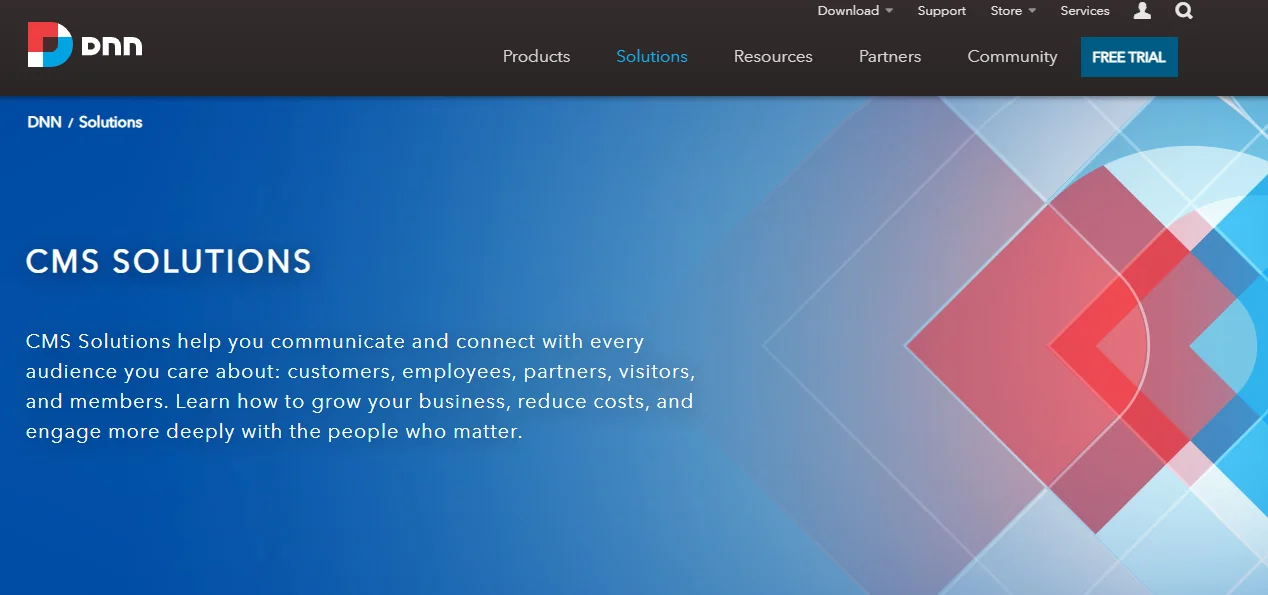
DNN runs on the ASP.NET framework and typically uses Microsoft SQL Server as its primary database system. It can be hosted on Windows-based servers and scaled to support everything from small business websites to large enterprise portals. The platform offers both open-source (Community Edition) and commercial editions (Evoq), giving organizations options based on their technical needs and budget.
How much is DotNetNuke?
DNN is available in two forms: a free Community Edition that provides basic CMS functionality and paid commercial editions that include advanced features, support, and enhanced security. The commercial versions, such as DNN Evoq, are licensed and priced based on the specific package and enterprise requirements.
10 Key Features of DNN for Enterprises
After understanding what is DotNetNuke and how it works in practice, it is important to explore the key features that make this platform valuable for businesses and enterprises. DNN provides a rich set of tools and functions that enable organizations to scale efficiently, manage multiple projects, and maintain high levels of security and flexibility.
- Modular Architecture: DNN uses a modular design where each function can be added or removed as needed. This helps businesses build tailored solutions and upgrade features without rebuilding the entire system.
- Skins and Themes: The platform supports customizable skins and themes that allow enterprises to maintain consistent branding across digital properties. This ensures professional presentation and easy alignment with corporate identity.
- User Roles and Permissions: DNN offers detailed role-based access control that helps enterprises manage multiple users with different levels of access. This feature enhances security and ensures smooth internal governance.
- Multi-Portal Management: Enterprises can manage multiple websites or portals under a single DNN installation. This is ideal for large corporations with global branches or subsidiaries that require centralized control but independent customization.
- Localization and Multilingual Support: DNN provides localization features that allow businesses to deliver content in multiple languages. This is particularly valuable for multinational organizations serving diverse customer bases.
- Content Workflow and Versioning: With built-in workflows and version control, DNN improves compliance and governance. Businesses can track changes, assign approvals, and ensure high-quality content delivery.
- Mobile-Friendly Capabilities: DNN supports responsive designs that automatically adapt across devices. This ensures a seamless experience for employees, partners, and customers using desktops, tablets, or smartphones.
- Third-Party Integrations: Enterprises can connect DNN with tools such as CRM, ERP, or marketing automation platforms. These integrations help streamline workflows and enhance productivity across departments.
- Custom Module Development: Businesses can build custom modules to extend functionality according to specific needs. This makes DNN highly flexible for industries with unique operational requirements.
- Advanced Security: DNN includes strong security features such as role-based controls, authentication protocols, and regular updates. These capabilities protect sensitive enterprise data and support compliance with industry standards.
4 Common Use Cases of DotNetNuke
DotNetNuke is a flexible platform with many use cases across industries, from internal operations to customer-facing platforms. Below are the most common scenarios where DNN delivers measurable value for businesses and large organizations.
1. Corporate Intranets & Employee Portals
DNN enables organizations to create centralized hubs for communication, document sharing, and collaboration through its modular architecture and role-based permissions. Features such as content workflows, secure access, and multilingual support make it effective for enterprises with diverse teams.
For example, Cornell University has used DNN to power internal portals that streamline communication across faculties and departments, improving operational efficiency.
2. Customer Portals
With DNN’s customizable modules and integration capabilities, businesses can build customer self-service portals that improve user satisfaction while reducing operational workload. Features like role management, security controls, and responsive design ensure customers can securely access information across devices.
For instance, the Bank of America applied DNN for certain customer-facing portals to enhance service delivery and reduce dependency on call centers.
3. E-commerce Websites
DNN supports flexible modules for building product catalogs, shopping carts, and payment integrations, making it suitable for enterprises that need scalable online stores. Its modular design allows businesses to add marketing tools, analytics, and third-party integrations like ERP or CRM systems to the eCommerce web development solutions of your business.
A practical case is Sports Direct, which leveraged DNN to enhance its online retail presence with scalable and secure e-commerce solutions.
4. Public Sector & Education
Government agencies and educational software development services/ institutions use DNN to deliver secure, multilingual, and accessible websites. Its security framework and content governance features ensure compliance with industry regulations and public standards.
For instance, the U.S. Department of Defense has relied on DNN for some of its public-facing and internal sites, benefiting from the platform’s strong security and scalability.
DNN vs Other CMS: Which is Better?
WordPress, Joomla, Drupal, Umbraco, etc.
| Criteria | DotNetNuke (DNN) | WordPress |
Drupal |
| Technology Base | Built on Microsoft .NET | PHP-based | PHP-based |
| Ease of Use | Moderate learning curve | Very easy, user-friendly | Steeper learning curve |
| Security | Strong role-based security, enterprise-grade | Good, but frequent plugin vulnerabilities | High, trusted by governments |
| Customization | Modular architecture, custom modules | Thousands of plugins and themes | Highly flexible with advanced modules |
| Enterprise Support | Strong (commercial editions with support) | Community-driven, third-party vendors | Community + enterprise adoption |
| Scalability | Excellent, supports multi-portals and enterprises | Good for small to mid-size projects | Excellent, large-scale projects |
| Best Use Case | Enterprises, government, intranets, portals | Blogs, small to medium business websites | Large organizations, NGOs, and universities |
–> Verdict:
Each CMS has its strengths, but the right choice depends on your business needs. WordPress is the best option if you want a simple, cost-effective solution for blogs or small to mid-sized websites. Drupal is ideal for organizations that need complex, large-scale websites with high customization and strong community support.
DotNetNuke (DNN) stands out as the best choice for enterprises, governments, and corporations that require secure, scalable, and multi-portal management within the Microsoft ecosystem. If your business demands enterprise-grade security and integration with Microsoft tools, DNN is the option that will deliver the most value.
How to Get Started with DNN
Many users face the challenge of DNN’s complexity, especially when setting it up for the first time. From my own experience, the key is to start with the basics and move step by step, so you can focus on learning how to install DotNetNuke and later explore how to use DotNetNuke effectively. Below is a simple roadmap that will help you get started without feeling overwhelmed.
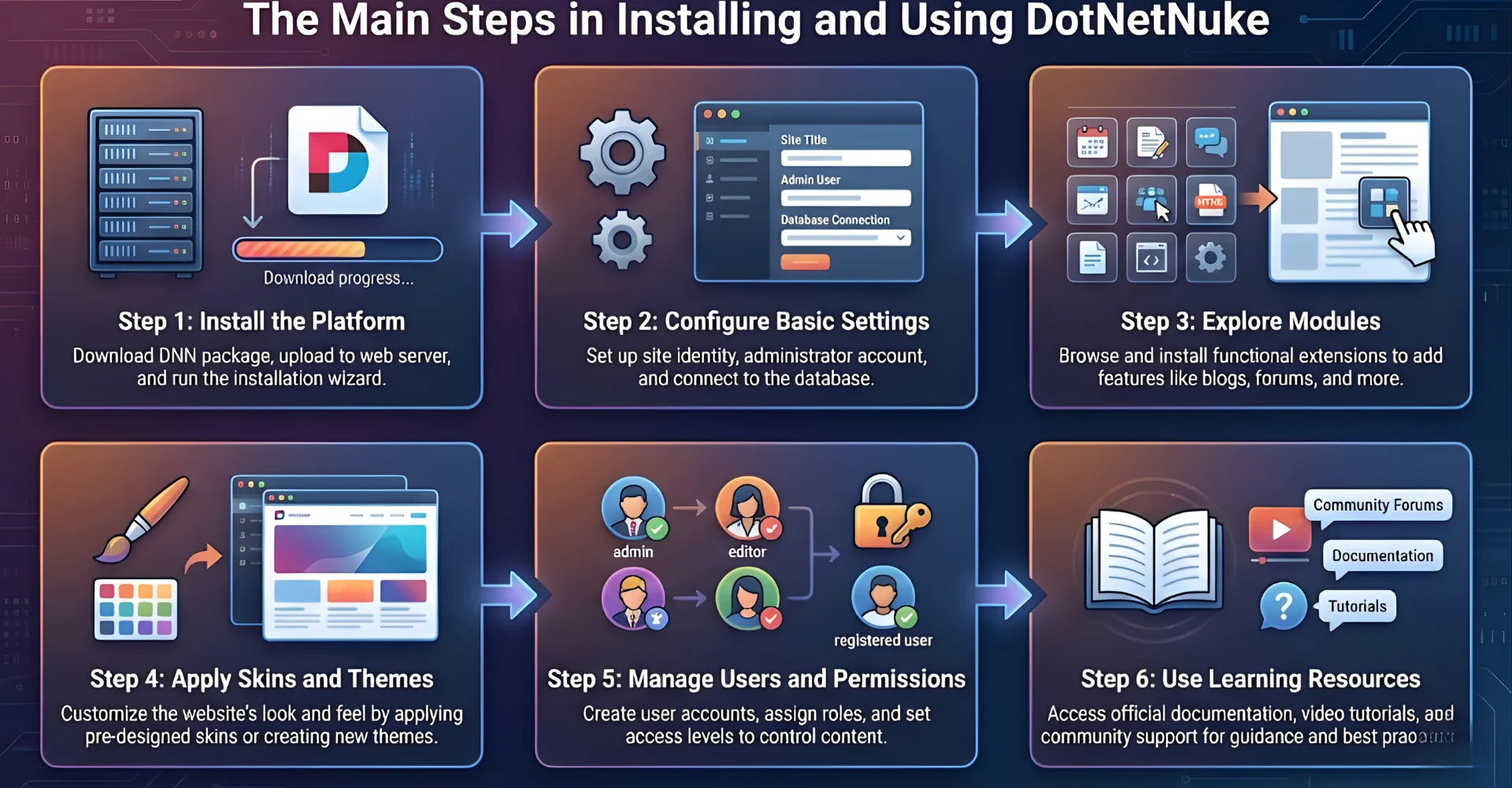
- Step 1: Install the Platform – Download the latest version of DNN and install it on a Windows server with ASP.NET and SQL Server support. This is the foundation to make sure your environment is ready.
- Step 2: Configure Basic Settings – Set up your site name, admin account, and database connection during the installation wizard. These basic configurations will ensure the platform runs smoothly.
- Step 3: Explore Modules – Add built-in modules such as a text editor, document manager, or image gallery to your site. Modules help you extend DNN’s functionality without writing new code.
- Step 4: Apply Skins and Themes – Choose or upload a skin to define the site’s design and layout. This allows you to create a branded and professional look for your business portal.
- Step 5: Manage Users and Permissions – Create user roles and assign permissions based on your team’s needs. This step ensures security and proper governance within your site.
- Step 6: Use Learning Resources – Refer to DNN’s official documentation, community forums, or tutorials for continuous learning. These resources will help you understand advanced features and avoid mistakes.
4 Challenges of Using DotNetNuke and How to Overcome Them
Many users report difficulties when working with DNN and often cannot fully solve them on their own. Based on the real experiences of numerous organizations and developers, here are the most common challenges when using DotNetNuke, along with practical solutions.
1. Steep Learning Curve for Beginners
One of the most common complaints is that new users find DNN complicated to set up and customize compared to simpler CMS platforms like WordPress. The large number of features and options can overwhelm beginners who just want to get their site running.
To overcome this, businesses should start with guided tutorials or structured training sessions. According to a 2024 Stack Overflow survey, developers who invested at least 20 hours in structured learning reduced their setup time by nearly 40%. Using community documentation and video tutorials also helps shorten the learning period.
2. Performance Issues with Large Sites
As websites grow in size and complexity, DNN can experience slower load times or performance bottlenecks. This is especially common for enterprises running multiple portals under a single installation.
Optimizing hosting environments, enabling caching, and using load balancers can address these problems. Research by TechTarget shows that performance tuning improved page speed by up to 50% for enterprise CMS users, proving that proper infrastructure planning is critical.
3. Security Concerns from Outdated Versions
Some users run into vulnerabilities because they use older DNN versions without applying patches. This leaves portals exposed to risks such as data leaks or unauthorized access.
The solution is to always update to the latest version of DNN and implement best practices like strong role-based permissions. For example, a 2023 Ponemon Institute study found that 60% of breaches were linked to unpatched systems, highlighting the importance of timely updates.
4. Limited Availability of Skilled Developers
Finding skilled DNN developers is more difficult compared to widely used CMS platforms such as WordPress or Drupal. This often results in higher costs for customization or delays in project timelines.
To overcome this, enterprises should consider outsourcing to trusted development partners who specialize in DNN. Platforms like Clutch report that over 45% of enterprises in 2024 outsourced specialized CMS work to ensure quality and scalability when internal talent was limited.
FAQs
1. Is DotNetNuke still relevant in 2025?
Yes, DotNetNuke is still relevant in 2025, especially for enterprises that need scalable, secure, and Microsoft-friendly CMS solutions. Its continued support, modular architecture, and enterprise editions make it a strong option for large organizations.
2. Is DotNetNuke free?
DotNetNuke offers a free Community Edition that provides core CMS features. It also has paid editions, like Evoq, which include advanced tools, enterprise support, and enhanced security.
3. Can DNN integrate with cloud services like Azure?
Yes, DNN integrates well with Microsoft Azure and other cloud services. This allows enterprises to scale their portals, improve performance, and ensure reliable hosting.
4. How secure is DotNetNuke for enterprise apps?
DNN is considered highly secure because it uses role-based access control, encryption, and frequent updates. Enterprises rely on it for sensitive applications such as government or financial portals.
5. What’s the difference between DNN and other CMS platforms (WordPress, Drupal)?
The main difference is that DNN is built on Microsoft .NET, while WordPress and Drupal are PHP-based. DNN is stronger for enterprise and multi-portal management, while WordPress is often chosen for smaller websites, and Drupal for highly customizable projects.
6. Is DotNetNuke suitable for startups or only enterprises?
Although most commonly used by enterprises, startups can also benefit from DNN if they require scalable portals or integration with Microsoft systems. For smaller or simpler sites, however, other CMS options might be more cost-effective.
Conclusion
To sum up, what is DotNetNuke can be answered as a robust CMS powered by Microsoft .NET, offering modular architecture, advanced security, and scalability for businesses. Its technology makes it an excellent fit for enterprises managing multiple portals, e-commerce platforms, or secure intranets. To make the best use of this tool, businesses should carefully align DNN’s capabilities with their goals and consider professional partners to maximize its full potential.
Consider Newwave Solutions’ CMS development services if your enterprise struggles to implement DotNetNuke models or other CMS frameworks into your products and services effectively. Our experts craft flexible, future-ready CMS website development solutions perfectly aligned with your operational goals, delivering seamless workflows, scalability, and measurable ROI across web, mobile, and enterprise platforms.
To Quang Duy is the CEO of Newwave Solutions, a leading Vietnamese software company. He is recognized as a standout technology consultant. Connect with him on LinkedIn and Twitter.



Read More Guides

Get stories in your inbox twice a month.
Let’s Connect
Let us know what you need, and out professionals will collaborate with you to find a solution that enables growth.
Leave a Reply