


What Is Figma? A Modern UI/UX Design Solution for Enterprises
As design workflows become more collaborative and iterative, many companies are searching for a platform that can support real-time teamwork while still offering advanced UI/UX features. In such cases, Figma has risen as one of the most preferred design tool solutions since it can remove technical barriers and allows designers, developers, and stakeholders to work together seamlessly in a cloud-based environment. In this article, we will help you explore insights into this tool, including what is Figma, its core features, why enterprises use it, common use cases, instruction guides, alternative solutions, and more — so you can understand why it has become one of the most popular design platforms in the industry today.
What is Figma?
Figma is a cloud-based UI/UX design and prototyping platform that allows teams to create digital interfaces collaboratively in real time. Its primary role is to streamline the design, iteration, and handoff process by centralizing all design assets, workflows, and communication in a single online workspace.
Example:
Airbnb uses Figma to design and iterate on its web and mobile booking experiences, enabling product designers, engineers, and copywriters to work together in shared files with consistent design systems. This collaborative workflow helps Airbnb ship polished UX faster, reduce handoff errors, and maintain a unified brand across all customer touchpoints.
What is Figma used for?
As Figma is a comprehensive and highly responsive design tool, it can be used for multiple design and product development purposes, including:
- Designing UI layouts for web and mobile applications.
- Creating wireframes and low-fidelity prototypes for early concept validation.
- Developing high-fidelity screens with detailed visual design elements.
- Building interactive user flows that reflect how a real user navigates through an app.
- Creating reusable design components to maintain consistency across large projects.
- Organizing design files and managing visual assets for multi-team collaboration.
- Preparing visual specifications and design details for developer handoff.
Key features of Figma
- Real-Time Collaboration: Figma enables multiple team members to design, edit, or comment on the same file at the same time. This capability significantly reduces feedback delays and strengthens alignment between designers, developers, and stakeholders.
- Interactive Prototyping: The tool allows users to link screens, configure transitions, and simulate real user interactions. This feature supports UX validation and helps teams identify usability gaps early in the product development cycle.
- Design Systems & Shared Libraries: Figma offers component libraries where teams can store buttons, icons, text styles, and color tokens. This structure ensures design consistency across products and simplifies scaling visual languages for enterprise applications.
- Developer Handoff Tools: Developers can inspect spacing, measurements, and automatically generated CSS or platform-specific code from within the design file. This functionality reduces miscommunication and accelerates the translation of design into production code.
- Plugin Ecosystem: Figma includes a wide range of plugins for automation, accessibility checks, asset generation, and workflow optimization. These enhancements enable teams to speed up repetitive tasks and maintain high-quality design standards.
- Version History & File Management: The platform saves every change made to a file, allowing teams to review, revert, or audit previous versions as needed. This feature supports clean documentation and ensures clear accountability throughout the design lifecycle.
Why Enterprises Use Figma?
Figma has become one of the most widely adopted design platforms globally, with strong adoption among enterprises due to its scalability, real-time collaboration, and ability to unify design and development workflows. As design complexity grows, enterprises increasingly rely on Figma for efficient UI/UX management and seamless cross-team communication. Below are the primary reasons why Figma stands out as a top choice for enterprise design teams:
- Improved collaboration efficiency: Enterprises benefit from Figma’s ability to allow multiple contributors to design and review work simultaneously.
- Lower operational overhead: The cloud-based structure eliminates installation costs and reduces hardware dependency.
- Consistency at scale: Design systems help large organizations ensure visual and functional consistency across multiple products.
- Faster design-to-development workflows: Built-in handoff tools minimize friction between designers and engineers.
- Stronger support for remote teams: Browser-based accessibility makes it easy for global teams to collaborate smoothly.
- Better project governance: Version history, controlled permissions, and shared libraries help enterprises maintain structure across growing design teams.
Common Use Cases of Figma
Figma is widely used across tech, finance, ecommerce, healthcare, SaaS, and other industries because it supports rapid prototyping, scalable design operations, and cross-functional collaboration. Below are several common use cases where Figma demonstrates a strong impact:
1. Tech & Software Development
Figma supports software development teams by simplifying UI/UX layout creation, interactive prototyping, and developer handoff workflows. The platform allows designers and engineers to collaborate in real time, ensuring that interface specifications, spacing, and visual details remain accurate throughout the development process.
Spotify relies on Figma to prototype and refine interfaces for its music streaming apps across desktop and mobile, connecting design systems directly to component libraries used by engineers. This tight integration speeds up iteration cycles, keeps UI consistent across platforms, and reduces rework during development sprints.
2. Ecommerce & Retail
Ecommerce businesses use Figma to design product detail pages, checkout flows, landing pages, and promotional banners. The tool helps teams iterate quickly on visual layouts and user flows, leading to better conversion optimization and more cohesive brand experiences across web and mobile.
Shopify’s design teams use Figma to create storefront themes, admin dashboards, and merchant onboarding flows, all managed within shared design libraries. This approach allows Shopify to test UX variations quickly, roll out improvements to thousands of merchants, and maintain a cohesive visual language throughout its ecosystem.
3. Finance & Banking
Financial organizations leverage Figma to design secure dashboards, transaction interfaces, customer onboarding flows, and data-heavy applications. Figma’s reusable components and consistent design systems are especially valuable for maintaining compliance and visual uniformity across regulated digital products.
Revolut leverages Figma to craft interfaces for its mobile banking app, including money transfers, analytics dashboards, and card management screens in multiple locales. Using Figma’s collaborative features, product teams validate flows faster, improve usability for complex financial features, and ensure consistent compliance messaging across regions.
4. Healthcare & MedTech
Healthcare companies adopt Figma to design patient portals, telehealth interfaces, diagnostic dashboards, and medical record systems. Figma enables clear prototyping and content structuring, which helps ensure usability across diverse patient demographics and clinician workflows.
Doctolib uses Figma to design appointment booking portals and telehealth interfaces for patients and healthcare providers, mapping detailed user journeys from search to follow-up. This enables Doctolib to refine accessibility, reduce friction in booking flows, and deliver clearer, more intuitive experiences for both doctors and patients.
5. SaaS & Enterprise Platforms
SaaS companies rely heavily on Figma to develop multi-layered dashboards, subscription flows, user management screens, and onboarding experiences. Figma’s component libraries support large-scale design systems, making it easier for enterprise teams to maintain consistency across product modules.
Atlassian teams adopt Figma to design and update complex enterprise products like Jira and Confluence, centralizing UI components, icons, and layout patterns in shared libraries. This helps them coordinate large distributed design squads, ensure interface consistency across product lines, and accelerate feature delivery while preserving a unified product experience.
How to use Figma from scratch?
Although Figma offers an intuitive and user-friendly interface, learning how to use it effectively can still be challenging for beginners. The following basic guide outlines simple steps that help new users or inexperienced designers start integrating Figma smoothly into their design process with minimal confusion or errors.
- Step 1 – Create a Figma account: Users begin by signing up for a free or paid plan and accessing the browser-based dashboard where all design files are stored.
- Step 2 – Start a new design file: Designers open a blank canvas or use available templates to structure frames, layout grids, and core interface elements.
- Step 3 – Build components and layout structures: Users create buttons, icons, typography styles, and reusable elements that define the project’s design language.
- Step 4 – Create prototypes and interaction flows: Designers connect frames, add transitions, and simulate user interactions to test early concepts.
- Step 5 – Invite team members to collaborate: Figma enables stakeholders to view, comment, and edit designs, allowing teams to centralize feedback and reduce miscommunication.
- Step 6 – Prepare for developer handoff: Developers inspect design specifications, spacing, and code-ready properties directly within Figma, ensuring accurate implementation.
Top 4 Figma’s Alternatives
As the leading design tool dominating the market, Figma faces fierce competition from rivals across various segments, each targeting specific designer needs like collaboration, affordability, or enterprise integration. Below are key competitors with direct comparisons to help determine the optimal choice for your business workflow.
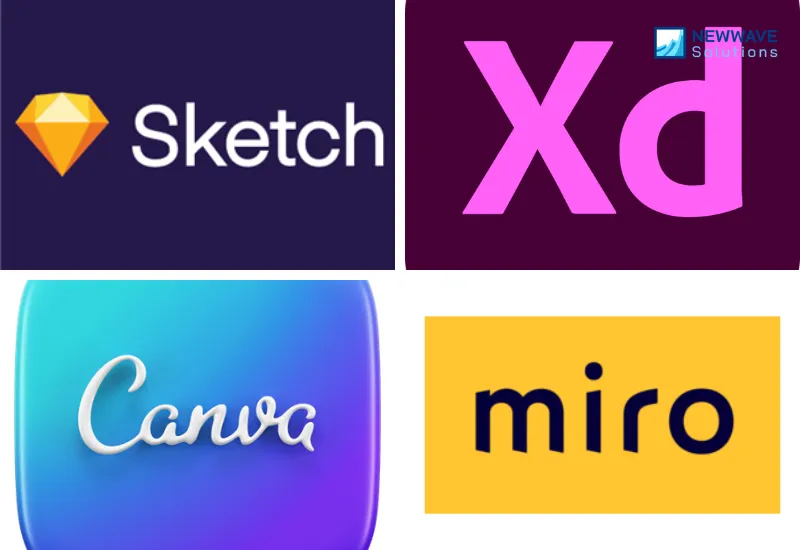
1. Sketch
Sketch is a Mac-exclusive desktop app renowned for its lightweight performance and extensive plugin ecosystem, primarily competing with Figma in UI/UX design for individual creators and small teams focused on vector editing and symbol libraries. It emphasizes offline capabilities and precise control over artboards, appealing to designers who prefer a native app experience without browser dependency.
Figma vs Sketch: Sketch excels in offline editing and plugin customization for solo workflows, while Figma dominates real-time multiplayer collaboration and cross-platform accessibility without installation.
2. Adobe XD
Adobe XD, part of the Creative Cloud suite, offers seamless integration with Photoshop and Illustrator, positioning itself as Figma’s enterprise rival with robust prototyping and voice/design specs features for large design systems. It targets Adobe ecosystem users needing auto-animate transitions and shared libraries across CC apps.
Figma vs XD: XD outperforms in native Adobe integrations and repeat grid automation for complex assets, but Figma leads with free tier accessibility and superior browser-based team editing speed.
3. Canva
Canva is a beginner-friendly drag-and-drop platform for non-designers, challenging Figma in quick graphic creation, social media templates, and marketing collateral with its massive stock library and AI magic tools. It competes by simplifying design for marketers and SMBs without steep learning curves.
Figma vs Canva: Canva wins for rapid template-based content and zero-designer teams, whereas Figma provides advanced prototyping, components, and developer handoff precision for professional product UI/UX.
4. Miro
Miro functions as an infinite collaborative whiteboard with design plugins, rivaling Figma in ideation, wireframing, and remote brainstorming sessions integrated with sticky notes and flowcharts. It appeals to product teams blending visual planning with diagramming beyond static mocks.
Figma vs Miro: Miro surpasses in flexible mind-mapping and workshop facilitation for early-stage ideation, while Figma excels in high-fidelity prototyping, auto-layout, and code-export readiness for polished designs.
Work with Newwave Solutions to best utilize Figma
If you lack experience in applying Figma to your design projects, there’s no need to worry because Newwave Solutions‘ UI/UX design services fully cover this aspect for you. Our UI/UX design services transform complex business ideas into intuitive digital experiences that captivate users and drive measurable growth, backed by over 300 experts with deep experience in software and product design.
We deliver bespoke UI and UX solutions that perfectly balance aesthetics, usability, and scalability, whether you’re revamping an existing product, building a new MVP, or optimizing enterprise software to ensure your digital offerings are both highly functional and truly delightful.
Additionally, you can hire UI/UX designers through our extensive network at Newwave Solutions to bring your Figma designs to life with clean code, responsive implementations, and high-performance front-end architecture that ensures flawless cross-device experiences. As you search for UI/UX designers for hire, our service stands out by offering end-to-end support from concept to deployment, precise execution aligned with your vision, and measurable impact through optimized user engagement and business outcomes.
Conclusion
To summarize, what is Figma can be best understood through its defining strengths: real-time collaboration, cloud accessibility, intuitive UI/UX design tools, and a powerful ecosystem of shared libraries and plugins. These capabilities have positioned Figma as a market-leading design tool, widely adopted by UI/UX designers, product teams, and enterprises that require efficiency, consistency, and speed.
Moreover, Figma is especially suitable for designers working in remote or hybrid environments, teams building large-scale design systems, and organizations that need a unified workspace for design-to-development workflows.
To Quang Duy is the CEO of Newwave Solutions, a leading Vietnamese software company. He is recognized as a standout technology consultant. Connect with him on LinkedIn and Twitter.



Read More Guides



Get stories in your inbox twice a month.
Let’s Connect
Let us know what you need, and out professionals will collaborate with you to find a solution that enables growth.
Leave a Reply