


What Is Maven? Project Management & Build Tool Explained
As software projects grow larger and more complex, managing dependencies, builds, and integrations becomes a significant challenge for development teams. To solve these pain points, tools like Maven were introduced to automate repetitive tasks, standardize project structures, and simplify lifecycle management. In this article, we will explore what is Maven, its key features, pros and cons, common use cases, setup process, comparisons with other tools, and practical advice for enterprises considering its adoption.
What Is Maven in Java?
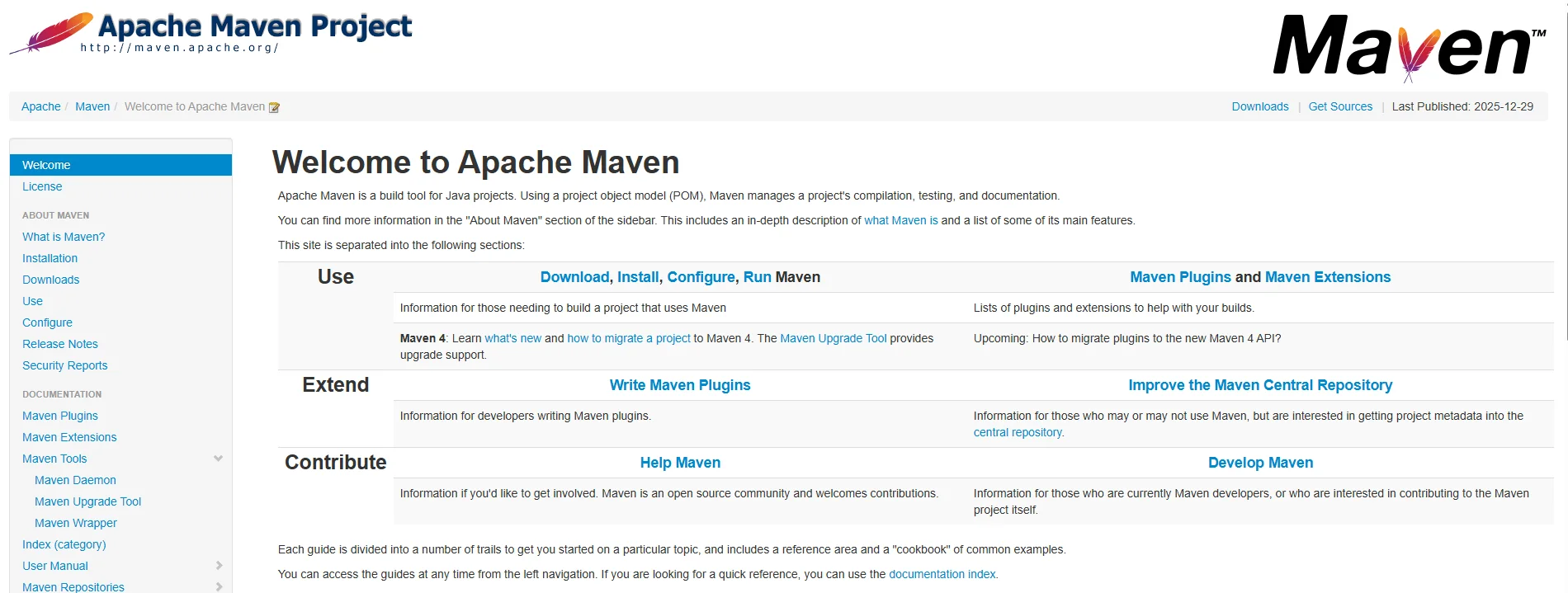
Maven is an open-source build automation and project management tool developed by the Apache Software Foundation. It simplifies software development by managing dependencies, standardizing project structures, and automating lifecycle tasks such as compiling, testing, packaging, and deploying. In enterprise environments.
Maven development enables teams to streamline workflows, improve consistency across large projects, and ensure faster delivery with fewer errors.
Example: LinkedIn, one of the world’s largest professional networking platforms, applies Maven to manage its large-scale Java-based backend systems. By automating complex dependency handling and build processes, LinkedIn reduced build times significantly and improved developer productivity across global teams.
How does Maven work?
Maven works by using a central configuration file called the POM (Project Object Model), which defines project dependencies, plugins, goals, and build settings. This file provides a unified blueprint so that developers can reproduce builds reliably across environments. Maven also structures projects consistently, following a standard directory layout for source code, test code, and resources, which reduces onboarding time for new developers.
The tool operates around a lifecycle model, which breaks development into distinct phases such as validate, compile, test, package, verify, install, and deploy. Each phase has a specific goal, ensuring that projects follow a predictable and repeatable build process.
Maven relies heavily on repositories for managing dependencies:
- Local Repository – Stores dependencies downloaded on a developer’s machine.
- Central Repository – Provides a vast collection of open-source libraries for global use.
- Remote/Enterprise Repository – Hosts custom or proprietary components used by specific organizations.
What is Maven used for?
Maven was created to simplify and standardize the process of building and managing Java projects, addressing the growing complexity of dependencies and project structures. Over time, its role has expanded, and today it is applied across multiple scenarios in enterprise and large-scale software development.
- Dependency management – Maven automatically downloads, updates, and manages libraries, ensuring teams use the right versions without manual intervention.
- Build automation – It reduces repetitive tasks by compiling, testing, packaging, and deploying applications with a single command.
- CI/CD integration – Maven works seamlessly with tools like Jenkins, GitLab CI, and Bamboo to support continuous integration and continuous delivery pipelines.
- Multi-module projects – Enterprises can manage several interconnected modules in a single build process, improving collaboration and reducing integration issues.
- Reproducible builds – Maven guarantees consistent results by enforcing standardized lifecycle phases and dependency handling across environments.
- Enterprise-grade project standardization – Large organizations benefit from predictable project structures and processes, which improve scalability and reduce onboarding time.
Key Features of Maven
Let’s explore the 9 main functions that the Maven Build Automation tool can provide to simplify the Java web development process:
- Dependency Management: Maven automatically downloads and manages external libraries, ensuring that all developers use the same versions and reducing conflicts in large projects. This saves time and minimizes manual configuration.
- Standard Project Structure: It enforces a fixed folder layout for source code, tests, and resources, which makes projects easier to understand and maintain. New developers can quickly adapt without needing extra documentation.
- Build Lifecycle: Maven defines a sequence of build phases like compile, test, package, and deploy, so teams can automate repetitive tasks. This ensures consistency and reliability in software delivery.
- Plugins: It offers a wide variety of plugins for compiling, testing, reporting, and deployment. This modular approach allows projects to extend Maven’s functionality to meet different needs.
- POM File: The pom.xml file acts as the project’s blueprint, storing dependencies, configurations, and build instructions. It makes projects more transparent and easier to replicate across environments.
- Central Repository: Maven connects to a shared online repository to fetch dependencies, removing the need for developers to manually download libraries. This improves collaboration and speeds up the setup process.
- Build Profiles: Different settings can be defined for development, testing, and production environments. This flexibility allows teams to customize builds for specific use cases without altering core configurations.
- Reporting: Maven can automatically generate Javadocs, unit test reports, and project documentation. This feature helps teams track progress, identify issues, and improve project visibility.
- IDE Support: It integrates seamlessly with major IDEs like Eclipse, IntelliJ, and NetBeans. Developers can work more efficiently as Maven automates project setup and dependency management directly within the IDE.
Pros & Cons of Maven in project management
When exploring the benefits of Maven, it is also important to understand its drawbacks. This section highlights both strengths and weaknesses, so businesses can decide more easily if Maven is the right project management and build automation tool for their software development.
| Pros |
Cons |
| Maven provides centralized dependency management, which reduces conflicts and ensures all developers use consistent versions across environments. | Maven can be complex for beginners, as understanding POM files and lifecycle phases requires a learning curve. |
| The tool enforces a standard project structure, making it easy for new developers to navigate and contribute quickly. | For projects outside the Java ecosystem, Maven’s usefulness is limited compared to more flexible tools like Gradle. |
| It supports a wide plugin ecosystem, allowing automation of tasks such as testing, reporting, and deployment without manual intervention. | Large-scale projects with custom requirements may experience slower builds compared to alternative tools. |
| Maven integrates seamlessly with CI/CD pipelines, which helps enterprises automate software delivery and reduce time-to-market. | Some plugins may not be well-documented, creating challenges in troubleshooting and maintenance. |
| It works well with multi-module projects, giving enterprises the ability to manage complex applications under one unified build. | Teams heavily adopting microservices may find Maven less adaptable than lighter-weight solutions. |
| Strong IDE support (IntelliJ, Eclipse, NetBeans) improves developer productivity by automating setup and integration. |
5 Common Use Cases of Maven
Maven is not just for software developers—it has become an integral part of enterprise workflows across industries. It supports tasks like dependency management, build automation, and CI/CD integration, helping businesses achieve consistency and efficiency. Below are five industries where Maven plays a significant role.

1. Telecommunications
Maven supports large-scale telecom platforms by managing dependencies and automating builds for critical systems like customer portals and billing software. Its lifecycle management ensures updates and patches are delivered consistently across distributed teams.
For example, Ericsson uses Maven in its telecom infrastructure projects to streamline builds and testing, helping ensure faster rollouts of features and minimizing downtime for enterprise clients.
2. Banking & Financial Services
In finance and banking software development services, Maven simplifies the building and testing of secure transaction platforms, where dependency consistency is vital to meet compliance requirements. It ensures that software systems supporting online banking or fraud detection run reliably at scale.
JPMorgan Chase, for instance, leverages Maven for automating builds and testing modules across its digital banking applications, improving code quality while reducing integration risks.
3. E-commerce & Retail
E-commerce platforms rely on Maven to handle multiple modules—such as product catalogs, payment gateways, and logistics systems—under one unified build process. This ensures scalability and quick deployment of new features.
Walmart applies Maven in its retail systems to support continuous integration and deployment, enabling it to handle seasonal surges in online traffic with fewer technical bottlenecks.
4. Healthcare & Life Sciences
Maven helps healthcare software development services and organizations manage multi-module applications such as patient portals, analytics dashboards, and compliance-driven systems. Its reporting features also assist with generating clear audit trails for HIPAA or GDPR compliance.
Siemens Healthineers reportedly uses Maven in its healthcare software pipelines to standardize testing and deployment, ensuring stability and compliance in medical technology solutions.
5. Education Technology (EdTech)
EdTech platforms benefit from Maven’s dependency management and reproducible builds, especially for systems with multiple learning modules and integrations like video, exams, and analytics. This improves uptime and reduces release delays for institutions.
Coursera has used Maven as part of its build system for scaling its online learning platform, ensuring faster feature deployment to millions of global learners without compromising reliability.
Maven vs. Other Java Development Tools
While Maven is widely adopted for Java project management, it is not the only tool available. Alternatives such as Ant and Gradle also offer unique benefits, each designed for different purposes and user groups. The table below compares the three tools based on key criteria.
|
Criteria |
Maven | Ant | Gradle |
Verdict |
| Project structure | Provides a standardized structure out of the box. | Requires developers to define their own structure. | Offers flexibility with both convention and customization. | Maven for beginners and teams needing standardization. |
| Dependency management | Automated via central repositories and pom.xml. | Manual; developers must specify all libraries. | Uses Maven and Ivy repositories, providing more flexibility. | Maven or Gradle for easier dependency management. |
| Learning curve | Moderate, requires understanding POM and lifecycle. | Easy to learn, straightforward XML scripting. | Steeper curve due to Groovy/Kotlin DSL. | Ant for simple projects, Maven for balanced use, Gradle for advanced teams. |
| Performance | Decent speed, but slower for very large builds. | Fast for small builds, but not efficient for big projects. | Incremental builds make it faster for large-scale projects. | Gradle for performance in enterprise builds. |
| Plugin ecosystem | Large plugin library for testing, reporting, and packaging. | Limited plugins; relies mostly on manual setup. | Extensive plugins and strong community support. | Maven or Gradle for advanced automation. |
| CI/CD integration | Integrates seamlessly with Jenkins, GitLab CI, etc. | Needs custom setup for CI/CD pipelines. | Strong CI/CD support, optimized for DevOps workflows. | Gradle for DevOps teams, Maven for general CI/CD. |
| Enterprise adoption | Widely used in mid-to-large enterprises. | Declining usage, mostly in legacy projects. | Increasing adoption, especially in modern enterprise DevOps. | Maven for stability, Gradle for innovation. |
How to use and manage Maven
Many developers struggle with Maven due to its complexity and wide range of functions. To make it easier, here is a basic setup and usage guide that will simplify the first steps for anyone new to Maven. These Maven tutorials will give you a foundation for understanding how to set up Maven and manage it effectively.
Step-by-step guide:
- Step 1: Install Java Development Kit (JDK) – You must install the JDK first, as Maven runs on Java and requires it for compiling and running applications.
- Step 2: Download and install Maven – Get the latest version of Maven from the official Apache website and install it on your system.
- Step 3: Configure environment variables – Add Maven’s bin directory to your system PATH so that Maven commands can be recognized anywhere in the terminal.
- Step 4: Create a new project with mvn archetype:generate – Use the built-in archetypes to quickly generate a project structure with folders for source code, test files, and configuration.
- Step 5: Manage dependencies in the pom.xml – Define your project’s external libraries inside the pom.xml file, and Maven will automatically fetch and manage them.
- Step 6: Build and run with lifecycle commands – Run commands such as mvn compile, mvn test, or mvn package to build and manage the complete lifecycle of your project.
Maven and Its Role in Modern DevOps
Maven plays a central role in modern DevOps by acting as the backbone of build and dependency management within continuous integration and delivery pipelines. It integrates seamlessly with tools like Jenkins and GitLab CI, allowing automated builds, testing, and deployment processes to be triggered with every code commit. This ensures consistency, reliability, and faster release cycles across development teams.
In addition, Maven works effectively with Docker for containerized builds and can be deployed to environments orchestrated by Kubernetes. This combination gives enterprises a scalable and automated approach to software delivery, making Maven a trusted choice for DevOps teams aiming to reduce errors, improve collaboration, and accelerate time-to-market.
Why to outsource Newwave Solutions’ Java Web Development Services?
For many businesses, working with tools like Maven or managing full Java development projects can be overwhelming. Challenges often come from a lack of in-house expertise, time-consuming setup, or difficulty maintaining secure and scalable systems. In such cases, outsourcing to a trusted partner like Newwave Solutions becomes a smart choice.
With over 14+ years of experience, 300+ in-house experts, 800+ successful projects, and 500+ active clients worldwide, Newwave Solutions provides proven results in building and managing enterprise-grade Java applications. Choosing our Java web development services means you gain access to scalable teams, optimized workflows, and long-term cost savings while ensuring the quality and reliability your business needs.
What Newwave Java Web Development Services can offer?
- Custom Java Web Development: Build tailored web solutions to fit unique business workflows and requirements.
- Cloud-Based Solutions: Develop and migrate Java applications to cloud environments like AWS, Azure, or GCP for scalability and flexibility.
- Java Software Re-Architecture: Modernize legacy systems to improve performance, maintainability, and security.
- Enterprise Application Development: Deliver robust, enterprise-level apps with secure integrations and high scalability.
- Integration Services: Seamlessly connect Java applications with ERP, CRM, or other enterprise systems.
- Java Maintenance & Support: Provide ongoing support, bug fixes, and system monitoring for reliable performance.
- Consulting Services: Offer strategic advice to help businesses maximize Java technology in their projects.
Besides Java web development, we also offer other quality, professional solutions like Java app development services.
FAQs
1. What is Maven in Java?
Maven is a project management and build automation tool that simplifies compiling, testing, and deploying Java applications.
2. Is Maven free?
Yes, Maven is an open-source tool provided by Apache and is completely free to use.
3. Can Maven handle enterprise-level projects?
Yes, Maven is widely used in enterprises because it supports dependency management, modular projects, and CI/CD integration, making it fit for complex, large-scale applications.
4. How does Maven differ from Gradle?
Maven follows a strict XML-based configuration and convention-over-configuration model, while Gradle uses a more flexible Groovy/Kotlin DSL and offers faster builds with advanced caching.
5. How to check the Maven version?
You can open your terminal or command prompt and run mvn -v to display the installed Maven version.
6. Can Maven integrate with cloud platforms?
Yes, Maven works well with cloud-native pipelines by integrating into tools like Jenkins, GitLab CI/CD, and Docker, allowing smooth deployment to platforms like AWS, Azure, and Kubernetes.
Conclusion
In summary, what is Maven can best be described as a powerful project management and build automation tool that helps enterprises streamline software development and improve consistency. It is especially valuable for organizations managing large-scale projects or those requiring standardized builds and integration with DevOps pipelines.
For businesses with little experience in Java development, it is advisable to outsource projects to Newwave Solutions to ensure quality delivery, on-time execution, and effective budget management. By choosing our Java developers, you gain cross-platform efficiency, affordable enterprise-level security, and the advantages of open-source components tailored to your business needs.
Let us support your Java development journey from scratch!
To Quang Duy is the CEO of Newwave Solutions, a leading Vietnamese software company. He is recognized as a standout technology consultant. Connect with him on LinkedIn and Twitter.



Read More Guides



Get stories in your inbox twice a month.
Let’s Connect
Let us know what you need, and out professionals will collaborate with you to find a solution that enables growth.
Leave a Reply