


Cloud Migration Strategy: 7Rs, Planning Steps & Best Practices
Cloud migration strategy has become a critical decision. Flexera’s report shows that enterprises and small and medium-sized businesses have at least 50% of their application workloads running in the public cloud. However, moving workloads to the cloud without a clear approach can create unexpected costs, security risks, operational disruptions, and scalability challenges.
For a successful migration, organizations need to evaluate their goals, workload requirements, and long-term business impact before selecting the right path. In this blog post, we’ll examine popular cloud migration approaches, strategy selection factors, implementation steps, and best practices to help build a migration plan that reduces risk and improves business outcomes.
Key Takeaways
|
What Is a Cloud Migration Strategy?
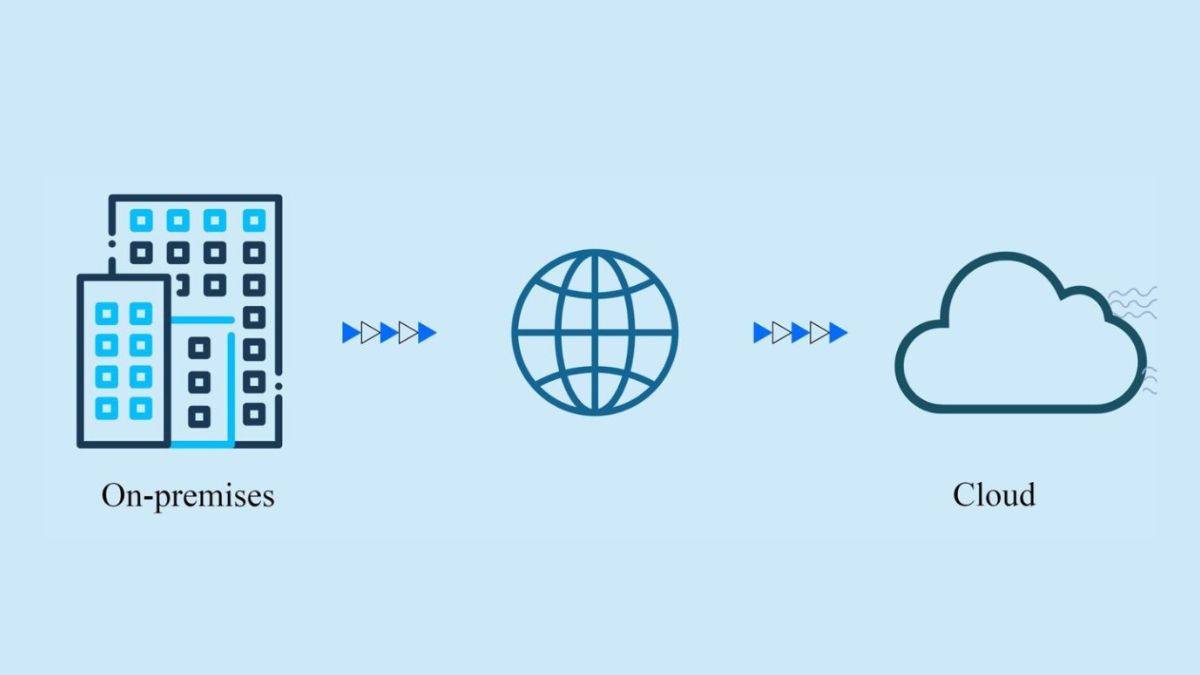
A cloud migration strategy is a structured plan that defines how an organization will move its data, applications, and infrastructure from on-premises or legacy systems to a cloud-based environment. It outlines the processes required to carry out the migration rather than treating the move as an unplanned transfer of existing resources.
The target environment can vary depending on the organization’s approach. Some organizations may operate their own private cloud, while a more common option is to migrate resources to a public cloud managed by a cloud provider.
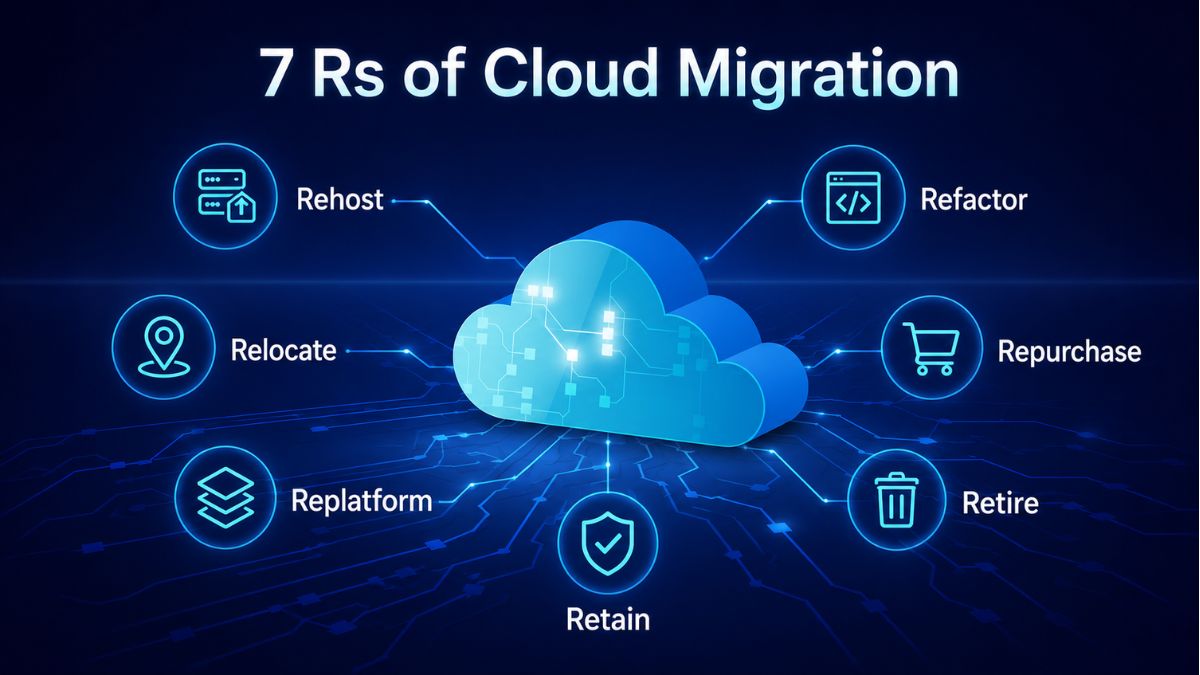
What are the Main Cloud Migration Strategies? Understand 7R Approach
For cloud migration strategy, Gartner initially introduced the 5Rs model as a framework for evaluating migration options. AWS later expanded it into the 6R cloud migration strategy by adding Retire, emphasizing the need to assess whether existing applications still provide enough value to keep.
The framework then evolved into the 7Rs model with Retain, recognizing that some workloads may need to remain in their existing environment rather than migrate immediately.
Rehost (Lift and shift)
Rehost involves moving an on-premises application and its dependencies to cloud Infrastructure as a Service (IaaS) largely as they are. Instead of redesigning the underlying infrastructure, organizations redeploy workloads on cloud services that match their existing compute, storage, and networking requirements.
Because the workload’s operational and configuration structures remain largely unchanged, rehosting is relatively straightforward to execute. It can be particularly suitable when in-house cloud-native expertise is limited, as teams can move applications without first modifying their core architecture.
Relocate (Hypervisor-Level Lift and Shift)
Relocate moves a collection of workloads from an on-premises platform to a cloud-based version of the same platform without rewriting application source code, purchasing new hardware, or significantly changing workload architecture and configuration. For example, workloads running on Kubernetes or VMware can be transferred to corresponding cloud environments, including managed Kubernetes services such as Google Kubernetes Engine (GKE) and Amazon Elastic Kubernetes Service (EKS).
Since applications continue operating with minimal structural changes, relocation can reduce downtime and disruption during migration. It also limits the need for staff retraining or upgraded hardware, which can help lower operating expenses. The approach can also make migration costs more predictable by setting clearer boundaries on scalability.
Replatform (Lift and reshape)
Replatform moves an application to the cloud while introducing selected platform optimizations that enable it to use cloud-native capabilities. Unlike refactoring, the application’s source code and core architecture remain unchanged, allowing legacy applications to continue operating while supporting cloud-based security and compliance requirements.
This approach can improve workload flexibility, agility, and resilience while enabling capabilities such as automation. Because organizations can modernize selected components rather than rewrite the entire application, replatforming can reduce migration time and cost.
Retaining the application’s existing architecture and functionality can also limit the amount of additional training required for teams managing the migrated workload.

Refactor (Re-architect)
Refactor is the most complex of the migration approaches covered here. It involves redesigning workloads around cloud-native capabilities rather than simply transferring the existing application architecture to the cloud.
Through refactoring, applications can use capabilities such as serverless computing, autoscaling, and distributed load balancing. A monolithic application can also be broken into microservices to support higher availability and greater automation.
This approach requires substantial effort and resources during migration, but a well-planned service-oriented architecture can have substantially lower operating costs than the legacy framework it replaces.
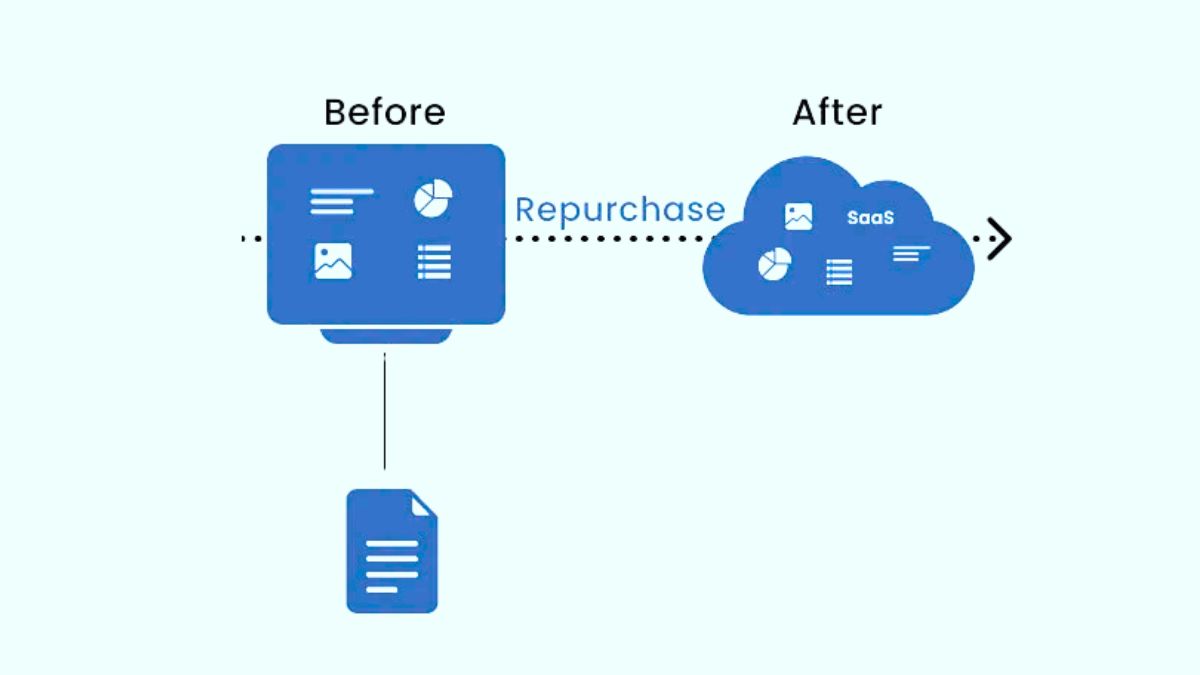
Repurchase (Drop and shop)
Repurchase replaces internally managed systems with third-party managed cloud services. Instead of migrating the existing system itself, an organization can retire the legacy solution and move to a consumption-based Software as a Service (SaaS) subscription model.
Because the replacement service is built and managed by a third-party provider, repurchasing reduces the infrastructure management workload for internal teams. It can also simplify and accelerate migration while reducing downtime and supporting scalability and regulatory governance.
The approach uses more cloud-native features and is often chosen when better performance and user experience are needed with lower operational overhead.
Retire
Retire applies to applications that are no longer useful in production and can therefore be terminated or downsized rather than migrated. In this approach, inefficient legacy systems supporting business-critical workloads can be retired as an initial step toward adopting modern, cloud-native deployments.
This means a cloud migration strategy does not necessarily require every existing application to be transferred to the cloud. Part of the migration process can involve determining which systems should no longer remain in the application portfolio.
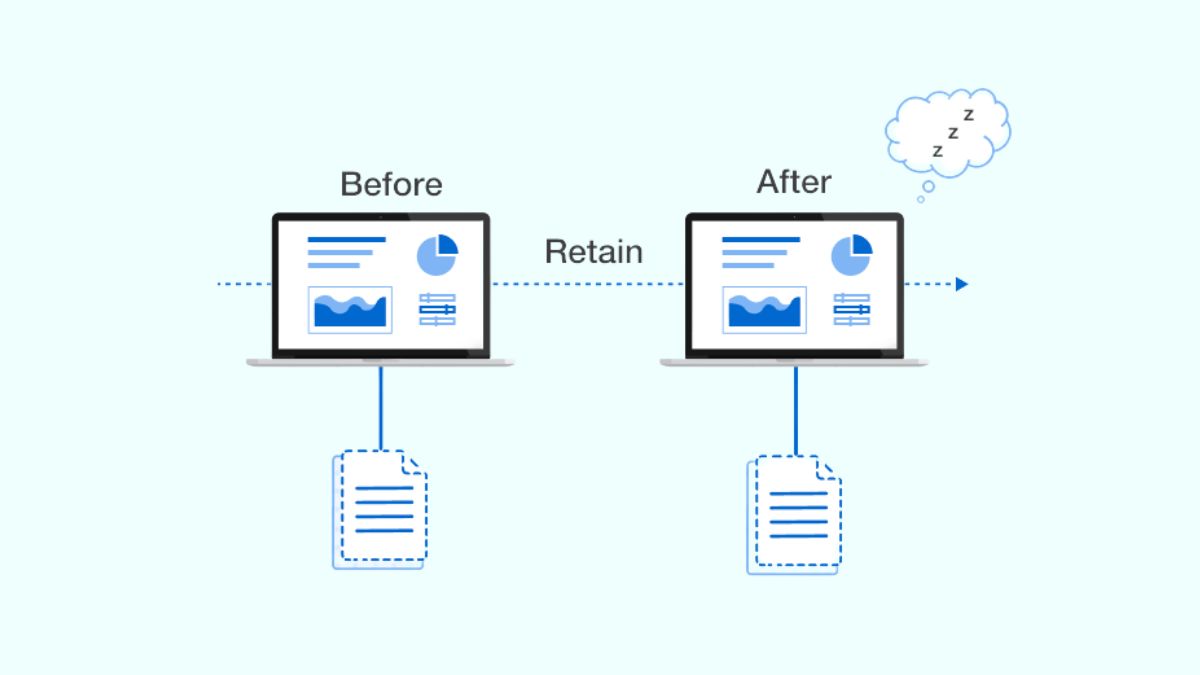
Retain (Revisit)
Retain means keeping an application in its existing environment when it cannot be retired but does not yet need to migrate. For example, an organization may retain a workload because it depends on another application that must be migrated first or because moving it currently provides no immediate business value.
Vendor-based applications may also be retained when the service provider is expected to introduce a SaaS version later. In these cases, migration is deferred rather than immediately pursued, allowing the workload to continue operating within its existing framework.
How to Choose the Right Enterprise Cloud Migration Strategy?
The 7R framework provides different options depending on whether the priority is migration speed, cloud-native capabilities, modernization, cost and effort, or keeping certain applications in their current environment.
To help you decide which is the right move, the table below compares the 7 strategies by their most suitable use cases, advantages, and trade-offs.
|
Migration strategy |
Suitable use cases | Pros |
Cons |
| Rehost | Organizations that want to accelerate cloud migration at a lower cost while leaving room for further changes later | 1. Transfers legacy workloads with minimal change 2. Improves reliability and resilience without costly upgrades 3. Requires relatively little risk and disruption |
1. May introduce operational or technical incompatibilities that affect user experience 2. Provides limited access to cloud-native capabilities |
| Relocate | Applications running on VMware servers or local Kubernetes distributions | 1. Enables a fast migration 2. Requires no changes to existing operational processes 3. Reduces data center operating costs 4. Requires minimal staff training |
1. Provides limited cloud-native capabilities 2. PaaS services can be expensive 3. Scaling instances down to reduce costs can be difficult |
| Replatform | Organizations that want to move legacy applications to the cloud but are concerned about the risks of a comprehensive migration in one step | 1. Allows selected features to be modernized based on potential ROI 2. Does not require extensive staff training
3. Lets IT teams evaluate cloud-native capabilities before migrating additional workloads |
1. Platform changes can be costly and time-consuming 2. Application availability may decrease during migration |
| Refactor | Complex, heavily used applications with a strong business case for performance optimization; also applicable when applications require changes because of regulatory compliance or an evolving threat landscape | 1. Enables end-to-end cloud-native capabilities within a well-architected framework 2. Supports business continuity 3. Provides greater automation, scaling, and high availability |
1. Requires extensive planning, budgeting, and execution 2. Depends on cloud expertise and substantial staff training 3. Requires continuous cost monitoring 4. Complex to manage 5. Not recommended for migrating many applications at once |
| Repurchase | Organizations that want cloud-native capabilities without designing systems from scratch | 1. Enables rapid adoption of cloud-native capabilities 2. Supports a flexible pay-as-you-go model 3. Provides feature upgrades with potential cost benefits |
1. Can be expensive for applications with low usage because of high baseline costs 2. Updates and releases follow the vendor’s schedule |
| Retire | Redundant workloads and legacy applications that are no longer being used | 1. Requires the least investment in time, cost, and effort 2. Eliminates IT spending on idle resources |
Retiring workloads prematurely or without adequate planning may cause incompatibility with interconnected technology stacks |
| Retain | Organizations that want to maintain control over certain resources, are considering hybrid cloud migration, or need applications to remain in local data centers for security or compliance | 1. Helps distinguish workloads that need immediate migration from those that can move later 2. Avoids moving existing on-premises inefficiencies into the cloud 3. Allows recently upgraded services to be evaluated before migration |
Can delay adoption of modern, cost-effective, secure, and efficient cloud services |
Step-by-Step Guide to Build a Cloud Migration Strategy
The following eight 8 provide a structured approach for developing a cloud migration project plan.
Step 1: Define business goals and migration drivers
Start by clarifying why the organization is moving to the cloud. Migration strategy in cloud computing should be tied to business outcomes rather than based only on technical preferences.
Common migration drivers include:
- Replacing ageing infrastructure that may no longer support current business needs.
- Improving security or resilience across the IT environment.
- Supporting hybrid work with cloud-based access and services.
- Reducing dependency on on-premises infrastructure.
- Preparing for AI, automation, or Copilot.
- Scaling applications or modernizing legacy systems.
- Improving disaster recovery and business continuity.
Defining these priorities first gives the cloud migration strategy a clear business direction and helps keep later technical decisions aligned with the outcomes the organization wants to achieve.
Step 2: Assess the current environment and workload dependencies
Before deciding what to migrate, build a complete picture of the existing IT environment. This discovery process should identify applications, servers, data locations, integrations, and the relationships between workloads.
The assessment should also account for authentication dependencies, network requirements, legacy systems, and third-party tools. Understanding these dependencies is important to avoid migration risk.
Step 3: Decide what to move, modernize, replace, retain, or retire
Not every existing workload needs to move to the cloud in its current form. Evaluate each application to determine whether migration, modernization, replacement, retirement, or retention makes the most sense for the business.
Some workloads can be rehosted to accelerate migration, while others may be replatformed or refactored to take greater advantage of cloud capabilities. Legacy systems may instead be replaced, unused workloads retired, while selected applications retained on-premises when a direct-to-cloud or hybrid-first approach is more appropriate.
A useful question at this stage is: Would we build this workload the same way today? If not, migration can provide an opportunity to improve or replace it rather than simply moving it unchanged.
Step 4: Design the target architecture and landing zone
Before workloads move, define what the target cloud environment should look like. This reduces the need to make fundamental architecture decisions reactively during migration.
The target design should establish the structure for subscriptions and resource groups, identity through Entra ID, and network connectivity. It should also account for security, backup, monitoring, governance, and cost controls so that the environment can remain consistent and manageable.
At this stage, organizations should also consider when teams need training on the applications, services, and procedures that will affect their work in the new environment.
Step 5: Plan security, compliance, and resilience from the Start
Security should be incorporated into the migration strategy rather than added after workloads have moved. This includes defining multi-factor authentication (MFA), conditional access, privileged access controls, and rules for data protection, classification, and labelling.
The plan should also cover endpoint management, backup and recovery testing, business continuity requirements, relevant sector-specific compliance obligations, and ongoing security monitoring.
Cloud identity and environment configurations are likely to differ from the existing setup. Leaving these security decisions until later can therefore create gaps, additional rework, or increased risk after migration.
Step 6: Model costs, licensing, and commercial requirements
Before migration begins, clarify its expected financial impact. For example, if you plan to use Azure, the plan should consider right-sizing workloads and options such as Azure Hybrid Benefit or reserved instances where appropriate, as well as potential changes to Microsoft 365 licensing.
Cost management should continue beyond the migration itself. Define who will own optimization and cost control once workloads are running in the cloud, as overspending can occur after migration without ongoing cost governance.

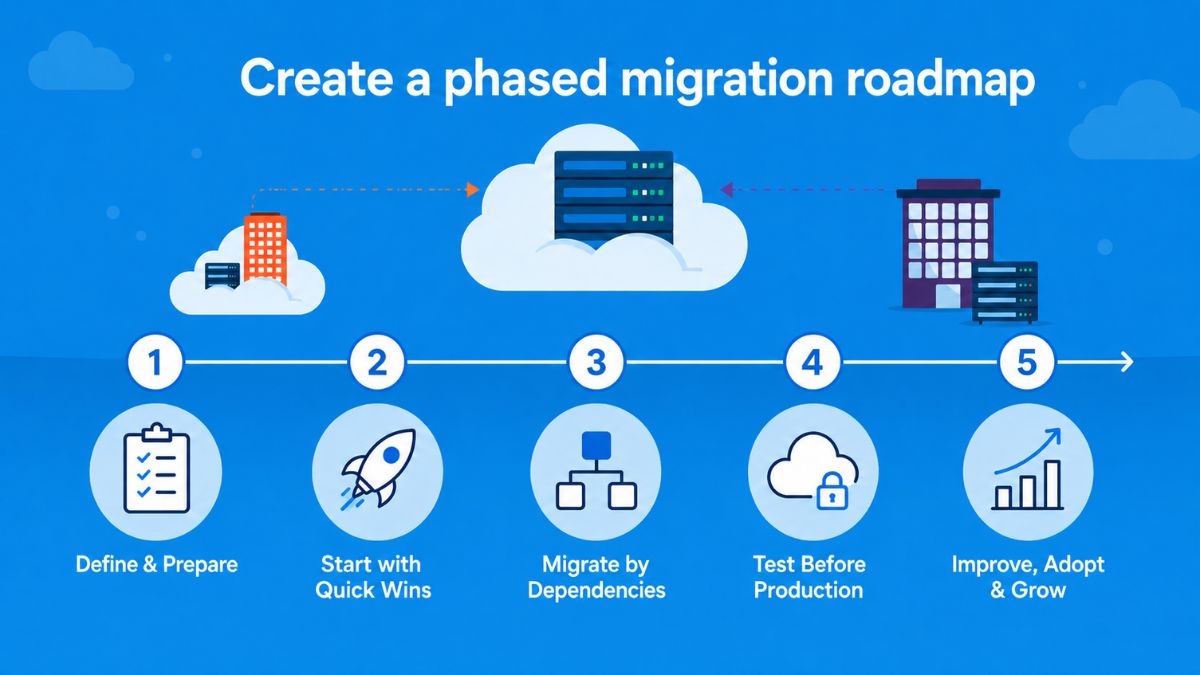
Step 7: Create a phased migration roadmap
A migration roadmap determines what moves, in what order, and when. Rather than migrating everything simultaneously, start with quick-win workloads before progressing to dependency-led migration groups.
Systems that depend on one another, such as an application and its database, should be migrated together or in the appropriate sequence. Where suitable, non-production environments can move before production systems, while more critical applications can follow once testing has increased confidence.
The roadmap should also define cutover windows, rollback criteria, stakeholder approval points, communications, and training milestones. Planning adoption alongside technical migration helps ensure that users can adjust to changes in applications, services, and working processes.
Step 8: Establish operational ownership after migration
The enterprise cloud migration strategy should extend beyond the point when workloads go live. Define who owns the new environment, how service desk responsibilities are divided, and how monitoring and incident response will operate.
Ongoing activities should also have clear owners and schedules, including cost reviews, security posture checks, backup testing, and governance reporting. Plus, organizations should determine whether infrastructure will be managed internally or whether external managed services are needed for longer-term support.
User adoption is another important consideration after migration. Continued support can help prevent users from returning to old processes or underusing new tools. Clear post-migration ownership therefore keeps cost, performance, security, and operational responsibilities within the broader migration plan rather than treating go-live as the end of the process.
Common Cloud Migration Strategy Mistakes
Even with a defined strategy, execution can become difficult when planning does not fully account for existing infrastructure, migration costs, and workload complexity. Recognizing these common mistakes early can help reduce the risk of unexpected costs, downtime, data loss, and operational disruption during the cloud migration journey.
Insufficient strategy and planning
One common mistake is starting migration before developing a complete end-to-end plan. Legacy databases and applications have different requirements, so their migration paths need to be evaluated individually rather than applying the same approach to every workload.
Effective planning requires a clear understanding of:
- Current infrastructure: Assess the existing environment before determining how workloads should move.
- Target cloud environment: Understand where applications and data will operate after migration.
- Workload-specific requirements: Evaluate legacy applications and databases individually because their requirements can affect the appropriate migration approach.
- Migration methods: Determine which migration strategy is suitable for each use case.
Overlooking Cost Optimization
Cloud migration costs can exceed expectations when planning focuses only on obvious expenses. Upfront and long-term costs may also include less visible requirements such as:
- Upskilling and labor
- Infrastructure transformation
- Data loss and recovery
- Other costs associated with the migration process
Limited visibility into existing infrastructure can also make known migration expenses difficult to control. Comprehensive pre-migration research, assessments, and financial planning are therefore important before workloads begin moving.
After all, cost management remains a significant migration concern, with 84% of respondents identified managing cloud spend as their top cloud migration challenge.
Underestimating migration complexity
Complex IT environments require detailed analysis before migration. Organizations need to understand hardware, network, and application dependencies to identify potential compatibility and interoperability issues. The larger and more complex the architecture, the more difficult this assessment can become.
Complex environments may also require different migration strategies for different applications. These migrations need to be organized into carefully planned phases rather than executed as a single uniform move.
Underestimating this complexity can result in data loss, downtime, operational disruption, and negative effects on customer satisfaction
Best Practices for Executing Cloud Migration Strategy Successfully
Once the cloud migration strategy and roadmap are defined, execution requires ongoing validation rather than simply moving workloads according to plan. The following practices focus on areas that become particularly important during and after migration, while avoiding the planning activities covered earlier.
1. Define and track migration KPIs
Establish specific KPIs to determine whether the migration is delivering the intended results. The most relevant metrics depend on the organization’s goals and should reflect the outcomes the migration is expected to achieve.
Potential KPIs include:
- Network throughput and latency
- Application response rates and availability
- Error rates
- Memory and CPU usage
- Storage costs
- Monthly downtime
Tracking these metrics throughout the cloud migration journey provides measurable evidence of migration progress and helps demonstrate the value of cloud adoption.
2. Ensure data interoperability and portability
Differences in data formats can interfere with data movement and potentially cause delays, corruption, or information loss. Standardizing data formats and protocols can therefore improve interoperability during migration.
Portability should also remain a consideration after workloads have moved. Choosing providers and migration tools that support data portability can make it easier to transfer data between cloud providers and reduce the risk of vendor lock-in.
3. Establish performance baselines and monitor continuously
Before migrating an application, record its existing performance to create a baseline for comparison after migration. This makes it easier to identify whether performance has changed once the workload is running in the cloud.
Monitoring should focus on metrics relevant to the application and business, such as error rates, response time, and throughput
Continuous monitoring can also improve cloud visibility by identifying bottlenecks and opportunities for optimization. It may reveal post-migration issues as they emerge and help identify vulnerabilities or threats before they develop into larger problems.
4. Validate disaster recovery
Cloud migration should be supported by a defined disaster recovery plan rather than assuming cloud hosting alone provides sufficient protection. The plan should specify what happens when a disaster occurs and how the organization responds.
It should clearly define:
- The sequence of recovery actions
- Roles and responsibilities for key personnel
- Communication procedures for internal and external contacts
Public cloud environments can make it easier to duplicate workloads and establish failover sites, but these capabilities still need to be incorporated into a structured recovery process.
5. Validate and strengthen cloud security
Security controls should be validated as workloads transition into the cloud. The security approach should document the existing policies, technologies, and procedures while accounting for risks specific to the new environment.
It should also establish:
- Cloud security controls and how they will be implemented
- Processes for monitoring the environment
- Alerting procedures when potential threats are identified
Security validation should continue after migration rather than ending when workloads go live.
6. Verify compliance in the cloud environment
Organizations should confirm that the target environment satisfies their applicable compliance requirements. Public cloud providers may already support common frameworks and regulations. For example, AWS supports requirements including HIPAA/HITECH, GDPR, NIST 800-171, and PCI-DSS.
When an organization must comply with less common requirements, additional coordination with the cloud provider or external experts may be necessary to ensure those obligations can be met in the new environment.

7. Continuously optimize applications and cloud usage
Migration does not automatically mean workloads are optimized for the cloud. Applications may require further changes after migration to improve productivity or user experience, which can involve revising code or rebuilding parts of the application.
Optimization therefore requires balancing the potential benefits against the effort involved. The same principle applies to cloud spending. Regular analysis of cloud usage and pricing plans can help control costs and improve cloud ROI rather than treating the original migration budget as the final cost-management exercise.
8. Maintain ongoing management and improvement
A cloud migration strategy should continue after the migration itself. Ongoing management and maintenance help keep cloud performance consistent and reduce unexpected downtime as technologies and business requirements change.
This means treating migration as an operational transition rather than a one-time technical project. Continuous monitoring, maintenance, optimization, and improvement should remain part of how the cloud environment is managed after workloads have been successfully moved.
Accelerate Your Cloud Migration with Newwave Solutions
Newwave Solutions supports businesses across the cloud migration journey, from assessing existing infrastructure and identifying an appropriate migration strategy to implementation, modernization, security hardening, and post-migration optimization.
Our cloud migration services help organizations move from legacy systems, private cloud, and hybrid environments to AWS, Azure, and Google Cloud while building environments designed for scalability, security, and long-term cost efficiency.
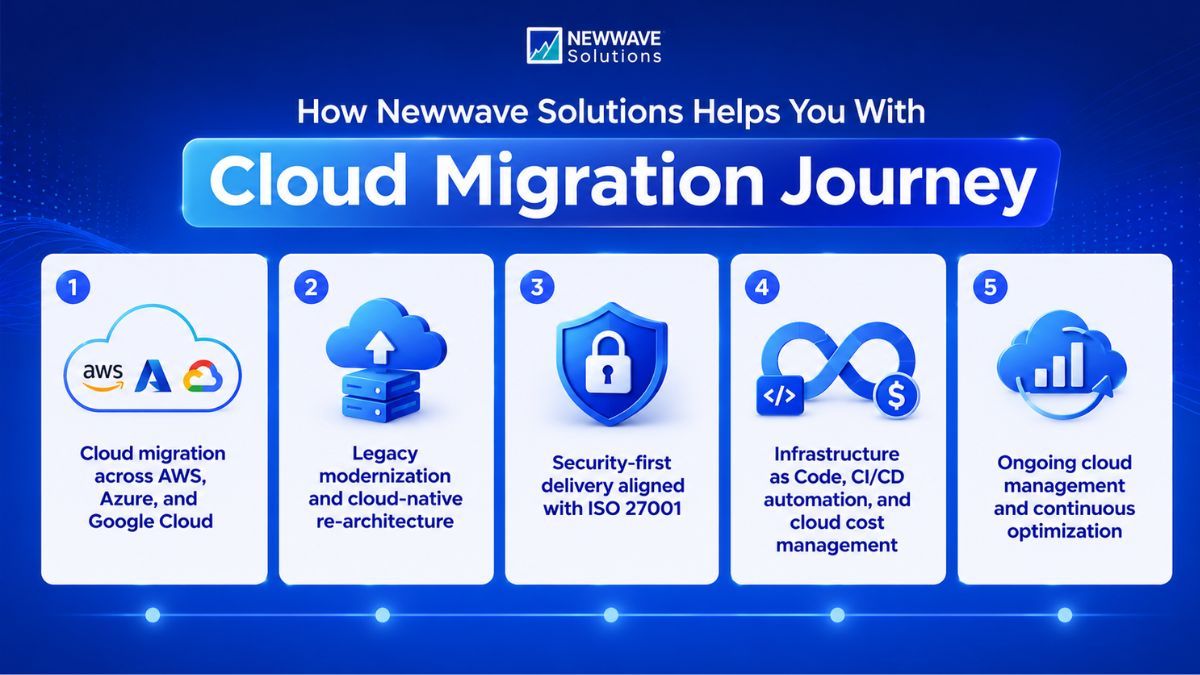
How Newwave Solutions supports your cloud migration strategy:
- Assess the current IT estate: Review infrastructure, applications, dependencies, and technical constraints to build a realistic starting point for migration planning.
- Define the right workload migration path: Match workloads with suitable migration approaches instead of relying on a single strategy across the entire portfolio.
- Design the target cloud environment: Shape the architecture around platform requirements, scalability, security, governance, and future operational needs.
- Execute migration in controlled phases: Structure migration waves around dependencies and workload priorities to reduce unnecessary disruption.
- Strengthen security throughout delivery: Apply security controls and practices aligned with ISO 27001 across the migration lifecycle.
- Improve delivery and cost visibility: Use Infrastructure as Code, CI/CD automation, and cloud cost management to support more consistent operations and better control after migration.
- Optimize after go-live: Continue monitoring and improving performance, cost efficiency, and cloud operations as the environment evolves.
Whether you are creating a new cloud migration project plan or refining an existing enterprise cloud migration strategy, Newwave Solutions can help turn migration decisions into a structured, executable roadmap.
Conclusion
A practical cloud migration strategy should help businesses decide what to move, how to move it, and what should remain unchanged. The best approach depends on workload priorities, technical dependencies, security requirements, and long-term business value. Planning migration in phases also gives teams more control over risk, performance, and cost as the cloud environment evolves.
Newwave Solutions can help turn these decisions into a clear and executable migration plan. Talk to our cloud experts to identify the right path for your cloud journey.
FAQs
1. What are the 7 cloud migration strategies?
The seven cloud migration strategies are Rehost, Relocate, Replatform, Refactor, Repurchase, Retire, and Retain. Each approach reflects a different balance of migration speed, modernization effort, cost, and business value, so organizations should evaluate workloads individually rather than apply one strategy to everything.
2. What is a cloud migration roadmap?
A cloud migration roadmap is a phased plan that defines what workloads will move, in what order, and when. It should also account for dependencies, cutover windows, rollback criteria, stakeholder approvals, communications, and training so migration can be executed in a controlled way.
3. What are the five phases of cloud migration?
The 5 phases of cloud migration are preparation, planning, migration, operation, and optimization. Together, these phases provide a structured path for assessing migration needs, moving workloads to the cloud, managing the new environment, and continuously improving performance, cost efficiency, and business value.
4. What is the first step in a cloud migration strategy?
The first step is to define business goals and migration drivers. Organizations should clarify why they are moving to the cloud and what outcomes they expect before making technical or workload-level migration decisions.
5. How long does a cloud migration take?
A cloud migration can take from several weeks to 2 years, depending on the size of the IT environment, application complexity, data volume, and migration scope. Smaller, less complex workloads may move quickly, while large enterprise migrations typically require more time for planning, testing, and phased execution.
To Quang Duy is the CEO of Newwave Solutions, a leading Vietnamese software company. He is recognized as a standout technology consultant. Connect with him on LinkedIn and Twitter.



Read More Guides
Get stories in your inbox twice a month.
Let’s Build Something Extraordinary
Sign up for a 30 min no-obligation strategic session with us. Transform your Ideas into scalable reality.
Leave a Reply