


Cloud Pricing Comparison: Which Provider Gives You the Best Value?
A cloud pricing comparison matters when cloud bills are rising faster than expected. Nearly 49% of businesses report difficulty controlling cloud costs, while 44% say at least one-third of their cloud spend is wasted (PR Newswire). Choosing between cloud providers therefore requires more than comparing headline rates.
Different pricing models, instance types, storage tiers, data transfer fees, and discounts can make the cheapest-looking provider more expensive for a specific workload. This guide compares provider pricing models, compute and storage costs, data transfer charges, and workload-based cost calculation to help you identify which cloud platform offers the best fit for your budget and usage.
Key Takeaways
|
Cloud Pricing Comparison at a Glance
AWS, Microsoft Azure, Google Cloud Platform (GCP), and Oracle Cloud Infrastructure (OCI) are four major cloud providers with different strengths and pricing structures. AWS offers broad infrastructure coverage and more than 200 services, while Azure combines a similarly large service portfolio with close integration across Microsoft products.
GCP stands out for data analytics and machine learning, whereas OCI is positioned around high-performance, secure enterprise workloads and Oracle technologies such as Exadata and Autonomous Database.
|
AWS |
Microsoft Azure | GCP |
OCI |
|
| Launch year |
2006 |
2010 |
2011 |
2016 |
| Regions supported |
38 |
70+ |
40+ |
50+ |
| Number of services |
200+ |
200+ |
100+ |
150+ |
| Pricing models | Pay-as-you-go, Savings Plans, Reserved Instances, Dedicated Hosts | Pay-as-you-go, Savings Plan, Reserved Instances, Hybrid Benefit, Spot Instances, Azure Dev/Test | Pay-as-you-go, Committed Use | Pay-as-you-go, Universal Credits, Monthly Universal Credits, Annual Universal Credits, Bring Your Own License, Oracle Cloud at Customer, Government Subscriptions |
| Free period |
Yes |
Yes |
Yes |
Yes |
| Major strengths | Extensive infrastructure | Integration with Microsoft products | Data analytics and machine learning | Enterprise workloads, Oracle Exadata, and Autonomous Database |
| Main challenges | Many service configurations and options can add complexity | Security configuration can be complex, particularly in hybrid cloud scenarios | Integration with non-Google services can be complex, with fewer features in some areas than AWS and Azure | Additional services and third-party integrations are less mature than AWS and Azure |
| Supported OS | Linux, macOS, Windows Server | Windows Server, Linux | Linux, Windows Server | Linux, Windows |
From a pricing perspective, AWS and Azure provide several options beyond on-demand usage, including commitment-based plans. GCP has a simpler set of listed models centered on pay-as-you-go and Committed Use, while OCI provides multiple Universal Credits and licensing options.
Cloud Pricing Model Comparison: AWS, AZure, GCP vs OCI
All 4 providers provide pay-as-you-go pricing, commitment-based discounts, spot capacity, and free usage options. The main differences lie in how commitments work, the discounts available, and provider-specific programs. The following cloud pricing comparison breaks down those models before comparing them side by side.
AWS pricing models
AWS provides 4 main pricing options for different workload patterns:
- On-demand: Customers pay only for the resources they use, normally by the hour or second, without upfront payments or long-term commitments. It offers the highest flexibility but can become more expensive for workloads that run consistently over time.
- Reserved Instances (RIs): AWS offers discounts of up to 75% compared with on-demand rates in exchange for committing to computing capacity for one or three years. This model is designed for predictable workloads, although the commitment reduces flexibility.
- Savings Plans (SPs): Savings Plans also require a one- or three-year commitment, based on a consistent dollar-per-hour level of usage. Compared with RIs, they allow more flexibility to move between instance families, operating systems, and AWS regions, although they apply only to certain services.
- Spot Instances: AWS makes unused compute capacity available at discounts of up to 90% from standard on-demand prices. Because instances can be interrupted with little notice, this model is intended for stateless and fault-tolerant workloads, including big data, CI/CD, containers, and web servers.
AWS also provides a free tier for new customers, including up to $200 in credits and free use of selected services for up to six months.
|
AWS model |
Commitment | Upfront cost | Main benefit | Main limitation |
Best for |
| On-demand |
No |
No |
High flexibility |
Higher long-term cost |
Short-term projects |
| Reserved Instances |
1 or 3 years |
Yes |
Up to 75% cheaper than on-demand |
Less flexibility |
Predictable applications |
| Savings Plans |
1 or 3 years |
Yes |
Predictable costs with more flexibility than RIs |
Available only for certain services |
Predictable applications |
| Spot Instances |
No |
No |
Up to 90% discount |
Can be interrupted with little notice |
Stateless, fault-tolerant workloads |
Azure pricing models
Azure provides a broader range of pricing and discount programs, including options tied to existing Microsoft licenses and development environments.
- Pay-as-you-go: Usage is billed by the minute or second, depending on the service, without upfront commitment. Resources can be started or stopped as needed, making this model suitable for variable workloads.
- Reservations: Customers can reserve capacity for one or three years and save up to 72% compared with pay-as-you-go pricing. Reservations are designed for predictable workloads, although cancellation may involve a fee.
- Spot Pricing: Azure offers unused capacity at discounts of up to 90%. Instances can be terminated when Azure needs the capacity back, so this option fits workloads that can tolerate interruptions.
- Azure Hybrid Benefit: Organizations with eligible Windows Server, SQL Server, or Linux licenses or subscriptions can reuse them in Azure and save up to 76%. The model is particularly relevant when moving existing on-premises workloads to Azure.
- Savings Plan: Customers commit to a consistent amount of compute spending per hour for one or three years and can save up to 65% compared with pay-as-you-go services.
- Dev/Test Pricing: Eligible organizations with Visual Studio subscriptions can reduce costs for development and testing environments by up to 57% for a typical web application environment. This pricing is not intended for production workloads.
Azure also provides free usage for selected services, some services free for the first 12 months, and $200 in credits for new customers to use during their first 30 days.
|
Azure model |
Commitment | Upfront cost | Main benefit | Main limitation |
Best for |
| Pay-as-you-go |
No |
No |
On-demand scalability |
Higher long-term cost |
Variable workloads |
| Reservations |
1 or 3 years |
Yes |
Up to 72% savings |
Unused reserved capacity may be wasted |
Predictable workloads |
| Spot Pricing |
No |
No |
Up to 90% discount |
Capacity can be reclaimed by Azure |
Interruptible workloads |
| Hybrid Benefit |
No |
No |
Up to 76% savings |
Requires eligible licenses or subscriptions |
Migrating existing on-premises workloads |
| Savings Plan |
1 or 3 years |
Yes |
Up to 65% savings |
Applies to specified Azure usage conditions |
Predictable workloads |
| Dev/Test Pricing |
No |
No |
Lower development and testing costs |
Visual Studio subscription required; not for production |
Development and testing |
GCP pricing models
GCP has a more streamlined pricing structure built mainly around pay-as-you-go, Committed Use Discounts, and Spot VMs.
- Pay-as-you-go: There are no upfront fees or termination charges, and services can be added or removed as required. The trade-off is a higher hourly cost compared with commitment-based pricing.
- Committed Use Discounts (CUDs): Customers with predictable, long-term usage can commit for one or three years and receive savings of up to 57%. Unlike flexible usage models, these commitments cannot be cancelled.
- Spot VMs: GCP provides unused compute capacity without long-term commitment, with variable discounts ranging from 60% to 91% compared with on-demand VMs. Google Cloud can stop or reassign these instances when capacity is required elsewhere.
New GCP customers receive $300 in credits for running, testing, and deploying workloads. More than 20 products are also available free within defined monthly usage limits.
|
GCP model |
Commitment | Upfront cost | Main benefit | Main limitation |
Best for |
| Pay-as-you-go |
No |
No |
High flexibility |
Higher cost |
Short-term and unpredictable workloads |
| Committed Use Discounts |
1 or 3 years |
Yes |
Up to 57% savings |
Commitment cannot be cancelled |
Long-term, predictable workloads |
| Spot VMs |
No |
No |
60% to 91% savings |
Can be stopped or deleted at any time |
Fault-tolerant workloads |
OCI pricing models
OCI uses Universal Credits as the basis for several of its pricing arrangements and also provides options for existing Oracle software users, on-premises cloud deployment, and government customers.
- Pay-as-you-go Universal Credits: Customers pay monthly for the resources they consume without upfront costs or commitments.
- Annual Universal Credits: Customers commit to an annual pool of credits and pay upfront. Usage is charged monthly against that pool, but credits not consumed within 12 months are forfeited.
- Monthly Universal Credits: Subject to Oracle approval, customers make a 12-month commitment to a set amount of monthly spending for Oracle IaaS and PaaS services. Unused credits expire each month, while usage above the commitment is billed at standard rates.
- Bring Your Own License (BYOL): Existing Oracle Database, Middleware, Analytics, and other eligible Oracle software licenses can be reused for Oracle PaaS services at a lower cost. The model also permits movement between on-premises and cloud deployments.
- Oracle Cloud at Customer: This option combines Oracle Cloud hardware and software subscriptions within the customer’s own data center. Universal Credits can also be used for supported PaaS services.
- Government Subscriptions: Government customers can commit monthly funds to specific services. Commitments cannot be moved between services.
OCI also operates Oracle Support Rewards, under which customers with eligible technology license support and Universal Credit orders receive $0.25 to $0.33 in rewards for each $1 spent. The provider offers free tiers for selected services and credits for new customers. According to the supplied source, OCI also maintains the same service pricing across available regions, which can make multi-region cloud spending easier to forecast.
|
OCI model |
Commitment | Upfront cost | Main benefit | Main limitation |
Best for |
| Pay-as-you-go |
No |
No |
High flexibility |
Higher cost for constant workloads |
Short-term tasks |
| Universal Credits |
1 year |
Yes |
More predictable costs |
Lower flexibility; unused credits may be forfeited |
Long-term, predictable workloads |
| BYOL |
Depends on selected plan |
Depends on selected plan |
Lower cost for eligible Oracle software users |
Valid licenses required |
Companies already using Oracle software |
| Oracle Cloud at Customer |
Individually agreed |
Yes |
Cloud services with on-premises control |
Infrastructure investment and limited scalability |
Organizations that need OCI while keeping data on-premises |
| Government Subscriptions |
Monthly |
No |
Resource-specific purchasing |
Commitments cannot move between services |
Government entities with defined data and budget controls |
In summary:
- All four support pay-as-you-go pricing, allowing businesses to scale cloud resources based on actual usage rather than making large upfront infrastructure investments.
- AWS, Azure, GCP, and OCI provide commitment-based pricing options, where customers can receive discounted rates by committing to a specified level or period of cloud usage.
- Each provider offers free tiers, trials, or promotional credits, enabling new customers to explore selected cloud services and evaluate the platform before expanding their investment.
Despite these similarities, each platform has distinct pricing advantages and cost-saving options:
- AWS: Offers flexible Savings Plans across different instance types, regions, and operating systems.
- Azure: Provides extra savings through Azure Hybrid Benefit and cost-effective dev/test pricing.
- GCP: Offers straightforward Committed Use Discounts for long-term usage, but with less flexibility to change instance types or regions than AWS.
- OCI: Provides consistent pricing across regions alongside Oracle Exadata and Autonomous Database.
|
Pricing factor |
AWS | Azure | GCP |
OCI |
| Pay-as-you-go |
Bill per second or hour |
Bill per second or minute |
Bill per minute |
Bill per second |
| Main commitment model |
Reserved Instances / Savings Plans |
Reservations / Savings Plan |
Committed Use Discounts |
Universal Credits |
| Maximum stated commitment discount |
Up to 75% for RIs |
Up to 72% for Reservations |
Up to 57% for CUDs |
Up to 30% for Universal Credits |
|
Commitment cancellation |
Possible with limitations |
Possible for a fee |
No |
No |
| Spot capacity |
Yes |
Yes |
Yes |
Yes |
| Free usage |
Free tier available |
Free services and 12-month offers |
Always-free products within limits |
Free tier available |
| Notable pricing feature |
Flexible Savings Plans |
Hybrid Benefit and Dev/Test Pricing |
Straightforward CUD structure |
Same regional pricing and Oracle Support Rewards |
Compute Instance Pricing Comparison
For a fair cloud pricing comparison, we look at similar general-purpose virtual machines from AWS, Azure, GCP, and OCI. These options are designed for everyday business workloads and offer comparable levels of computing power, scalability, and storage performance. One important difference is that CPU units are not measured exactly the same across providers; for OCI, 1 OCPU is equivalent to 2 vCPUs.
1. Pay-as-you-go pricing
This model lets businesses pay for compute resources as they use them without a long-term commitment.
|
Configuration |
AWS | Azure | GCP |
OCI |
| 2 CPU, 8 GB |
$70.08 |
$70.08 |
$71.90 |
$38.69 |
| 4 CPU, 16 GB |
$140.16 |
$140.16 |
$142.79 |
$77.38 |
| 8 CPU, 32 GB |
$280.32 |
$281.32 |
$284.58 |
$154.75 |
| 16 CPU, 64 GB |
$560.64 |
$560.64 |
$568.17 |
$309.50 |
Under the pay-as-you-go model, OCI has the lowest monthly compute costs across all four configurations. AWS and Azure remain closely matched, while GCP is slightly more expensive. Monthly prices also rise proportionally as instance capacity increases.
2. One-year commitment pricing
Committing to one year can reduce monthly compute costs compared with pay-as-you-go pricing.
|
Configuration |
AWS | Azure |
GCP |
| 2 CPU, 8 GB |
$43.80 |
$48.06 |
$45.66 |
| 4 CPU, 16 GB |
$88.33 |
$96.12 |
$90.33 |
| 8 CPU, 32 GB |
$176.66 |
$192.25 |
$179.65 |
| 16 CPU, 64 GB |
$353.32 |
$384.48 |
$358.30 |
With a one-year commitment, AWS offers the lowest monthly price for every configuration shown, followed by GCP and then Azure. OCI is not included because its pricing calculator does not provide estimates for compute instances under a commitment plan.
3. Three-year commitment pricing
A three-year commitment offers lower monthly prices in exchange for a longer usage commitment.
|
Configuration |
AWS | Azure |
GCP |
| 2 CPU, 8 GB |
$29.93 |
$32.25 |
$32.91 |
| 4 CPU, 16 GB |
$60.59 |
$64.50 |
$64.81 |
| 8 CPU, 32 GB |
$121.18 |
$129.01 |
$128.62 |
| 16 CPU, 64 GB |
$242.36 |
$258.00 |
$256.24 |
The three-year cloud services pricing comparison again places AWS at the lowest price across the configurations shown, while Azure and GCP fall within a higher and relatively similar range. The absolute cost difference becomes more noticeable for larger instances; for example, a 16 CPU, 64 GB instance costs $15.64 more per month on Azure than AWS, adding up to more than $560 over three years.
Cloud Storage Pricing Comparison
We compare standard storage options designed for frequently accessed data: AWS S3 Standard, Azure Hot Access Tier, GCP Standard Storage, and OCI Standard Tier. Storage costs vary by capacity and, for AWS, Azure, and GCP, by region, while OCI maintains the same price across the three regions included in the comparison.
1. Cost for 10 TB of storage
At 10 TB, monthly storage costs already vary noticeably between providers and regions.
|
Region |
AWS | Azure | GCP |
OCI |
| Northern Virginia |
$235.52/month |
$212.99/month | $214.20/month |
$254.74/month |
| Zurich |
$275.97/month |
$220.77/month | $232.83/month |
$254.74/month |
| Mumbai |
$256.00/month |
$204.80/month | $214.20/month |
$254.74/month |
Azure has the lowest cost in all three regions at this storage level. AWS, meanwhile, varies substantially by region and reaches the highest price in Zurich.
2. Cost for 100 TB of storage
At 100 TB, the differences become more significant in absolute monthly costs, making both provider and region important factors when businesses compare cloud pricing.
|
Region |
AWS | Azure | GCP |
OCI |
| Northern Virginia |
$2,304.00/month |
$2,087.32/month | $2,142.04/month |
$2,549.75/month |
| Zurich |
$2,703.36/month |
$2,165.45/month | $2,328.31/month |
$2,549.75/month |
| Mumbai |
$2,508.80/month |
$2,007.04/month | $2,142.04/month |
$2,549.75/month |
Azure remains the lowest-priced provider across all three locations. The table also shows that the highest-priced option on location: OCI costs the depends most in Northern Virginia and Mumbai, while AWS is the most expensive in Zurich.
3. Cost for 500 TB of storage
The 500 TB comparison shows the same overall advantage for Azure, while regional pricing differences become more visible at this larger storage volume.
|
Region |
AWS | Azure | GCP |
OCI |
| Northern Virginia |
$11,315.20/month |
$10,266.21/month | $10,710.21/month |
$12,749.74/month |
| Zurich |
$13,291.52/month |
$10,658.10/month | $11,641.53/month |
$12,749.74/month |
| Mumbai |
$12,339.20/month |
$9,871.36/month | $10,710.21/month |
$12,749.74/month |
Azure again records the lowest monthly cost in every region, OCI stays fixed across all three regions, while GCP falls between Azure and the higher-priced options in each location.
Overall, this cloud services pricing comparison shows that Azure has the lowest listed standard storage price at 10 TB, 100 TB, and 500 TB across all three regions examined. At the same time, the figures demonstrate that storage capacity and region can materially change the relative cost of AWS, Azure, and GCP, whereas the listed OCI price remains consistent across locations.
Cloud Network and Data Transfer Pricing Comparison
Cloud networking costs can include transfers into the cloud, out to the internet, and between cloud regions. For this comparison, we focus on these 3 areas: data ingress, internet egress, and cross-region data transfer across AWS, Azure, GCP, and OCI.
Data ingress and free outbound transfer
All 4 providers offer free inbound data transfer from the internet, but their free allowances for outbound traffic differ considerably.
|
Provider |
Data Ingress |
Free Internet Egress |
| AWS |
Free |
First 100 GB/month |
| Azure |
Free |
First 100 GB/month |
| GCP |
Free |
First 200 GiB/month |
| OCI |
Free |
First 10 TB/month |
Internet egress pricing
After the free allowance is exceeded, internet egress pricing generally changes according to transfer volume, while Azure, GCP, and OCI also specify geographic conditions for their listed rates.
|
Provider |
Internet Egress Pricing |
| AWS | $0.09/GB for the first 10 TB
$0.085/GB for the next 40 TB $0.07/GB for the next 100 TB $0.05/GB above 150 TB |
| Azure | First 100 GB free
$0.08/GB for the next 10 TB $0.065/GB for the next 40 TB $0.06/GB for the next 100 TB $0.04/GB for the next 350 TB |
| GCP | First 200 GiB free
$0.085/GB from 200 GiB–10 TiB $0.065/GB from 10–150 TiB $0.045/GB from 150–500 TiB |
| OCI | First 10 TB free
Above 10 TB, $0.0085/GB in North America, Europe, and the UK $0.025/GB in APAC, Japan, and South America $0.05/GB in the Middle East and Africa |
Cross-region data transfer
Moving data between cloud regions can add another layer of networking costs, with prices depending on the provider and, in several cases, the locations involved.
|
Provider |
Cross-Region Data Transfer |
| AWS |
$0.01–$0.09/GB |
| Azure |
$0.02–$0.16/GB |
| GCP |
$0.02–$0.14/GB |
| OCI |
$0.02/GB |
Managed Cloud Services Pricing Comparison
Managed services introduce additional pricing factors beyond raw compute costs. For containerized workloads, differences in Kubernetes control plane fees can affect costs across multiple clusters, while serverless services use consumption-based pricing tied to requests and execution.
1. Kubernetes control plane pricing
AWS EKS, Azure AKS, and GCP GKE take different approaches to control plane pricing:
|
Provider |
Service | Control Plane Cost |
Key Pricing Detail |
| AWS |
EKS |
$0.10/hour ($73/month per cluster) | Extended support increases to $0.60/hour ($438/month) |
| Azure |
AKS |
Free for standard clusters | Free tier comes with a reduced SLA |
| GCP |
GKE Standard |
$0.10/hour ($73/month per cluster) | $74.40 monthly billing account credit covers one Autopilot or zonal Standard cluster, but not regional Standard clusters |
| GCP |
GKE Autopilot |
Per-pod pricing | Control plane fee is waived; per-vCPU and per-GB charges apply |
Azure AKS stands out with a free control plane tier, while AWS EKS and GKE Standard each charge $73 per month per cluster. This difference can add up when teams operate separate development, staging, and production clusters.
However, the control plane itself typically represents less than 5% of total Kubernetes spending. Around 95% generally comes from worker node compute, persistent volumes, load balancers, cross-zone traffic, and observability ingestion. As a result, control plane pricing provides only one part of the overall Kubernetes cost comparison.
2. Serverless compute pricing
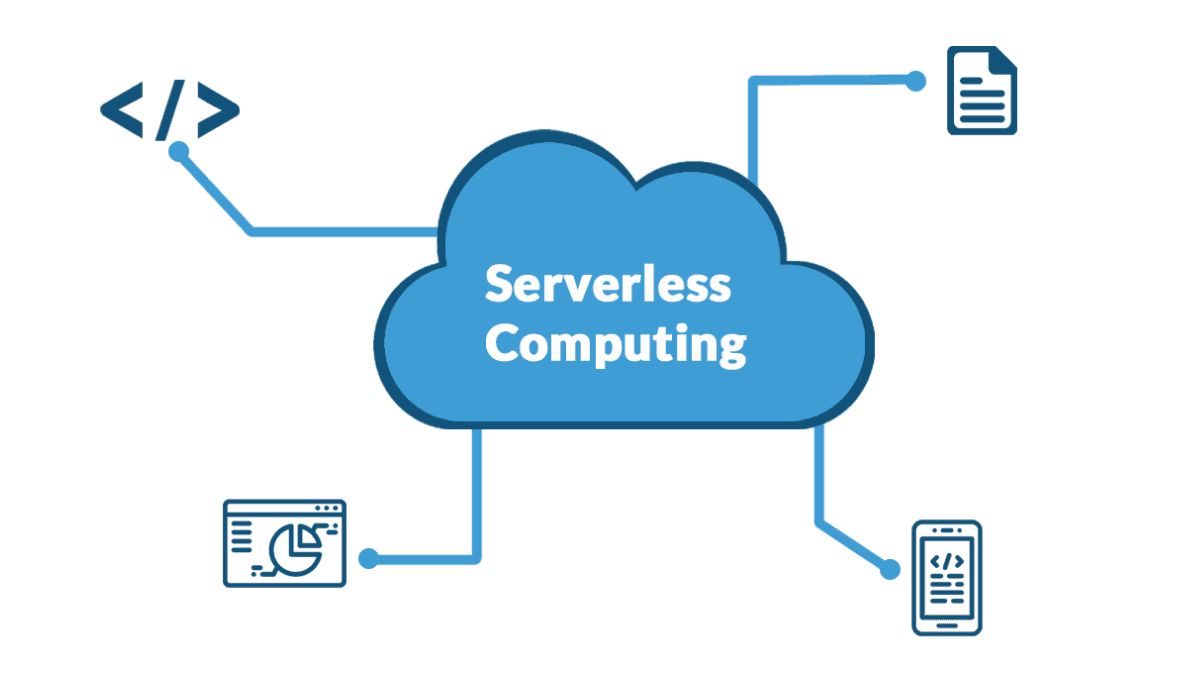
AWS Lambda, Azure Functions, and GCP Cloud Run follow broadly similar usage-based pricing models, charging based on requests and GB-seconds of execution. Their pricing is broadly comparable at moderate scale.
At higher volumes, differences in per-invocation pricing become less important than architectural choices. Factors such as using containers versus functions and the frequency of cold starts can have a greater impact on serverless costs.
Hidden Cloud Costs That Increase Your Budget
Provider pricing gives you a useful baseline, but the final cloud bill also depends on how resources are used, configured, and managed. Even identical workloads on the same provider can generate very different costs, making the following factors important when estimating a realistic cloud budget.
Commitment utilization
Reserved Instances and Savings Plans deliver savings only when committed capacity is actually used. For example, a three-year Reserved Instance running at just 60% utilization may cost more than on-demand pricing, so predictable usage is important when choosing commitment-based plans.
Architecture choices
Infrastructure decisions can directly affect ongoing costs. Instance family selection, storage tier placement, and auto-scaling configuration all influence spending. For example, using a memory-optimized instance for a CPU-focused workload means paying for capacity that remains unused.
Multi-cloud overhead
Using multiple cloud providers can create costs beyond individual provider bills. Cross-cloud networking, duplicate tools, and engineering time spent managing different billing systems can reduce the expected savings from comparing and combining providers.
How to Calculate and Compare Cloud Pricing for Your Workload
Cloud pricing calculators can help you estimate costs based on your actual infrastructure requirements rather than comparing individual service prices alone. AWS, Azure, and Google Cloud provide calculators where you can select resources such as virtual machines, databases, and storage, enter usage details, and estimate the resulting monthly cloud costs.
- AWS Pricing Calculator: Select AWS services and configure the infrastructure you need. The calculator provides estimates covering upfront costs, monthly costs, and the total cost for one year, making it easier to evaluate the overall cost of a planned AWS environment.
- Azure Pricing Calculator: Configure individual Azure services or start with example scenarios, such as real-time analytics or CI/CD for containers, to estimate the cost of common infrastructure setups.
- Google Cloud Pricing Calculator: Choose from services such as Compute Engine and Cloud Workstations, configure them according to your requirements, and generate a monthly, printable cost breakdown for the selected infrastructure.
Using the same workload requirements across these calculators provides a practical way to compare estimated cloud costs based on the infrastructure and services your organization expects to use.
AWS vs Azure vs GCP vs OCI: Which Offers the Best Value?
There is no universally cheapest cloud provider. The better value depends on the type of workload, how consistently resources are used, existing software licenses, and infrastructure choices.
1. General-purpose and predictable workloads
For standard workloads running continuously with predictable usage, AWS, Azure, and GCP have similar on-demand pricing. GCP can have an advantage through Sustained Use Discounts for workloads that run throughout the billing month without requiring a commitment. With three-year commitments, Azure and GCP offer discounts of around 60% compared with on-demand pricing, versus approximately 55% for AWS.
Before choosing based on standard compute prices, businesses can also consider ARM-based options. AWS Graviton, Azure Arm-based instances, and GCP Tau T2A can provide approximately 20% lower on-demand costs than comparable x86 options, with further reductions available through commitments.
2. Windows and Microsoft workloads
Azure has a clear cost advantage for businesses running Windows Server and SQL Server at scale. With Azure Hybrid Benefit, organizations with active Software Assurance can apply existing licenses to Azure VMs. Combined with Reserved VM Instances, this can reduce compute costs by up to 85%. The source identifies no equivalent licensing discount from AWS or GCP.
3. AI/ML and analytics workloads
The better value for AI, machine learning, and analytics depends on the workload. GCP has an advantage for data-intensive use cases through BigQuery, Vertex AI, and TPU access, while keeping compute and training data on GCP avoids cross-provider egress costs.
Azure is positioned for teams working with OpenAI and GPT-4-class models through its enterprise integrations. AWS, meanwhile, provides a broad selection of GPU instances, including G5, P4, Inf2, and Trn1, along with flexible commitment options for AI infrastructure.
4. Containerized and Kubernetes workloads
For Kubernetes workloads, control plane pricing is only one part of total cluster costs, but it can become more relevant when businesses operate multiple clusters. Azure AKS provides a free control plane, while AWS EKS and GCP GKE each cost $73 per month per cluster.
This can give Azure a cost advantage for teams maintaining separate development, staging, and production clusters. GCP also offers GKE Autopilot, which simplifies node management but uses per-pod pricing.
5. Multi-cloud environments
Using multiple cloud providers can provide flexibility, but commitments must be managed separately. A commitment purchased from one provider cannot offset spending on another, so organizations need to manage coverage for each cloud independently.
How to Optimize Cloud Costs After Choosing a Provider
Choosing a lower-priced cloud provider does not automatically result in a lower cloud bill. Since pricing differences between providers can be relatively small, ongoing cost optimization is essential to keep spending aligned with actual workload requirements.
Control resource spending
Start by creating cloud budgets and monitoring both spending and resource consumption. Right-size resources according to workload demand, identify and terminate idle resources, and use auto-scaling to reduce unnecessary over-provisioning during periods of lower demand.
Continuously review pricing and usage
Cloud pricing, discounts, and workload requirements can change over time. Regularly reassess usage to determine whether reserved instance discounts still match your needs, and consider available spot instances where they can provide additional savings.
Consider multi-cloud for different workloads
Different cloud providers can offer lower pricing across different services and instance families. A multi-cloud approach allows organizations to place workloads with providers based on their specific cost and performance requirements and potentially select regions or clouds with lower spot instance pricing at a given time.
Use cloud cost monitoring tools
As cloud environments become more complex, tracking every factor contributing to the bill can become difficult. Cost monitoring tools provide visibility into historical and current spending as well as future forecasts. Options include provider-specific tools such as AWS Cost Explorer, Azure Cost Management, and GCP Cloud Billing, as well as vendor-neutral cloud management platforms.
Evaluate provider-specific cost advantages
Some providers offer pricing benefits for particular workloads or environments. For example, organizations with existing enterprise licenses may achieve greater cost efficiency with Azure or Oracle, while providers can also have different pricing structures for hybrid cloud requirements. These factors should be considered alongside standard service prices when evaluating ongoing cloud costs.
Conclusion
A useful cloud pricing comparison should answer more than which provider has the lowest listed rate. AWS, Azure, GCP, and OCI differ in pricing models, discounts, storage and transfer costs, while the most suitable option ultimately depends on how your workloads will actually run. Cost optimization also needs to continue after deployment through monitoring, right-sizing, and regular pricing reviews.
For businesses preparing to migrate, this means cloud cost planning should be built into the migration strategy from the beginning. Newwave Solutions helps connect these decisions through end-to-end cloud migration services, from assessing workload requirements and comparing cloud options to planning and optimizing the migration for sustainable long-term costs.
Talk to our experts to build a cloud migration strategy that balances performance, scalability, and budget.
FAQs
1. Who is the cheapest cloud provider?
There is no universally cheapest cloud provider, as costs depend on the workload, usage pattern, region, and pricing model. OCI has the lowest pay-as-you-go compute prices, while Azure records the lowest standard storage costs across the regions and capacities examined.
2. Is AWS or Google Cloud cheaper?
It depends on the pricing model and workload. AWS is slightly cheaper than GCP across the one- and three-year committed compute configurations compared in this article, while GCP can offer an advantage for continuously running workloads through Sustained Use Discounts.
3. What is the difference between AWS Savings Plans, Azure Savings Plan for Compute, and GCP Committed Use Discounts?
AWS Savings Plans, Azure Savings Plan for Compute, and GCP Committed Use Discounts (CUDs) all lower compute costs in exchange for a usage commitment, but they differ in flexibility.
AWS Savings Plans allow more freedom to move across eligible instance families, operating systems, and regions; Azure Savings Plan commits customers to a consistent hourly compute spend for one or three years; and GCP CUDs offer discounts for predictable long-term usage but are less flexible and cannot be cancelled once committed.
4. Is there a free cloud provider?
AWS, Azure, GCP, and OCI all provide some form of free usage, but the available services and limits differ. The comparison identifies free tiers or services across all four providers rather than a completely free cloud platform without usage limits.
5. How to choose a cloud service provider?
Choose a cloud provider based on your actual workload requirements rather than headline prices alone. Compare compute, storage, data transfer, discounts, existing licenses, and architecture, then use pricing calculators with the same workload specifications to estimate comparable costs.
To Quang Duy is the CEO of Newwave Solutions, a leading Vietnamese software company. He is recognized as a standout technology consultant. Connect with him on LinkedIn and Twitter.



Read More Guides
Get stories in your inbox twice a month.
Let’s Build Something Extraordinary
Sign up for a 30 min no-obligation strategic session with us. Transform your Ideas into scalable reality.
Leave a Reply