


17 Types of Healthcare Software: 2026 Guide for Healthcare Businesses
Choosing the right types of healthcare software can be challenging as healthcare organizations are uncertainty about which solutions truly address their operational needs. Selecting the wrong platform can lead to integration issues, higher costs, and inefficient workflows that affect both staff productivity and patient experiences.
With healthcare technology expanding from electronic records to AI diagnostics and remote care, understanding the role of each software category is essential before investing. This guide covers major types of software used in healthcare, their key capabilities, integration approaches, and implementation challenges to help identify solutions that improve efficiency, scalability, and care delivery.
Key Takeaways
|
Types of Healthcare Software at a Glance
Healthcare organizations use different types of healthcare software to address specific needs, from managing patient records and clinical workflows to improving communication, analytics, and operational efficiency. The table below provides a quick overview of the main types of software used in healthcare industry, their purposes, users, and the scenarios where they are most suitable.
| Type of healthcare software | Primary purpose | Main users | Best for |
|---|---|---|---|
| Electronic Health Record (EHR) | Store, manage, and share comprehensive patient health information digitally | Physicians, nurses, healthcare providers, patients | Organizations that need centralized patient records and improved clinical information access |
| Health CRM Software | Manage patient relationships, communication, and engagement across care touchpoints | Healthcare providers, care teams, patient engagement teams | Organizations looking to improve patient communication and coordinate care activities |
| Telehealth Solutions | Deliver remote consultations and virtual healthcare services | Physicians, healthcare providers, patients | Organizations providing online appointments and remote care services |
| Remote Patient Monitoring (RPM) Software | Collect and monitor patient health data outside clinical settings | Providers, care teams, chronic care specialists, patients | Managing chronic conditions and monitoring patients remotely |
| Medical Billing and Coding Software | Automate billing workflows, coding processes, and insurance claim management | Billing teams, healthcare administrators, providers | Organizations seeking more accurate and efficient revenue cycle operations |
| Healthcare Scheduling Software | Manage appointments, reminders, and provider availability | Administrative staff, providers, patients | Clinics and healthcare facilities that need streamlined appointment management |
| Hospital Management Software (HMS) | Coordinate clinical, administrative, and financial operations across hospitals | Hospital administrators, departments, healthcare staff | Large hospitals managing complex multi-department workflows |
| Clinical Decision Support Systems (CDSS) | Provide evidence-based recommendations and alerts to support clinical decisions | Physicians, clinicians, healthcare professionals | Providers needing additional support for diagnosis and treatment planning |
| Pharmacy Management Software | Manage prescriptions, medication inventory, and pharmacy operations | Pharmacists, pharmacy staff, healthcare providers | Pharmacies requiring accurate dispensing and inventory control |
| Laboratory Information Management Systems (LIMS) | Manage laboratory samples, testing workflows, and results | Laboratory technicians, researchers, clinical labs | Diagnostic laboratories handling complex sample and data workflows |
| AI-Powered Diagnostic Software | Analyze medical data and identify patterns to support diagnosis | Radiologists, physicians, healthcare professionals | Organizations adopting AI assistance for diagnostic processes |
| Behavioral and Mental Health Platforms | Support therapy, mental health assessments, and behavioral care coordination | Therapists, psychiatrists, mental health providers, patients | Mental healthcare providers delivering specialized behavioral health services |
| Healthcare Web Portals | Provide patients with access to records, communication, and self-service tools | Patients, providers, administrative teams | Organizations improving patient access and digital engagement |
| Health Analytics Software | Analyze healthcare data to identify trends and support decision-making | Healthcare leaders, quality teams, analysts | Organizations using data insights for operational and clinical planning |
| Practice Management Software | Automate administrative workflows such as scheduling, billing, and reporting | Clinic administrators, providers, front-office staff | Independent practices and smaller clinics managing daily operations |
| Medical Imaging Software | Store, process, and analyze diagnostic images such as X-rays, MRIs, and CT scans | Radiologists, clinicians, imaging departments | Healthcare facilities managing medical imaging workflows |
| Health Information Exchange (HIE) Platforms | Enable secure exchange of patient information across healthcare systems | Providers, healthcare organizations, care networks | Organizations requiring interoperability and coordinated care across systems |
17 Types of Healthcare Software That Are Transforming Healthcare Organizations
Healthcare organizations now rely on a wide range of software solutions to improve clinical workflows, automate administrative tasks, and deliver more connected care experiences. Below, we’ll provide a list of healthcare software, highlighting their primary purposes, core capabilities, and the challenges they help address.
Electronic health record (EHR)
Best for: Healthcare organizations that need a centralized system to store, manage, and access patient information across care processes.
Electronic Health Record (EHR) systems are digital versions of traditional patient charts that store and manage comprehensive health information over time. They maintain records such as diagnoses, lab results, medications, physician notes, and other clinical data in a centralized electronic format, allowing authorized healthcare professionals to access, share, and analyze patient information more efficiently.
Key capabilities
- Centralized patient data management: Stores essential patient information, including medical history, lab results, prescriptions, and other clinical records in one system.
- Real-time access to medical information: Enables healthcare professionals to quickly retrieve critical patient data during care delivery.
- Secure information sharing: Supports data exchange between healthcare providers and other systems to improve care coordination.
- Patient record access: Allows patients to securely view their medical records, check test results, schedule appointments, and communicate with providers through online portals.
Common use cases
- Creating and updating patient medical records
- Accessing patient history, medications, and lab results during consultations
- Supporting clinical decision-making with up-to-date patient information
- Sharing patient information securely between healthcare providers
- Allowing patients to view medical records, test results, and appointment information through online portals
Typical integrations: Healthcare CRM platforms, AI-powered healthcare platforms, patient portals, and other healthcare systems that require secure data exchange and coordinated workflows.
Main consideration: High implementation complexity and workflow disruption can occur during migration, customization, and staff adoption, especially when replacing existing record systems.
Health CRM software
Best for: Healthcare organizations that need to improve patient engagement, coordinate communication, and manage relationships across different care touchpoints.
Health CRM software platforms complement EHR systems by connecting clinical, operational, and engagement data throughout the patient journey. While EHR systems focus on storing and managing clinical information, healthcare CRM solutions help coordinate interactions between providers and patients by organizing communication, automating outreach, and supporting more personalized engagement.
Key capabilities
- Patient communication management: Tracks patient interactions and communication history in one centralized platform.
- Automated outreach and reminders: Supports appointment reminders, follow-ups, and preventive care notifications to maintain ongoing patient engagement.
- Data integration across channels: Combines information from EHRs, scheduling systems, contact centers, and digital channels to provide a more comprehensive view of patient interactions.
- Patient segmentation: Helps categorize patients based on conditions, treatments, or care needs to support more targeted communication.
Common use cases
- Sending appointment and follow-up reminders
- Managing patient outreach campaigns
- Tracking communication history between patients and healthcare teams
- Coordinating care activities across providers and departments
- Delivering personalized communication based on patient needs or treatment stages
Typical integrations: EHR systems, scheduling platforms, contact centers, digital communication channels, and AI-powered healthcare platforms.
Main consideration: Maintaining consistent patient data across multiple communication channels can be challenging without proper data management and system synchronization.
Telemedicine
Best for: Healthcare organizations that need to provide virtual care services and enable remote consultations between patients and healthcare professionals.
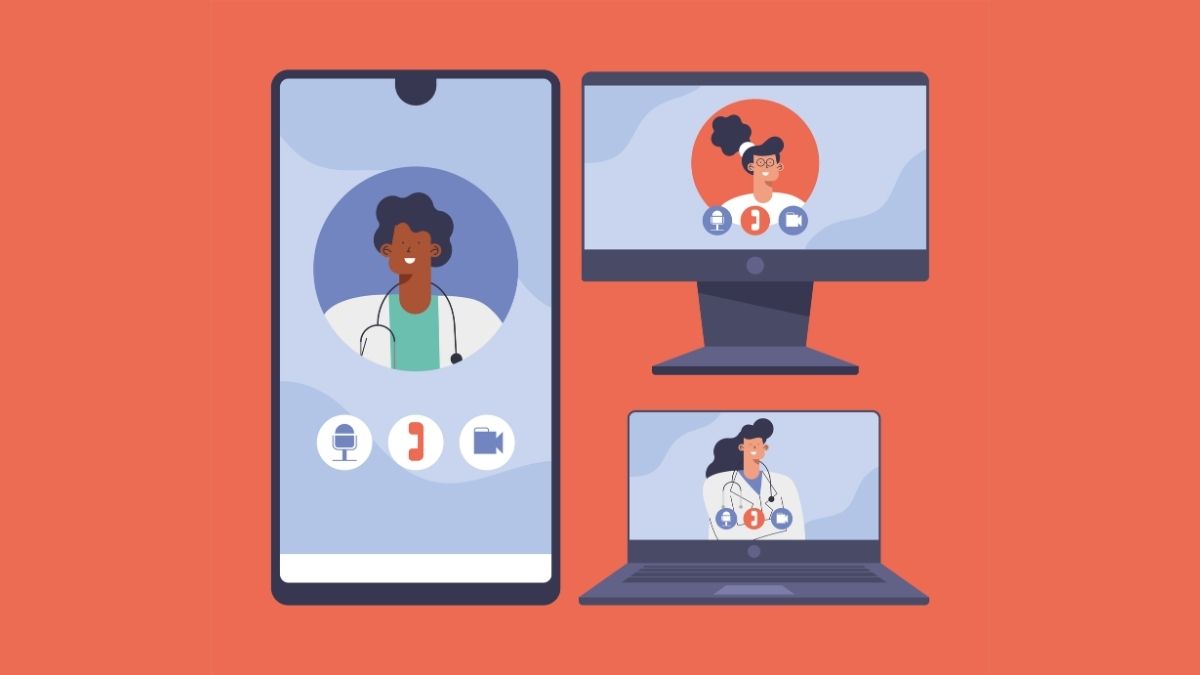
Telemedicine is the use of digital technology to deliver clinical healthcare services remotely, enabling patients and providers to connect through secure video calls, phone calls, or messaging platforms.
According to the World Health Organization (WHO), telemedicine helps improve access to medical care, particularly in areas where healthcare resources are limited, by supporting remote consultations, diagnoses, and follow-up care.
Key capabilities
- Virtual consultations: Enables video and audio appointments between patients and healthcare providers without requiring in-person visits.
- Remote care support: Helps providers deliver healthcare services to patients who cannot easily access physical facilities.
- Appointment management: Supports processes such as patient scheduling, appointment reminders, and follow-up activities.
- Patient data access: Can integrate with EHR systems to allow providers to access relevant patient information during virtual consultations.
Common use cases
- Conducting video and audio consultations with healthcare providers
- Providing remote follow-up appointments after in-person visits
- Supporting chronic disease management through remote monitoring
- Managing virtual appointments and patient reminders
- Expanding access to healthcare services for patients in remote locations
Typical integrations: EHR systems, remote patient monitoring platforms, AI-powered digital experience platforms, and healthcare scheduling systems.
Main consideration: Dependence on reliable internet connectivity and user-friendly interfaces can affect the quality and accessibility of virtual care experiences.
Remote patient monitoring software
Best for: Healthcare organizations that need to monitor patients remotely, support chronic disease management, and collect real-time health data outside traditional care settings.
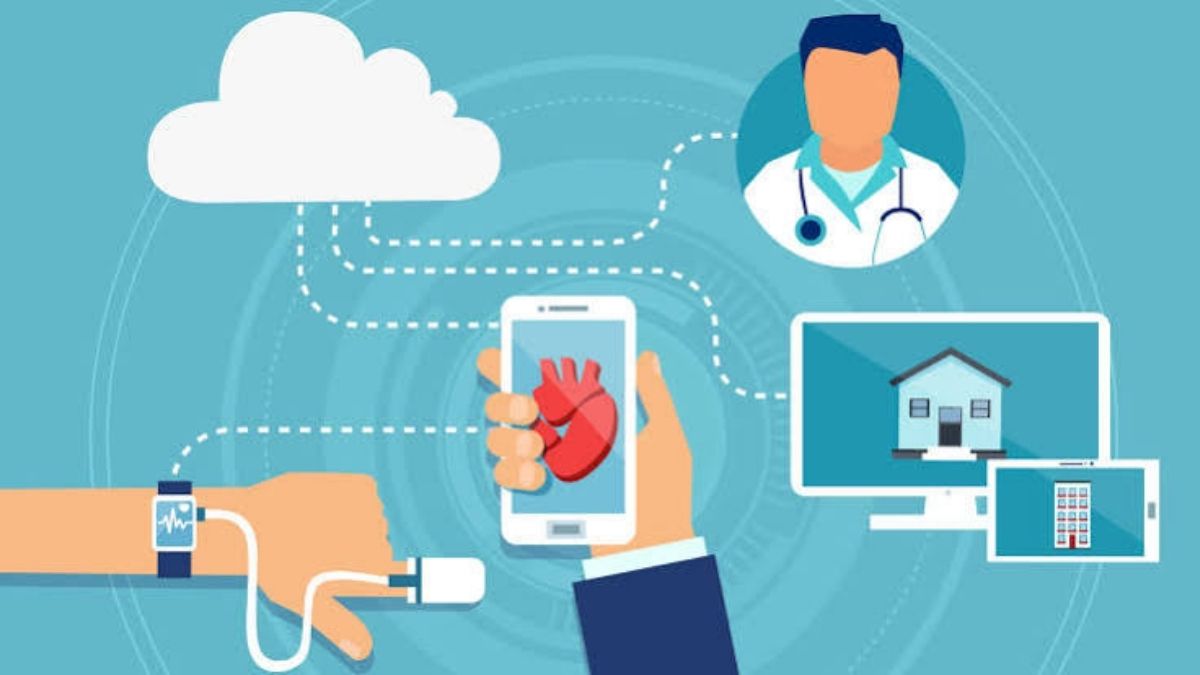
Remote Patient Monitoring (RPM) software enables healthcare providers to collect and track patient health data remotely through connected devices such as heart rate monitors, blood pressure monitors, and smart glucose monitors. By transmitting health information back to care teams, RPM solutions help providers monitor changes in patient conditions and respond when potential issues are detected.
Key capabilities
- Continuous health data collection: Collects patient health information from connected devices and transfers data to healthcare teams for monitoring.
- Real-time health monitoring: Provides ongoing visibility into metrics such as blood pressure, glucose levels, and weight outside clinical settings.
- Automated alerts: Triggers notifications when patient readings fall outside predefined safe ranges, helping providers identify potential concerns.
- Care management support: Helps healthcare teams adjust treatment plans and provide ongoing support for patients managing chronic conditions.
Common use cases
- Monitoring patients with chronic conditions such as diabetes or cardiovascular conditions
- Tracking recovery progress for post-surgery patients
- Supporting remote care for older adults who require continuous monitoring
- Reviewing real-time health data to identify potential complications
- Maintaining patient records related to monitoring and care processes
Typical integrations: Connected medical devices, IoT-powered health monitoring tools, AI-powered patient management systems, EHR systems, and healthcare billing systems.
Main consideration: Device accuracy, patient adherence, and reliable data transmission are critical challenges for continuous remote monitoring.
Medical billing & Coding software
Best for: Healthcare organizations that need to automate billing processes, manage insurance claims, and improve the accuracy of medical coding workflows.
Medical billing and coding software is a type of healthcare software that manages the financial processes involved in patient care by converting diagnoses and procedures into standardized billing codes for insurance claims. These platforms help automate claim submission, track claim status, and connect billing activities with clinical systems to reduce manual errors.

Key capabilities
- Automated claim submission: Submits insurance claims electronically to help streamline billing workflows.
- Claim status tracking: Provides updates on submitted claims to help organizations monitor payment progress.
- Medical coding support: Helps translate patient medical records, diagnoses, and procedures into standardized billing codes.
- System integration: Connects with EHR and practice management systems to improve data accuracy and reduce repetitive manual work.
Common use cases
- Submitting medical claims to insurance companies
- Tracking the status of submitted claims
- Converting patient diagnoses and procedures into billing codes
- Managing billing information alongside patient records
- Providing patients with accurate and timely medical bills
Typical integrations: EHR systems, practice management software, AI-driven patient management platforms, and insurance claim systems.
Main consideration: Incorrect coding or outdated billing rules can lead to claim errors, payment delays, and increased administrative workload.
Healthcare scheduling software
Best for: Healthcare organizations that need to streamline appointment management, reduce administrative workload, and improve coordination between patients and providers.
Healthcare scheduling software is a digital solution that manages the appointment lifecycle, from booking and confirmation to rescheduling and reminders. By automating routine scheduling tasks and synchronizing provider availability, these platforms help reduce administrative workload and create a more convenient appointment experience for both healthcare teams and patients.

Key capabilities
- Automated appointment management: Streamlines appointment booking, confirmation, and rescheduling processes to reduce manual administrative work.
- Patient reminders: Sends automated notifications to keep patients updated and help reduce missed appointments.
- Online self-booking: Allows patients to schedule appointments through digital platforms without requiring direct assistance from staff.
- Real-time calendar synchronization: Keeps provider schedules updated across the system to prevent scheduling conflicts and double-booking.
Common use cases
- Booking new patient appointments
- Confirming and rescheduling existing appointments
- Sending automated appointment reminders
- Allowing patients to schedule visits online
- Managing provider availability and appointment calendars
Typical integrations: EHR systems, practice management software, patient portals, telehealth platforms, and communication tools.
Main consideration: Managing complex scheduling requirements across multiple providers, locations, and appointment types can limit efficiency if the system lacks flexibility.
Hospital Management System (HMS)
Best for: Hospitals and large healthcare organizations that need to coordinate complex clinical, administrative, and financial operations across multiple departments.
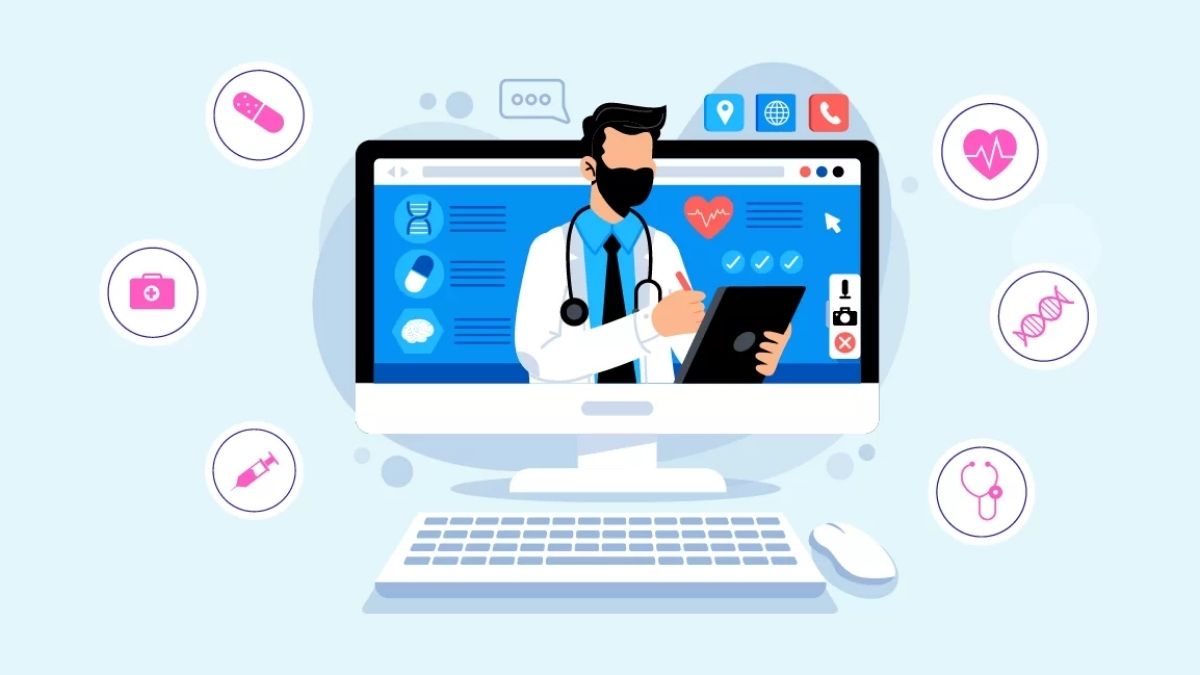
Hospital Management Software (HMS) is a centralized platform designed to manage and connect different functions within a hospital environment. Unlike Practice Management Software (PMS), which is typically used by smaller clinics, HMS supports broader hospital operations by linking departments, workflows, and patient-related processes through a unified system.
Key capabilities
- Patient admission and discharge management: Supports the management of patient registration, transfers, and discharge processes across hospital departments.
- Department coordination: Connects functions such as pharmacy, laboratories, and billing to improve information flow and reduce manual data entry.
- Operational reporting: Provides reporting capabilities that help healthcare organizations monitor hospital-wide activities and operations.
- Integrated workflow management: Brings clinical, administrative, and financial processes together within a single platform.
Common use cases
- Managing patient admissions, transfers, and discharges
- Coordinating information between pharmacy, laboratory, and billing departments
- Monitoring hospital operations through centralized reports
- Managing workflows across multiple hospital departments
- Supporting large-scale healthcare facility operations
Typical integrations: EHR systems, laboratory information management systems, pharmacy management software, billing systems, and healthcare ERP platforms.
Main consideration: Large-scale implementation can be challenging due to complex hospital workflows, multiple departments, and extensive system customization requirements.
Clinical Decision Support System (CDSS)
Best for: Healthcare organizations that need to support clinical decision-making with evidence-based recommendations, patient data analysis, and real-time alerts during care delivery.
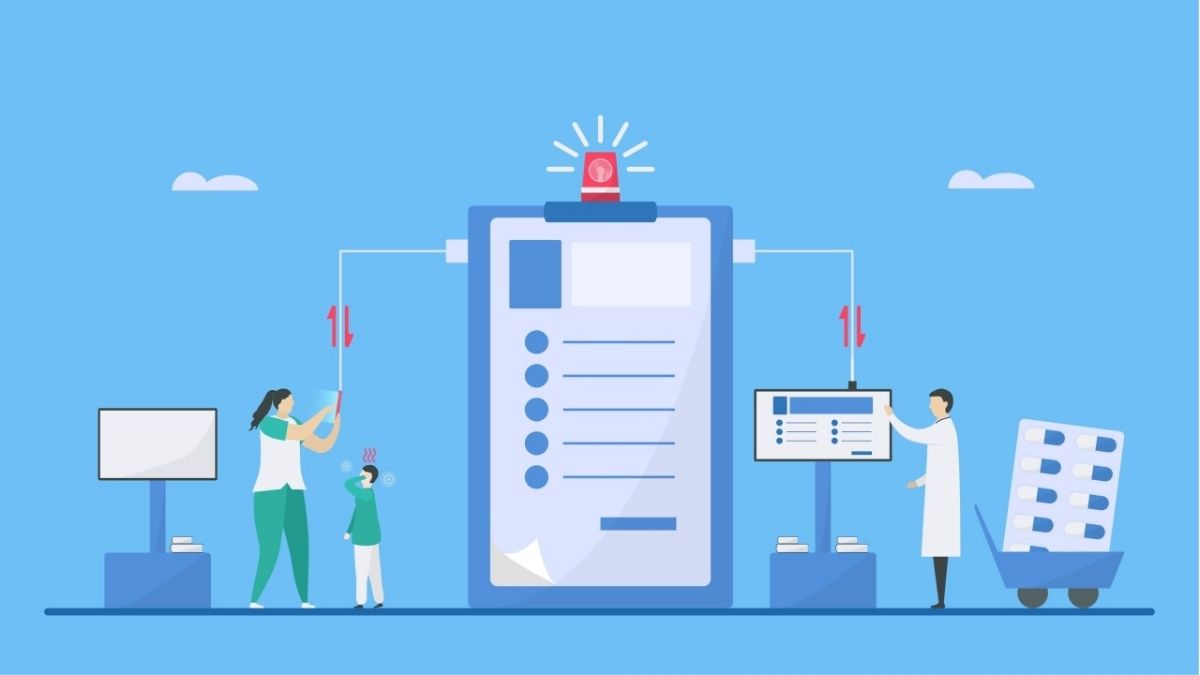
Clinical Decision Support Systems (CDSS) are healthcare software solutions that provide evidence-based guidance and alerts to assist healthcare professionals in making informed clinical decisions. These systems work alongside EHR platforms to analyze patient information, highlight relevant insights, and support activities such as diagnosis, medication safety, and treatment planning.
Key capabilities
- Clinical recommendations: Provides evidence-based suggestions to support treatment planning and decision-making at the point of care.
- Real-time alerts: Identifies potential risks such as drug interactions, allergies, or other clinical concerns during patient care.
- Patient data analysis: Reviews available patient information to help healthcare professionals identify relevant factors for diagnosis and treatment decisions.
- EHR integration: Works alongside electronic health record systems to access and present relevant patient information within clinical workflows.
Common use cases
- Providing treatment recommendations during patient consultations
- Alerting providers about potential medication interactions or allergies
- Reviewing patient history to support diagnostic decisions
- Highlighting relevant clinical information that may affect care decisions
- Supporting safer medication and treatment planning
Typical integrations: EHR systems, patient data platforms, clinical databases, and healthcare analytics systems.
Main consideration: Excessive alerts or inaccurate recommendations may reduce provider trust and create alert fatigue during clinical workflows.
Pharmacy management software
Best for: Pharmacies and healthcare organizations that need to manage medication inventory, prescription workflows, and dispensing processes more efficiently.
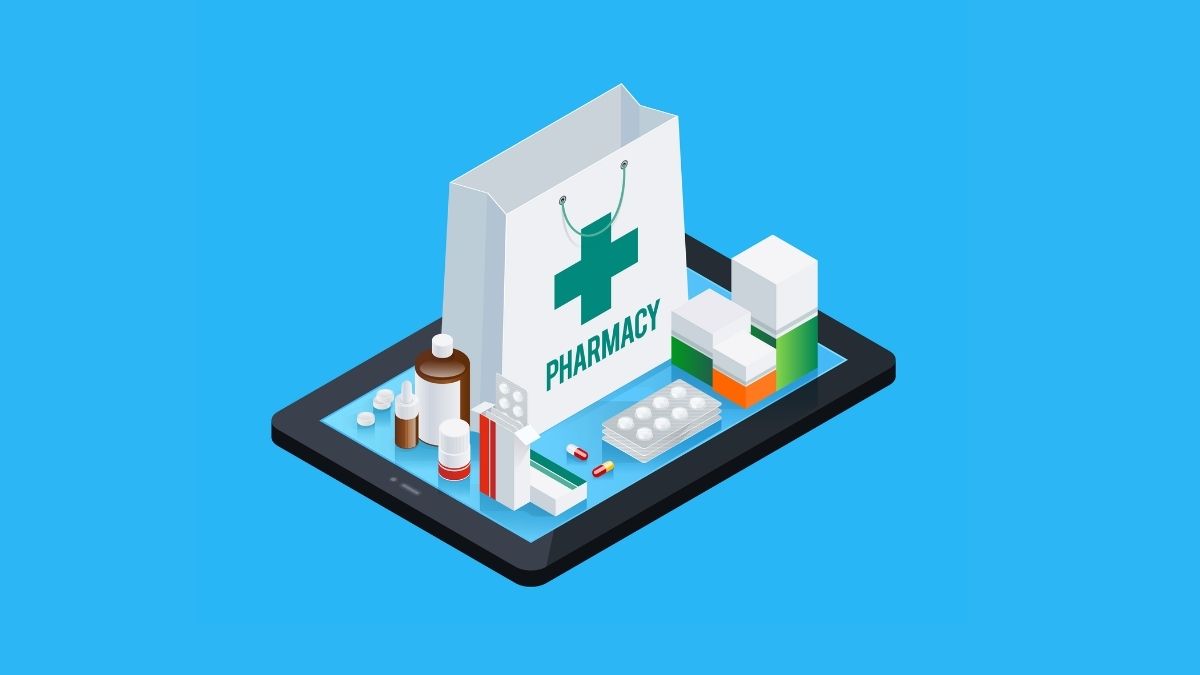
Pharmacy management software is a healthcare solution designed to organize and automate key pharmacy operations, including prescription processing, medication tracking, and billing activities. By maintaining accurate medication records and supporting digital prescription workflows, these systems help pharmacies improve dispensing accuracy and manage daily operations more effectively.
Key capabilities
- Medication inventory management: Tracks available medications, monitors stock levels, and helps pharmacies maintain accurate inventory records.
- Prescription processing: Supports prescription filling, refill management, and digital prescription workflows to streamline medication dispensing.
- Medication tracking: Helps monitor medication availability, expiration dates, and movement within pharmacy operations.
- Automated alerts: Provides notifications for low stock levels and medication expiration to support timely inventory management.
Common use cases
- Processing and filling patient prescriptions
- Tracking medication inventory and availability
- Managing prescription refills
- Monitoring medication expiration dates
- Reducing errors in medication dispensing processes
Typical integrations: E-prescribing systems, EHR platforms, billing systems, inventory management systems, and pharmacy databases.
Main consideration: Maintaining accurate medication inventory and prescription data can be difficult when dealing with changing stock levels and multiple suppliers.
Laboratory information management system (LIMS)
Best for: Diagnostic and clinical laboratories that need to manage sample workflows, improve data handling, and maintain compliance with laboratory standards.
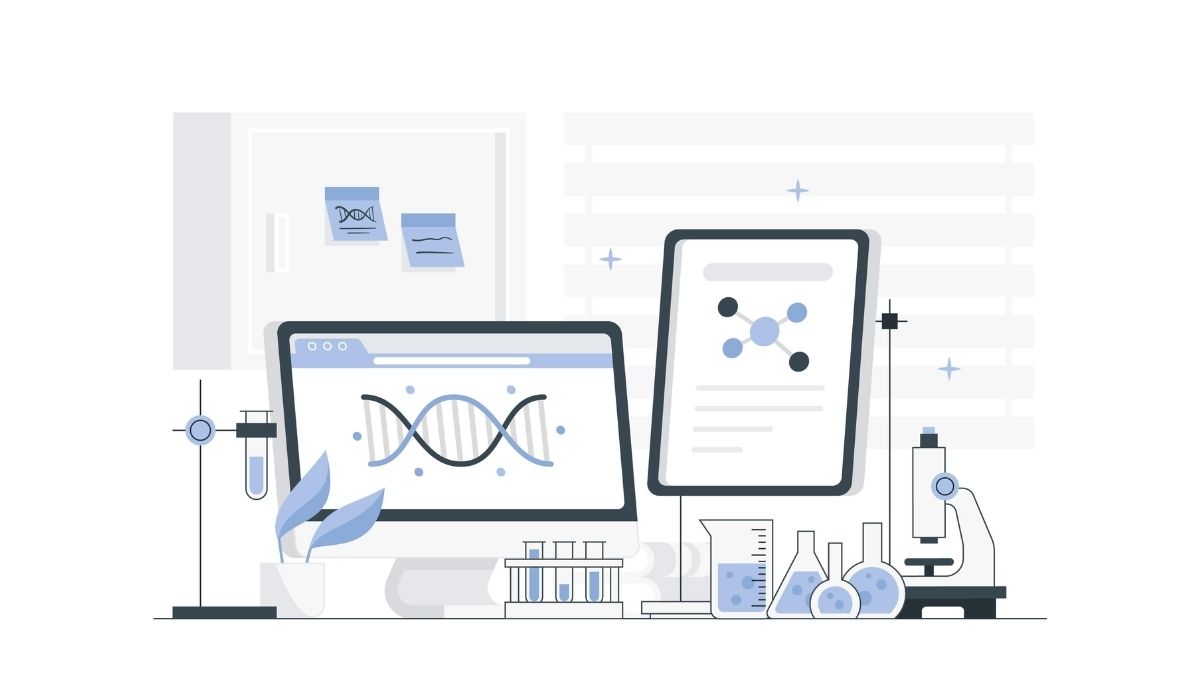
Laboratory Information Management Systems (LIMS) are specialized healthcare software solutions designed to manage the complete lifecycle of laboratory samples, from initial intake to final results. Unlike pharmacy management software, which focuses on medication dispensing and inventory, LIMS is built around laboratory workflows such as sample tracking, analysis, and regulatory compliance.
Key capabilities
- Sample tracking and management: Monitors samples throughout the testing process, including intake, processing, and result delivery.
- Results management: Supports automated results entry and data analysis to improve laboratory workflow efficiency.
- Chain of custody management: Maintains records of sample handling and movement throughout laboratory processes.
- Compliance support: Helps laboratories follow required standards and maintain accurate documentation.
Common use cases
- Tracking laboratory samples from collection to results
- Managing clinical testing workflows
- Recording and analyzing laboratory results
- Maintaining sample handling documentation
- Supporting compliance requirements in laboratory operations
Typical integrations: Laboratory instruments, EHR systems, healthcare data platforms, and clinical reporting systems.
Main consideration: Customizing the system to match specific laboratory workflows and compliance requirements can require significant configuration effort.
AI-powered diagnostic software
Best for: Healthcare organizations that need to support diagnostic workflows by analyzing medical data and identifying patterns that may require further clinical review.
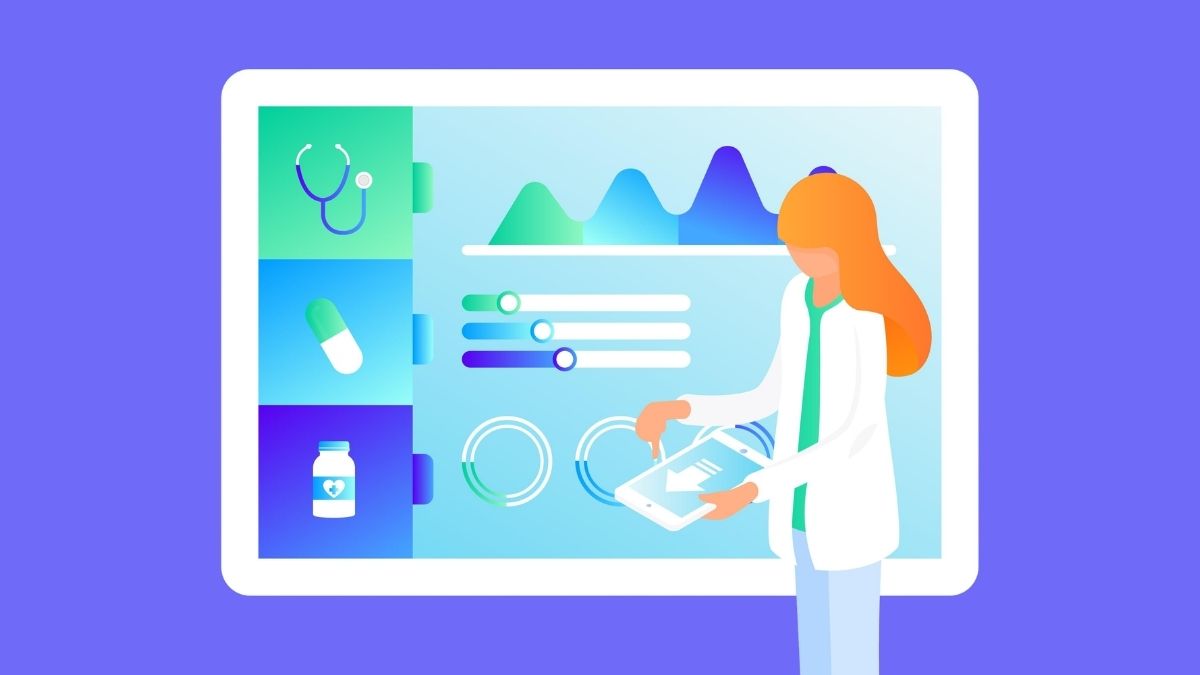
AI-powered diagnostic software is a healthcare solution that uses machine learning to analyze medical information, including imaging data, laboratory values, and patient history. These systems help healthcare professionals identify potential conditions more efficiently by highlighting relevant patterns, while supporting rather than replacing clinical judgment.
Key capabilities
- Medical data analysis: Processes large volumes of clinical data, imaging results, and patient information to identify meaningful patterns.
- Pattern recognition: Helps detect potential abnormalities or conditions that may require additional evaluation.
- Early identification support: Flags possible health concerns faster, allowing healthcare professionals to prioritize cases for closer review.
- System integration: Connects with EHR and medical imaging systems to provide additional patient context during diagnostic workflows.
Common use cases
- Analyzing medical images to identify potential abnormalities
- Reviewing patient data to support diagnostic decisions
- Prioritizing cases that require further clinical assessment
- Supporting healthcare professionals during diagnostic workflows
- Combining imaging and patient history information for more complete review
Typical integrations: EHR systems, medical imaging systems, laboratory data platforms, and clinical decision support systems.
Main consideration: Clinical validation, transparency of AI recommendations, and provider trust remain key challenges before widespread adoption in diagnostic workflows.
Behavioral and mental health platforms
Best for: Healthcare organizations that provide behavioral health services and need dedicated tools for therapy delivery, patient progress monitoring, and coordinated mental health care.
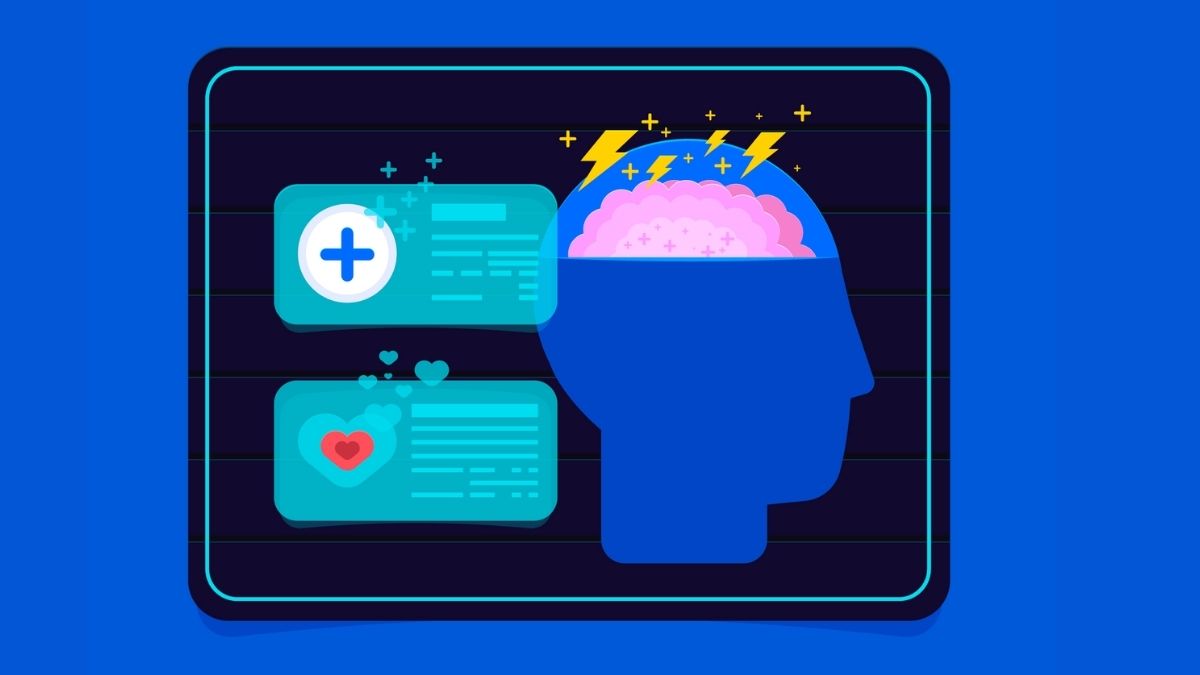
Behavioral and mental health platforms are specialized healthcare software solutions designed to support services such as teletherapy, mental health assessments, progress tracking, and medication management. Unlike general telehealth solutions, these platforms are built around the specific workflows and compliance requirements of behavioral health and substance use care.
Key capabilities
- Secure therapy communication: Provides video and messaging features designed to support remote therapy sessions.
- Patient progress tracking: Helps healthcare professionals monitor treatment progress through assessment tools and ongoing records.
- Care coordination: Supports collaboration between different mental health professionals, including psychiatrists, therapists, and primary care providers.
- Mental health workflow support: Enables organizations to manage behavioral health services through specialized tools and processes.
Common use cases
- Conducting remote therapy sessions through secure video platforms
- Communicating with patients through protected messaging channels
- Tracking patient progress using assessment tools
- Managing mental health treatment plans and follow-up care
- Coordinating care between therapists, psychiatrists, and other providers
Typical integrations: Telehealth platforms, EHR systems, patient management systems, and healthcare communication tools.
Main consideration: Meeting specialized privacy, security, and compliance requirements for sensitive mental health information can increase implementation complexity.
Healthcare web portals
Best for: Healthcare organizations that need to provide patients with secure digital access to health information, communication channels, and self-service healthcare services.
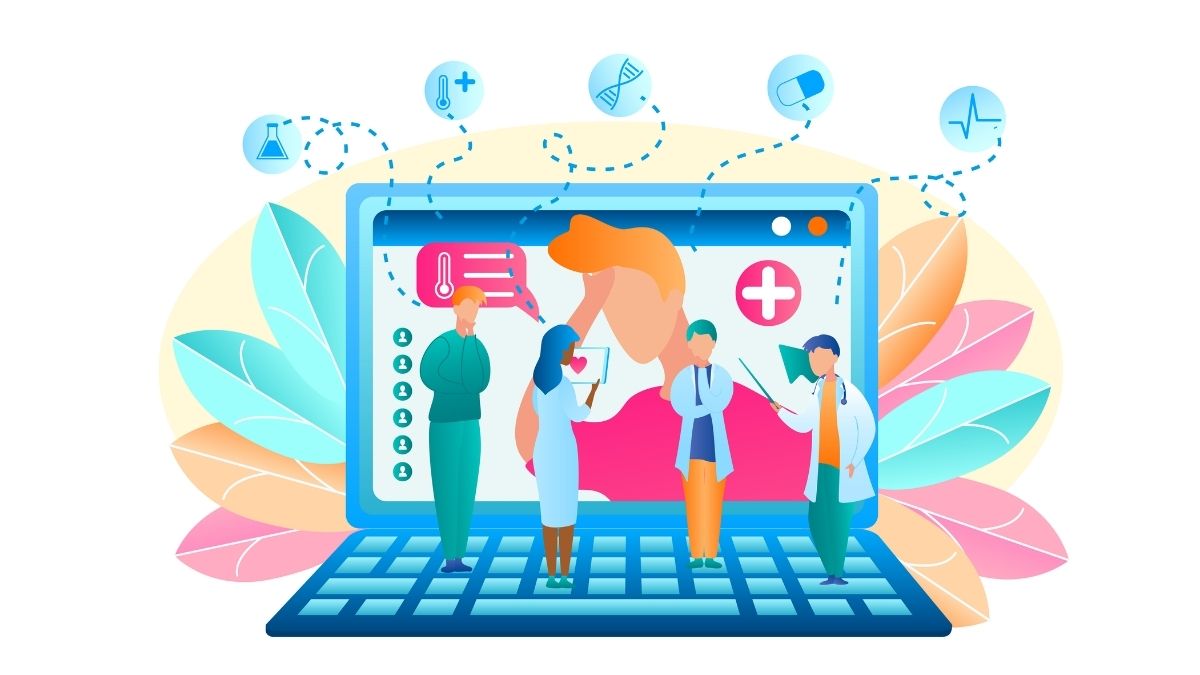
Healthcare web portals are digital platforms that connect patients with healthcare providers by giving them direct access to personal health information and essential services. These solutions allow patients to view records, communicate with care teams, schedule appointments, and manage certain healthcare requests without relying on traditional administrative channels.
Key capabilities
- Secure health record access: Allows patients to view their personal health information and medical records through a protected online platform.
- Patient-provider communication: Enables direct messaging between patients and healthcare teams for more convenient communication.
- Appointment management: Supports online appointment booking and scheduling requests without requiring phone-based coordination.
- Prescription request support: Allows patients to submit prescription refill requests through a digital interface.
Common use cases
- Viewing personal health records and test results
- Sending messages to healthcare providers
- Booking and managing appointments online
- Requesting prescription refills digitally
- Improving patient access to healthcare information and services
Typical integrations: EHR systems, scheduling software, prescription management systems, healthcare CRM platforms, and digital communication tools.
Main consideration: Poor user experience or complicated navigation may reduce patient adoption and limit the effectiveness of self-service features.
Health analytics software
Best for: Healthcare organizations that need to analyze data from multiple sources to improve operational planning, monitor performance, and support data-driven decisions.
Health analytics software is a healthcare solution that collects and analyzes information from systems such as EHRs, billing platforms, and other clinical or administrative sources. Rather than focusing on individual patient interactions, these platforms help organizations identify broader patterns, trends, and insights across patient populations or healthcare facilities.
Key capabilities
- Data aggregation: Combines information from multiple clinical and administrative systems into a unified view for analysis.
- Trend analysis: Identifies patterns across patient populations, operations, and healthcare activities to support decision-making.
- Predictive insights: Uses available data to provide information that can support resource planning and patient outcome analysis.
- Performance dashboards: Provides visual reports and dashboards for healthcare leadership and quality management teams.
Common use cases
- Analyzing data across multiple healthcare systems
- Monitoring operational and clinical performance trends
- Supporting resource planning decisions
- Reviewing patient population patterns and outcomes
- Providing reports for hospital leadership and quality teams
Typical integrations: EHR systems, billing systems, clinical databases, administrative platforms, and healthcare reporting tools.
Main consideration: Data quality and consistency across different sources can affect the accuracy and usefulness of analytics insights.
Practice management software
Best for: Clinics and healthcare practices that need to manage daily administrative operations such as scheduling, billing, and reporting more efficiently.
Practice Management Software (PMS) is a healthcare solution designed to automate the administrative workflows involved in running a clinic or medical practice. Unlike Hospital Management Software, which supports broader hospital-wide operations, PMS is commonly used by smaller practices that need tools to manage routine tasks without the complexity of a full hospital system.

Key capabilities
- Billing and claims management: Automates billing processes and supports claims handling to reduce manual administrative work.
- Appointment scheduling: Simplifies booking and managing patient appointments.
- Staff and provider scheduling: Helps coordinate provider availability and staff workflows.
- Administrative workflow management: Supports daily operations such as reporting, outpatient management, and other practice-related activities.
Common use cases
- Managing patient appointments and schedules
- Processing billing and insurance claims
- Coordinating provider and staff availability
- Handling outpatient administrative workflows
- Generating operational reports for practice management
Typical integrations: EHR systems, billing platforms, scheduling software, healthcare CRM platforms, and inventory management systems.
Main consideration: Smaller practices may face challenges balancing software costs, implementation effort, and available technical resources.
Medical imaging software
Best for: Healthcare organizations that need to manage, analyze, and access diagnostic images to support accurate clinical evaluation and treatment planning.
Medical imaging software is a healthcare solution that processes, stores, and displays diagnostic images generated from medical equipment, including X-rays, MRIs, CT scans, and ultrasounds. These platforms, often known as PACS or RIS, help radiologists and clinicians review medical images efficiently while connecting imaging information with broader patient records.

Key capabilities
- Diagnostic image management: Stores and organizes medical images securely, allowing healthcare professionals to retrieve and review them when needed.
- Image analysis and enhancement: Supports tools that improve image review and help clinicians identify potential abnormalities.
- 3D imaging and reconstruction: Provides advanced visualization capabilities for more detailed examination of medical images.
- Clinical data integration: Connects imaging information with EHR systems to provide additional patient context during diagnosis and treatment planning.
Common use cases
- Storing and retrieving X-rays, MRIs, CT scans, and ultrasound images
- Reviewing diagnostic images during clinical evaluation
- Supporting radiology workflows and treatment planning
- Creating 3D visualizations from medical imaging data
- Accessing imaging information alongside patient health records
Typical integrations: EHR systems, radiology information systems (RIS), picture archiving and communication systems (PACS), and medical imaging equipment.
Main consideration: High implementation and maintenance costs can be required for advanced imaging solutions, while compatibility issues may arise with older imaging equipment.
Interoperability / Health information exchange (HIE) platforms
Best for: Healthcare organizations that need to securely exchange patient information across different systems and providers to improve care coordination and data accessibility.
Health Information Exchange (HIE) platforms are healthcare software solutions that enable the electronic sharing of patient information between different healthcare organizations, systems, and providers. By connecting sources such as EHRs, laboratories, pharmacies, and payers, HIE platforms help create a more complete view of patient information without relying on manual data transfers.
Key capabilities
- Secure data exchange: Enables healthcare systems and organizations to share patient information electronically across different platforms.
- Cross-system interoperability: Connects different healthcare systems, including EHRs, labs, pharmacies, and other data sources.
- Comprehensive patient information access: Helps providers access broader patient records to support more informed clinical decisions.
- Care coordination support: Facilitates information sharing between healthcare professionals involved in referrals and patient care delivery.
Common use cases
- Sharing patient records between different healthcare providers
- Accessing patient information across multiple healthcare organizations
- Reducing duplicate testing by providing access to existing clinical data
- Supporting referrals and coordination between care teams
- Creating a more complete view of patient health history
Typical integrations: EHR systems, laboratory information systems, pharmacy systems, healthcare CRM platforms, payer systems, and interoperability platforms.
Main consideration: Achieving seamless data exchange between different healthcare systems can be difficult due to interoperability gaps, inconsistent data formats, and legacy infrastructure.
How to Choose the Right Healthcare Software
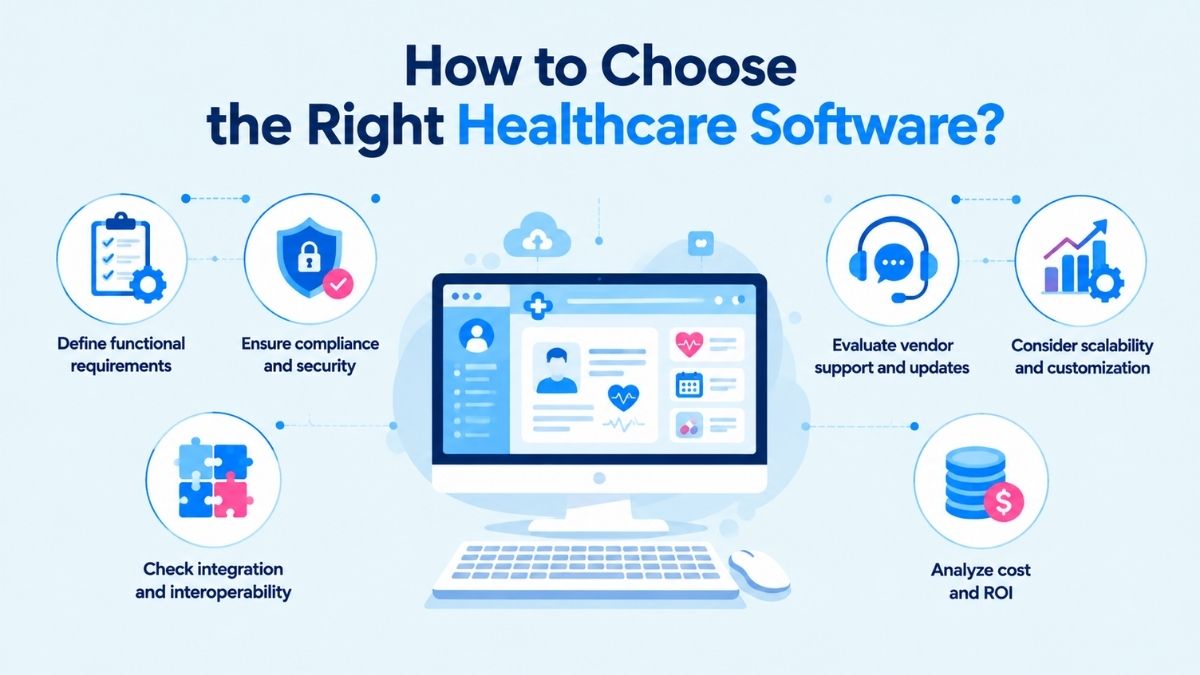
Selecting the right healthcare software requires more than comparing features. Organizations need to evaluate how well a solution fits their workflows, security requirements, existing systems, and long-term operational goals. A suitable platform should support daily processes while helping improve efficiency and the quality of care delivery.
1. Define functional requirements
Start by identifying the specific needs the software must address. Consider essential capabilities such as EHR management, appointment scheduling, billing and coding, laboratory integration, inventory management, or telehealth support.
Key factors to evaluate include:
- Whether the software supports current clinical and administrative workflows
- Which manual tasks can be reduced or automated
- Whether both clinical and administrative teams are involved in defining requirements
2. Ensure compliance and security
Healthcare software handles sensitive patient information, making security and compliance important considerations. Organizations should evaluate whether the platform supports relevant regulations, such as HIPAA, GDPR, or equivalent local requirements.
Important security features to assess include:
- Audit trails for tracking system activity
- Access controls to manage user permissions
- Data encryption to protect patient information
3. Check integration and interoperability
Healthcare software rarely operates independently. The ability to exchange information with other systems, such as PACS, LIS, RIS, and third-party applications, is essential for avoiding disconnected data environments.
Organizations should consider:
- Support for interoperability standards such as HL7, FHIR, and DICOM
- The ability to connect with existing healthcare systems
- Whether data can move efficiently between platforms
4. Evaluate vendor support and updates
The software provider is an important part of long-term success. Organizations should assess the vendor’s support capabilities, update processes, and approach to improving the platform over time.
Key evaluation points include:
- Availability and responsiveness of customer support
- Frequency of software updates
- Ability to address technical issues and incorporate user feedback
5. Consider scalability and customization
Healthcare organizations may expand by adding new departments, services, or locations. The selected software should have the flexibility to adapt as operational requirements change.
Consider whether the solution can:
- Scale alongside organizational growth
- Support additional workflows or locations
- Be customized without excessive technical effort
6. Analyze cost and ROI
The total cost of healthcare software includes more than the initial purchase or licensing fee. Organizations should consider additional expenses such as infrastructure upgrades, training, maintenance, and future updates when evaluating the overall investment.
At the same time, the potential value of the software should be assessed against these costs. Factors such as reduced manual work, fewer errors, improved billing accuracy, and better patient outcomes can help determine whether the investment delivers meaningful long-term benefits. A higher upfront cost may be justified if the solution provides stronger returns over time.
Choosing the right healthcare software requires a thorough evaluation of multiple factors rather than simply selecting the most popular option. Organizations should focus on finding a solution that aligns with their specific requirements, workflows, and future plans, while considering functionality, usability, compliance, security, vendor support, interoperability, and total costs.
How Do Different Types of Healthcare Software Work Together
Healthcare organizations rarely rely on a single software system. Different types of software in healthcare work together through interoperability, allowing clinical, administrative, and operational platforms to exchange information and create a more connected healthcare environment.
| Software Type | Interacts With | Purpose of Interaction | Example Products |
|---|---|---|---|
| EHR/EMR | CDSS, Analytics Software, Laboratory Systems, Medical Imaging Software | Acts as a central repository for patient data, supports clinical decision-making, and integrates laboratory results and diagnostic information into patient records | Epic, Cerner, NextGen Healthcare |
| Health CRM Software | EHR, Scheduling Software, Patient Portals, Communication Platforms | Combines patient information from multiple channels to support communication, outreach, reminders, and care coordination | Salesforce Health Cloud, Microsoft Dynamics 365 Healthcare |
| Telehealth Solutions | EHR, Scheduling Software, Remote Patient Monitoring Software | Enables virtual consultations by connecting patient information, appointment workflows, and remote care data | Teladoc Health, Amwell |
| Remote Patient Monitoring (RPM) Software | Connected Devices, EHR, AI Patient Management Systems | Collects real-time health data from devices and shares information with care teams for ongoing monitoring and support | Biofourmis, Philips HealthSuite |
| Medical Billing and Coding Software | EHR, Practice Management Software, Insurance Systems | Uses clinical information to support billing workflows, claim submission, and payment processing | AdvancedMD, Kareo |
| Healthcare Scheduling Software | EHR, Patient Portals, Practice Management Software | Synchronizes appointments, provider availability, reminders, and patient booking activities | Zocdoc, AdvancedMD |
| Hospital Management Software (HMS) | EHR, Pharmacy Systems, Laboratory Systems, Billing Systems | Connects hospital departments to coordinate administrative, clinical, and financial operations | Oracle Health, MEDITECH |
| Clinical Decision Support Systems (CDSS) | EHR, Analytics Software, Clinical Databases | Analyzes patient information and provides evidence-based recommendations or alerts during care delivery | Epic Clinical Decision Support, Cerner CDS |
| Pharmacy Management Software | EHR, E-Prescribing Systems, Billing Systems | Exchanges prescription and medication data to support dispensing, inventory management, and billing processes | PioneerRx, McKesson EnterpriseRx |
| Laboratory Information Management Systems (LIMS) | EHR, Laboratory Equipment, Diagnostic Systems | Transfers laboratory test data and results to support clinical workflows and patient records | LabWare LIMS, STARLIMS |
| AI-Powered Diagnostic Software | EHR, Medical Imaging Systems, Clinical Data Platforms | Uses patient data and imaging information to identify patterns and support diagnostic workflows | Aidoc, Viz.ai |
| Behavioral and Mental Health Platforms | EHR, Telehealth Platforms, Patient Management Systems | Supports mental health care coordination by connecting therapy records, communication, and treatment information | SimplePractice, TherapyNotes |
| Healthcare Web Portals | EHR, Scheduling Software, Communication Platforms | Provides patients with access to records, appointments, messaging, and healthcare services | MyChart, FollowMyHealth |
| Health Analytics Software | EHR, Billing Systems, Administrative Systems | Aggregates data from multiple sources to identify trends and support operational and clinical decisions | Tableau Healthcare, Power BI |
| Practice Management Software | EHR, Billing Software, Scheduling Systems | Coordinates administrative workflows such as appointments, claims, reporting, and staff management | Athenahealth, AdvancedMD |
| Medical Imaging Software | EHR, PACS, RIS, AI Diagnostic Systems | Stores, retrieves, and analyzes diagnostic images while connecting imaging data with patient records | Sectra PACS, GE Healthcare Centricity |
| Health Information Exchange (HIE) Platforms | EHR, Labs, Pharmacies, Payers, Healthcare Networks | Enables secure exchange of patient information between different healthcare organizations and systems | CommonWell Health Alliance, Carequality |
Key Challenges of Implementing Healthcare Software
Implementing different types of healthcare software can improve workflows and data management, but the process often involves significant operational and technical challenges. Organizations need to carefully manage costs, system compatibility, user adoption, data migration, and security requirements to ensure the software delivers its intended value.
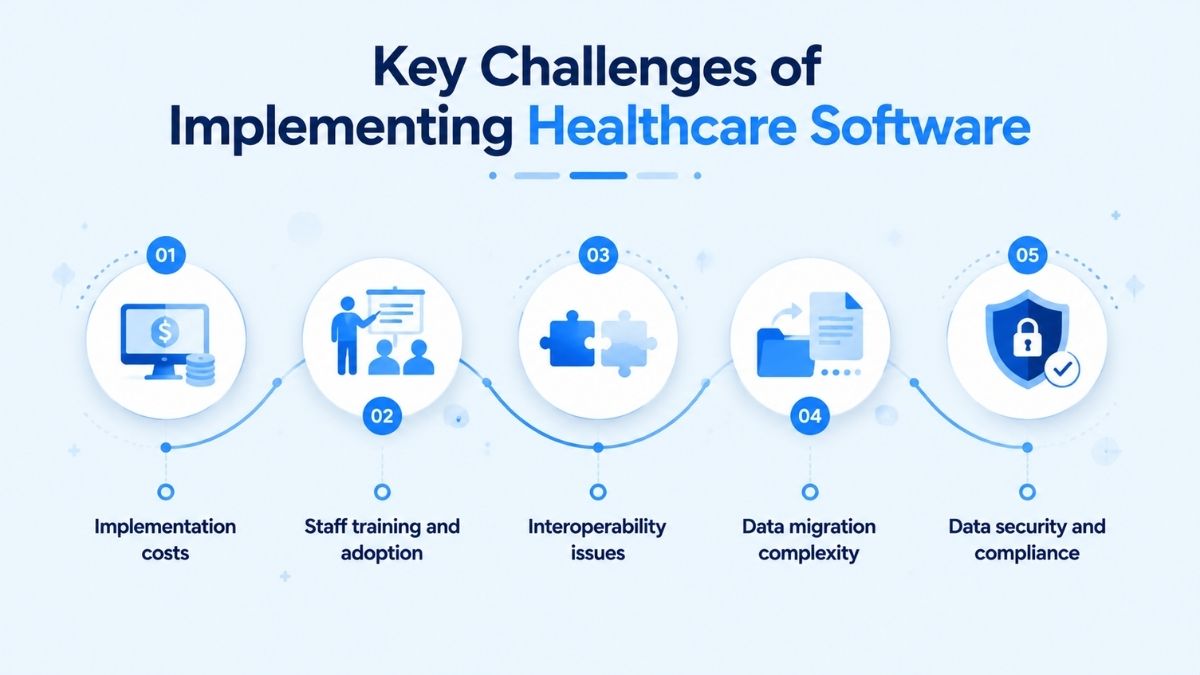
Implementation costs
The cost of healthcare software extends beyond the initial license purchase. Organizations also need to account for expenses related to infrastructure upgrades, staff training, maintenance, and customized implementation.
For clinics and hospitals with complex workflows or multiple specialties, evaluating whether the software provides measurable value across different departments is an important part of the investment decision.
Staff training and adoption
Healthcare software changes how doctors, nurses, and administrative teams perform daily tasks. Some users may hesitate to adopt new systems due to unfamiliar technology, concerns about workflow disruption, or increased workload during the transition period.
Effective onboarding and hands-on training can help users become more comfortable with the platform and understand how to apply its capabilities in daily operations.
Interoperability issues
Healthcare organizations often use different software systems for specific functions and workflows. However, these platforms may not always exchange information smoothly, creating challenges when integrating systems or sharing data between departments and facilities.
Poor interoperability can make it more difficult to create connected workflows across different healthcare software solutions.
Data migration complexity
Moving patient information from legacy systems to a new healthcare software platform requires careful planning. Large volumes of existing data must be transferred accurately, and the process can become time-consuming if not properly managed.
Organizations need to conduct appropriate planning and testing to help maintain data integrity during migration.
Data security and compliance
Healthcare software manages sensitive patient information, making privacy protection a critical consideration during implementation. Organizations must address risks related to data breaches and unauthorized access by applying strong security measures.
Compliance with healthcare regulations such as HIPAA is also necessary to protect patient data and maintain legal requirements.
How Newwave Solutions Can Help with Healthcare Software Development
Choosing the right technology partner is a critical step for healthcare organizations looking to build secure, scalable, and user-focused software solutions. At Newwave Solutions, we provide custom healthcare software development services that help organizations improve operational efficiency, enhance patient experiences, and create digital solutions that adapt to changing healthcare needs.
Why healthcare organizations trust Newwave Solutions for developing healthcare software:
- Custom Healthcare Solutions: Develops tailored healthcare software based on specific workflows, operational challenges, and business requirements, including patient management systems, healthcare applications, and digital platforms.
- Regulatory-Compliant Security: Develops healthcare software with security practices aligned with standards such as HIPAA, GDPR, and ISO 27001 to help protect sensitive patient and medical information.
- Seamless Healthcare System Integration: Enables secure data exchange between hospitals, laboratories, pharmacies, and other healthcare systems through HL7/FHIR-enabled integration.
- Scalable Technology Solutions: Builds flexible software architectures that can adapt to growing users, services, and changing organizational requirements.
- End-to-End Development Partnership: Supports the full software development lifecycle, from consultation and planning to development, testing, deployment, and ongoing maintenance.

How Newwave Solutions built a healthcare software in practice
Newwave Solutions developed a cross-platform pharmaceutical mobile application to improve medication search, prescription management, and user access to healthcare information. The project focused on creating a more convenient medication experience across both iOS and Android platforms.
- Challenge: The existing application relied mainly on medication name-based search, which created friction when users needed to quickly identify drugs. The client also needed a solution that could support prescription refills, medication tracking, and stable performance across multiple mobile platforms.
- Solution: Newwave Solutions built a cross-platform medical app that introduced barcode and QR code scanning alongside traditional search functions, enabling faster medication lookup. The team also implemented prescription refill support, auto-refill features, and real-time order tracking while maintaining scalability across Android and iOS.
- Outcome: The application provided access to more than 34,500 drug records, including 12,500+ over-the-counter medications and 22,000+ prescription drugs, while achieving more than 500,000 installs across iOS and Android platforms.
Conclusion
Choosing the right healthcare software is ultimately about finding a solution that fits an organization’s workflows, technical requirements, and long-term goals. Understanding the different types of healthcare software helps organizations evaluate which platforms can improve patient care, streamline operations, and support better data management.
Before development or implementation, key factors such as security, interoperability, scalability, and user adoption should be carefully considered. Newwave Solutions works with healthcare organizations to transform these requirements into secure, scalable software solutions, from healthcare applications to integrated digital platforms.
Talk to our team to discuss how we can help build a healthcare solution aligned with your needs.
FAQs
1. What are the benefits of using medical software?
Medical software helps healthcare organizations improve operational efficiency, manage patient information more effectively, and support better coordination between healthcare teams. Depending on the solution, it can automate administrative tasks, improve access to medical records, enable remote care, support clinical decisions, and enhance communication between patients and providers.
2. What type of software is used in healthcare?
Healthcare organizations use different types of software to support clinical, administrative, and operational needs. Common examples include Electronic Health Record (EHR) systems, telehealth platforms, Health CRM software, hospital management systems, medical billing solutions, and healthcare analytics tools.
3. What is the difference between off-the-shelf and custom healthcare software?
Off-the-shelf healthcare software is a ready-made solution designed for a broad range of users and can typically be deployed faster with standard features. Custom healthcare software is developed specifically around an organization’s workflows, requirements, and integration needs, offering greater flexibility but usually requiring more time and investment to build.
4. How long does it take to develop custom healthcare software from scratch?
The development timeline for custom healthcare software depends on factors such as the software’s complexity, required features, integrations, security requirements, and customization level. Simple solutions may take less time, while larger platforms involving multiple systems, advanced features, or complex workflows require a longer development process.
5. What are the biggest challenges when developing healthcare software?
The main challenges in healthcare software development include ensuring data security and regulatory compliance, integrating with existing healthcare systems, managing complex workflows, migrating existing data, and achieving user adoption. Organizations also need to consider scalability, usability, and long-term maintenance when building or selecting a healthcare software solution.
Source:
- HealthIT.gov – Benefits of Electronic Health Records (EHRs). https://healthit.gov/health-it-basics/benefits-ehrs/
- World Health Organization (WHO) — WHO develops guidance to improve telemedicine services. https://www.who.int/europe/news/item/15-07-2024-who-develops-guidance-to-improve-telemedicine-services
To Quang Duy is the CEO of Newwave Solutions, a leading Vietnamese software company. He is recognized as a standout technology consultant. Connect with him on LinkedIn and Twitter.



Read More Guides
Get stories in your inbox twice a month.
Let’s Build Something Extraordinary
Sign up for a 30 min no-obligation strategic session with us. Transform your Ideas into scalable reality.
Leave a Reply