


Healthcare Desktop Application MigrationUnder Limited Business Documentation
Healthcare - Japan - Software Development / Migration - 9 Members - 5 months
A Japan-based healthcare software provider needed to modernize a Windows application used to collect and store patient health data from external devices connected via COM ports. Built on .NET 2.0 and WinForms, the legacy stack was becoming increasingly costly to maintain and extend as engineers with experience in these technologies became more limited.
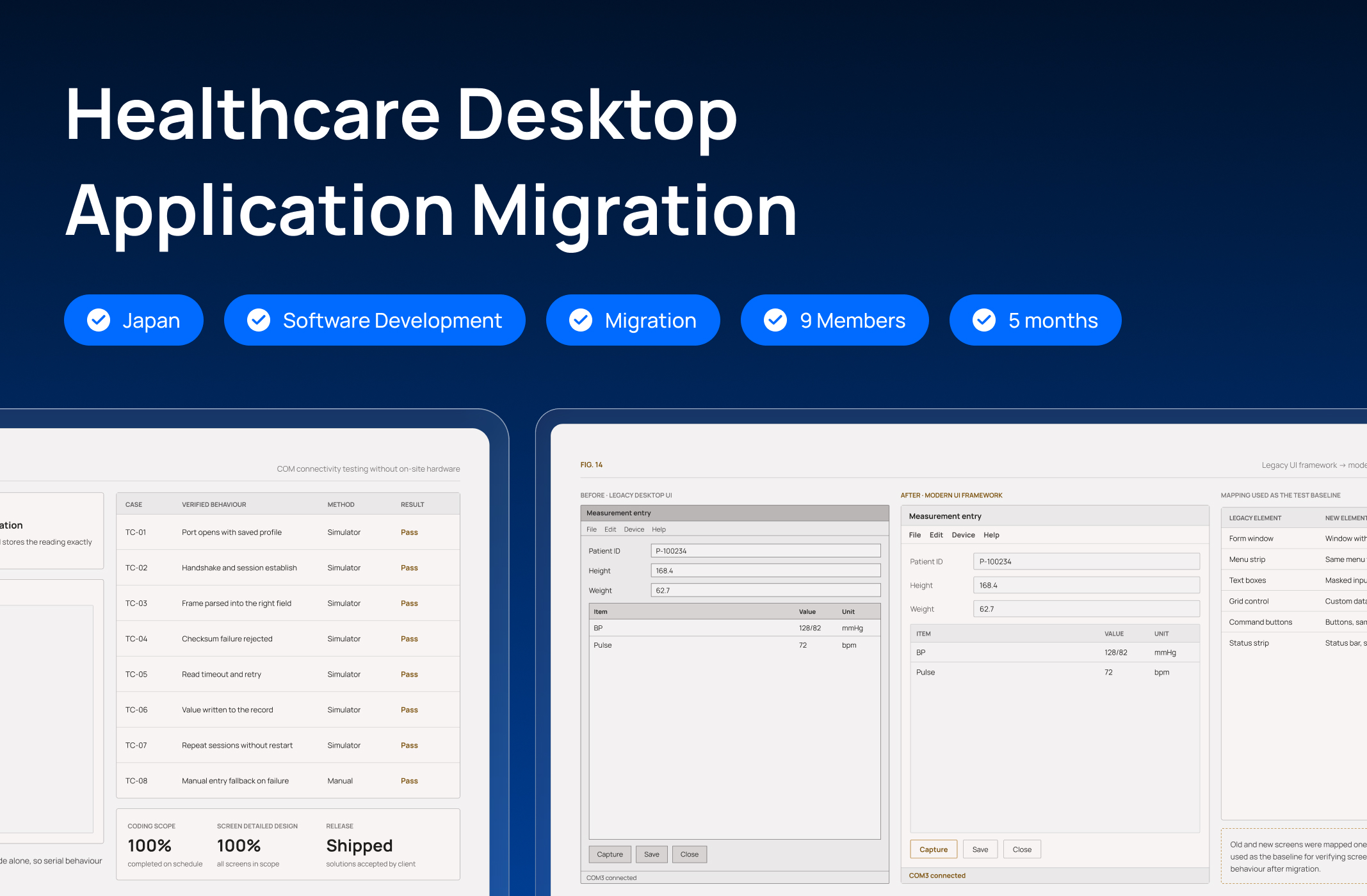
Newwave Solutions upgraded the application to .NET Framework 4.8 and migrated its interface from WinForms to WPF with XAML, without adding new features to the existing scope. The team completed 100% of the coding scope on schedule, completed detailed design for all screens, and successfully released the migrated application. Technical solutions proposed during the project were also accepted and positively evaluated by the client.
Client Context
The client is a Japan-based healthcare software provider. Its Windows application is used to collect patient health data through external devices connected via computer COM ports. The application supports measurement and storage of patient information and body indicators.
The project scope focused on migrating the existing Windows application from C#.NET WinForms to WPF with XAML architecture, while upgrading the application framework to .NET 4.8.
Business Challenges
The migration was not simply a framework upgrade. The team had to modernize an application built on aging technology while reconstructing its business flow from the running system and dealing with legacy code and controls that were not directly compatible with the target architecture.
Kenshinkun was built on .NET 2.0 and WinForms. As these technologies aged, the pool of engineers able to maintain and extend them became more limited, increasing the expected cost and difficulty of future maintenance and development.
The project had no documentation describing the application's business logic. The team therefore lacked a complete view of workflows, screen transitions, workload scope, and the data required for testing at the beginning of the project.
The existing source code was complex and did not follow a clearly defined architecture, making it more difficult to port existing behavior into the new WPF/XAML structure.
Some controls used by the old WinForms application were no longer supported in the target WPF environment or newer framework. Direct replacement was therefore not always possible without affecting existing user interactions.
Although the underlying technology was changing, the project was not intended to redesign the application or add new functionality. The team needed a way to verify the migrated application against the existing screen flow and behavior.
Our Approach
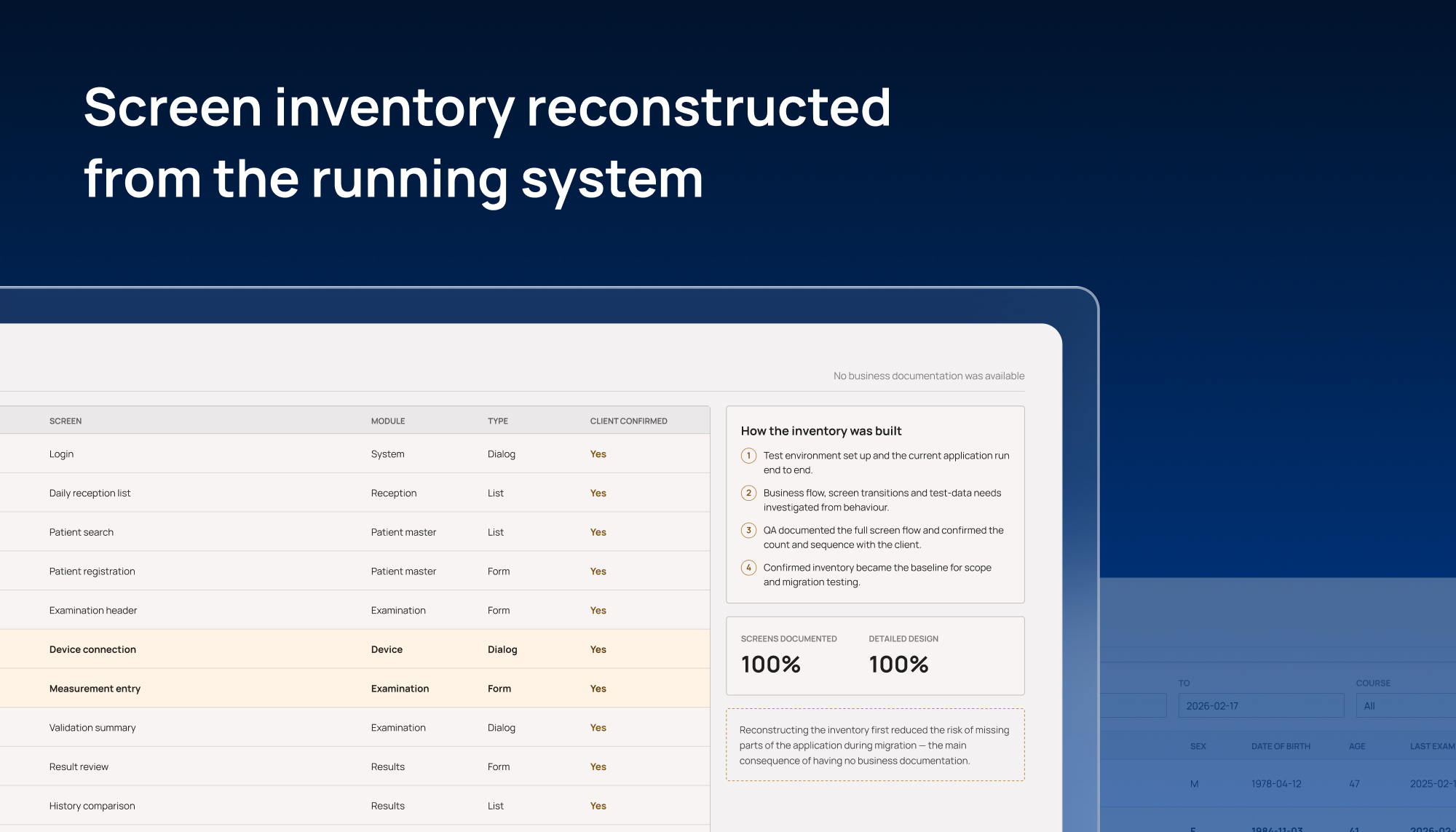
Because the application had no complete business documentation, Newwave Solutions first needed to reconstruct how the existing system actually worked before migrating it. The team established a test environment and ran the current application to investigate its business flow, screen transitions, and test-data requirements. QA then documented the full screen flow and worked with the client to confirm the screen inventory, reducing the risk of overlooking parts of the application during migration.
The migration itself focused on moving the application from .NET 2.0 and WinForms to .NET Framework 4.8 and WPF/XAML without expanding the functional scope. To validate the migrated version, the team defined a 1:1 mapping between the existing and new applications as the testing baseline for screen flow and behavior.
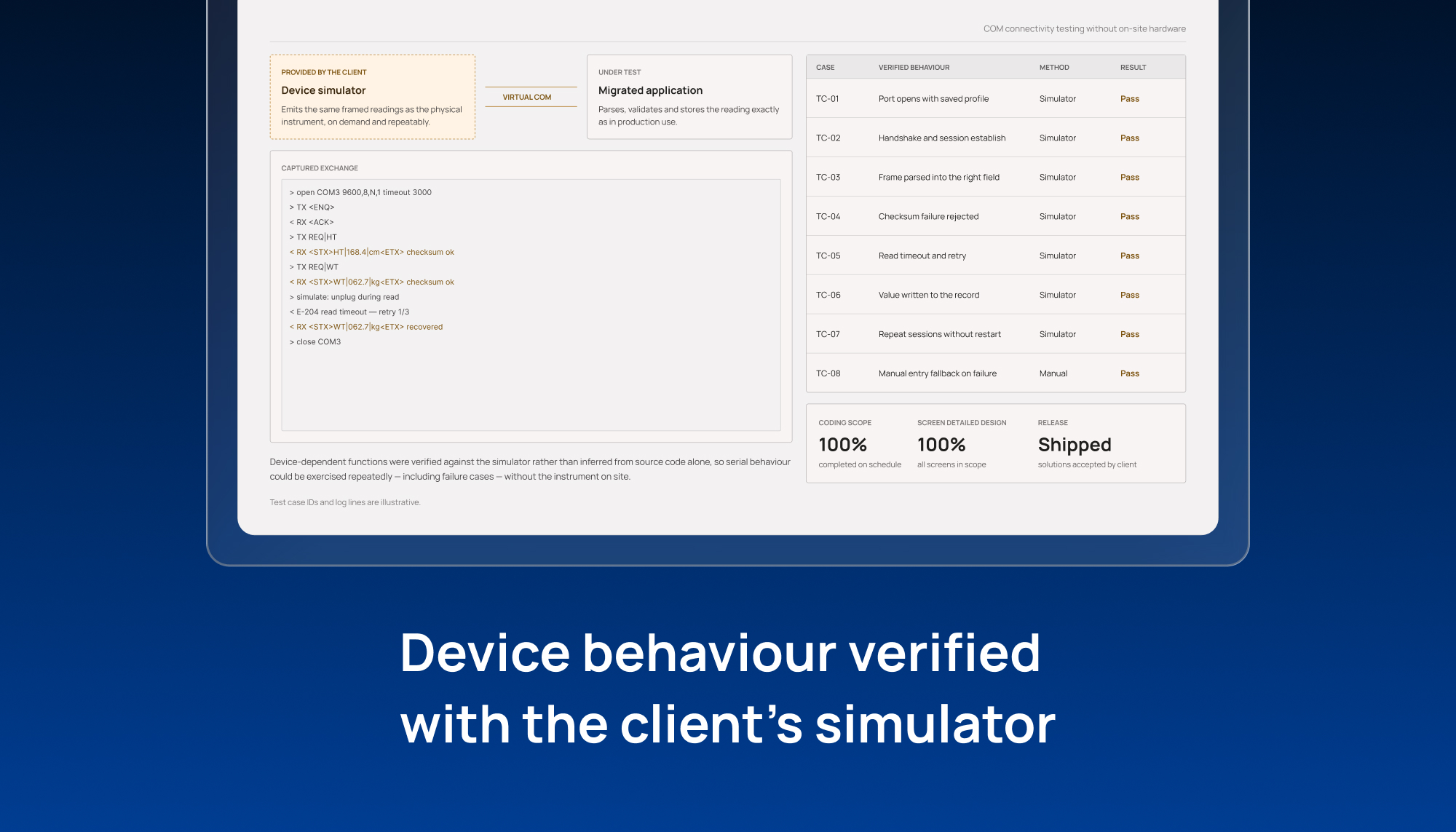
Where legacy WinForms controls were no longer supported in WPF, the development team created custom controls to reproduce the required interaction as closely as possible. For functions involving external medical devices, COM connectivity was tested and verified using a simulator application provided by the client.
Technical Decisions

.NET Framework 4.8 Upgrade
Kenshinkun was running on .NET 2.0, an aging framework that was becoming harder and more costly to maintain and extend. Upgrading to .NET Framework 4.8 moved the application away from the legacy environment while keeping the project focused on modernization rather than new feature development.

WinForms to WPF/XAML Migration
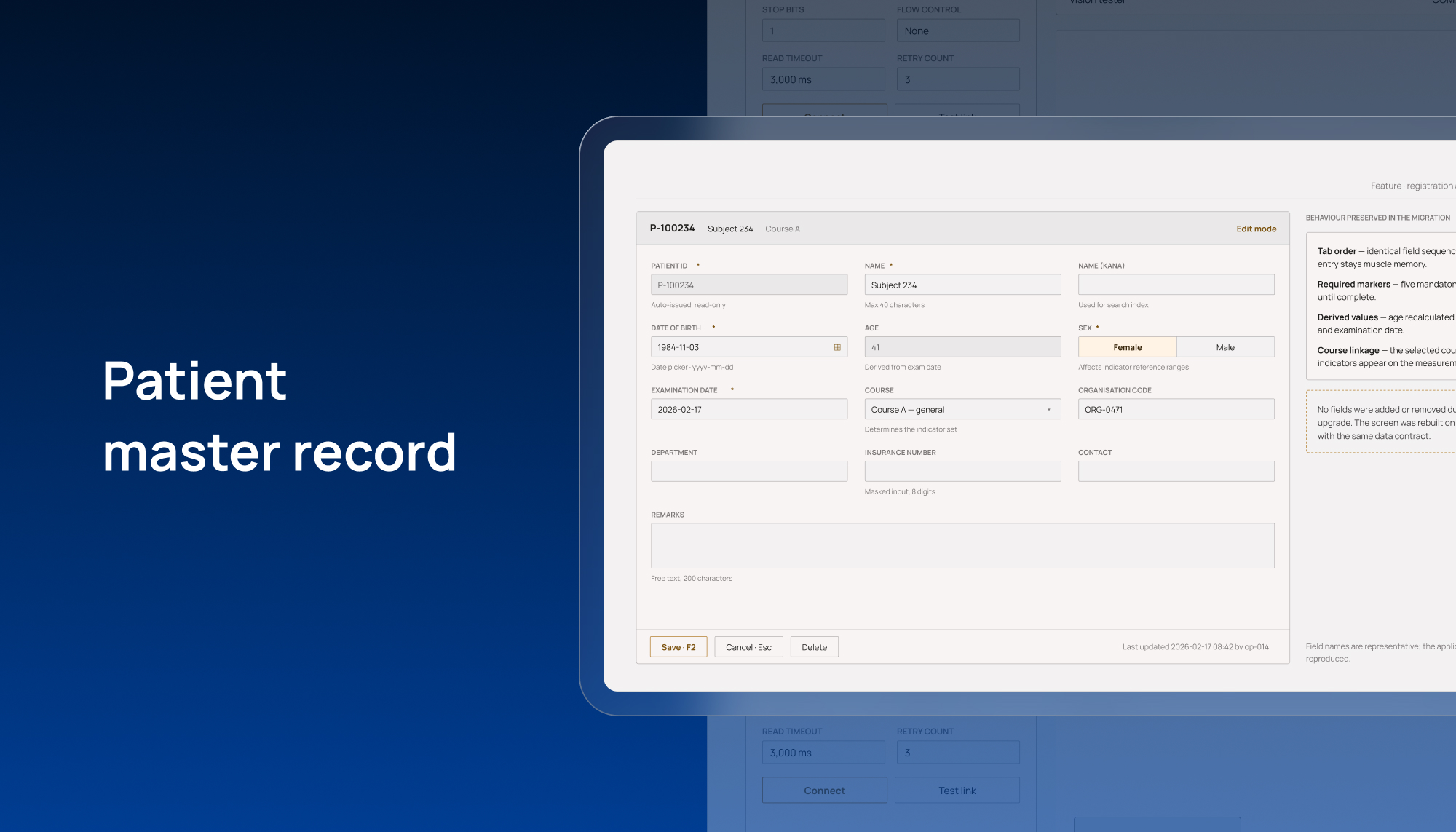
The existing interface was built with WinForms, while the target architecture used WPF with XAML. The migration established the new UI foundation required by the client while retaining the application's existing functional scope.

Custom Controls for Unsupported Legacy Components
Some controls in the WinForms application were no longer supported in WPF. Rather than removing the affected interactions, the team developed custom controls to keep user behavior as close as possible to the original application.

Screen Flow Documentation and 1:1 Mapping
With no business documentation available, QA reconstructed and documented the application's screen flow and confirmed the screen inventory with the client. The old and new applications were then mapped 1:1 as a baseline for migration testing and behavior verification.

COM Connectivity Verification with Client Simulator
Kenshinkun receives patient data from external devices through COM ports. The team used a simulator application provided by the client to test and verify COM-related behavior without relying solely on source-code analysis.
A 9-member team delivered the project, including a Project Manager, Tech Lead, QA Lead, Comtor, three .NET developers, and two testers. Newwave Solutions worked under a Fixed-Price model using a Waterfall methodology, with Jira for project management.
Because formal business documentation was unavailable, collaboration with the client became an important source of project knowledge. The QA team documented the application screen flow and asked the client to confirm the number and sequence of screens. The team also used direct Q&A to clarify source-code issues, unidentified errors, and the process for creating test data, allowing the project to make use of the client's existing system know-how throughout the migration.
Risk Handling
One of the biggest migration risks emerged when legacy WinForms controls could no longer be used in the target WPF environment. Replacing them directly was not always possible, while changing their behavior too much could alter how users interacted with an application they were already familiar with.
The development team identified the affected controls and created custom WPF controls where required rather than forcing unsupported legacy components into the new architecture. This allowed the migration to proceed while keeping user interactions as close as possible to the original application. The solution also addressed one of the project's most significant technical constraints without expanding the scope into functional redesign.
Delivered Results
The team completed all coding work planned for the coding phase in line with the original project schedule.
Detailed design was completed for all application screens within the defined project scope.
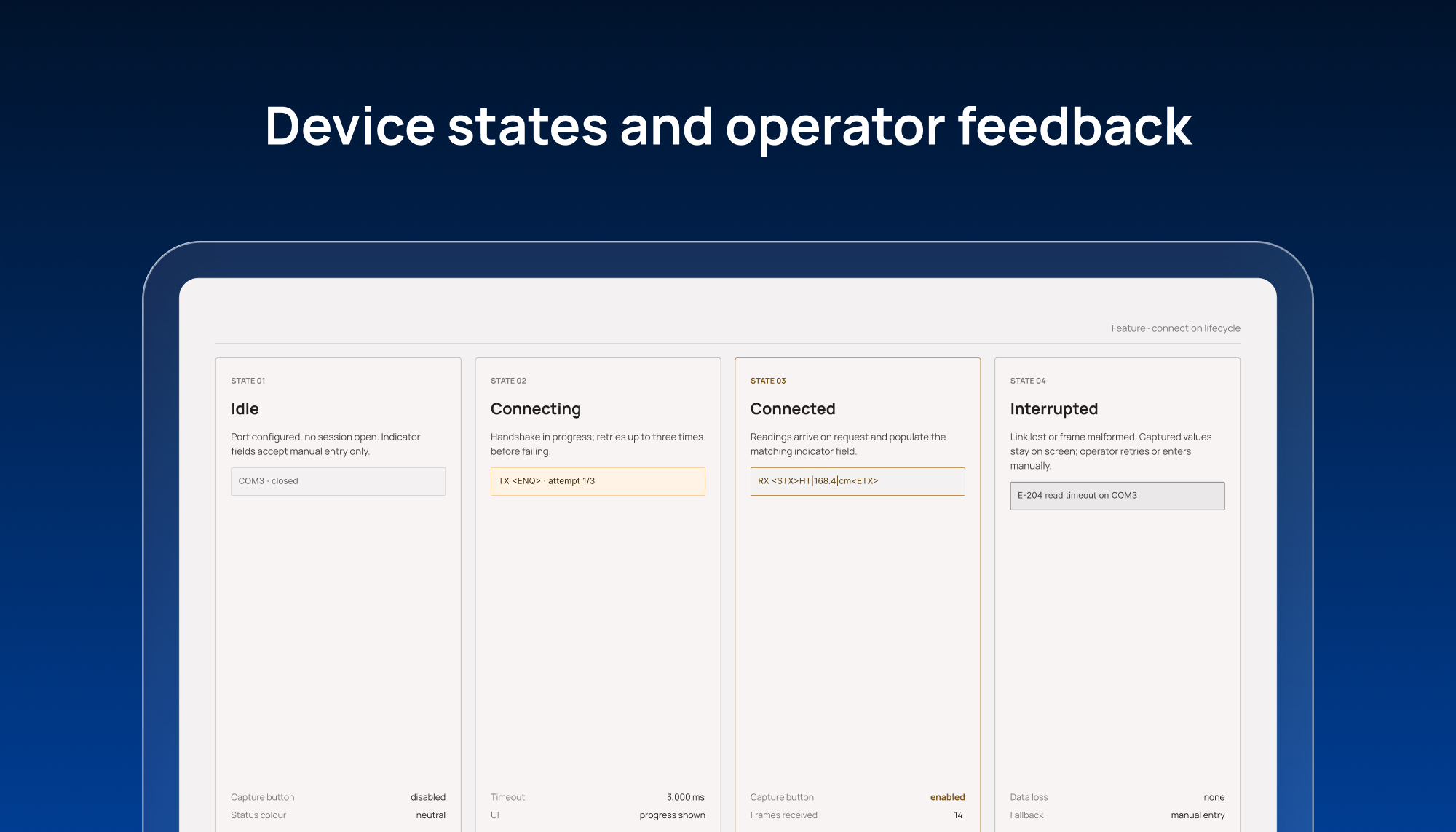
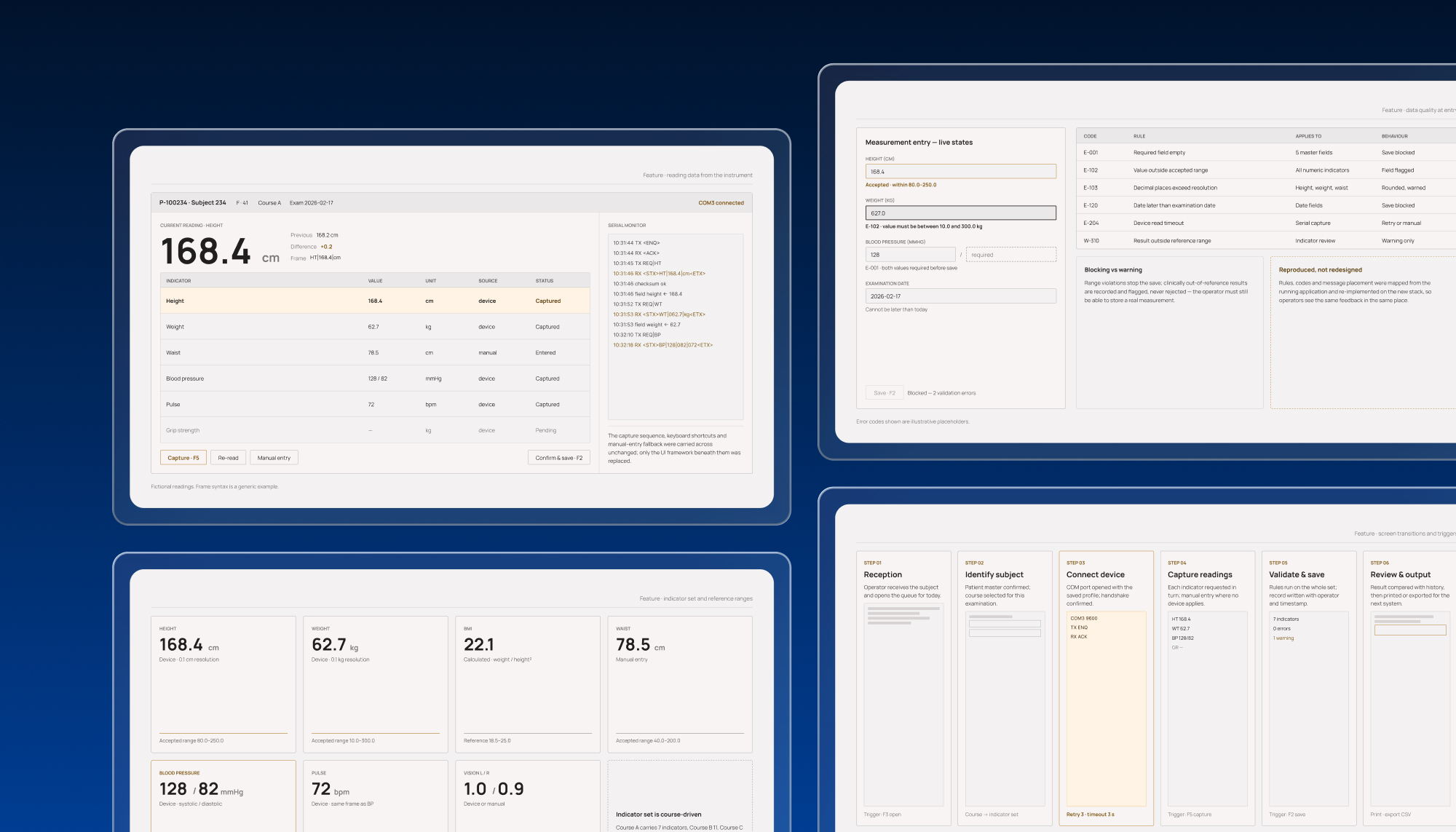
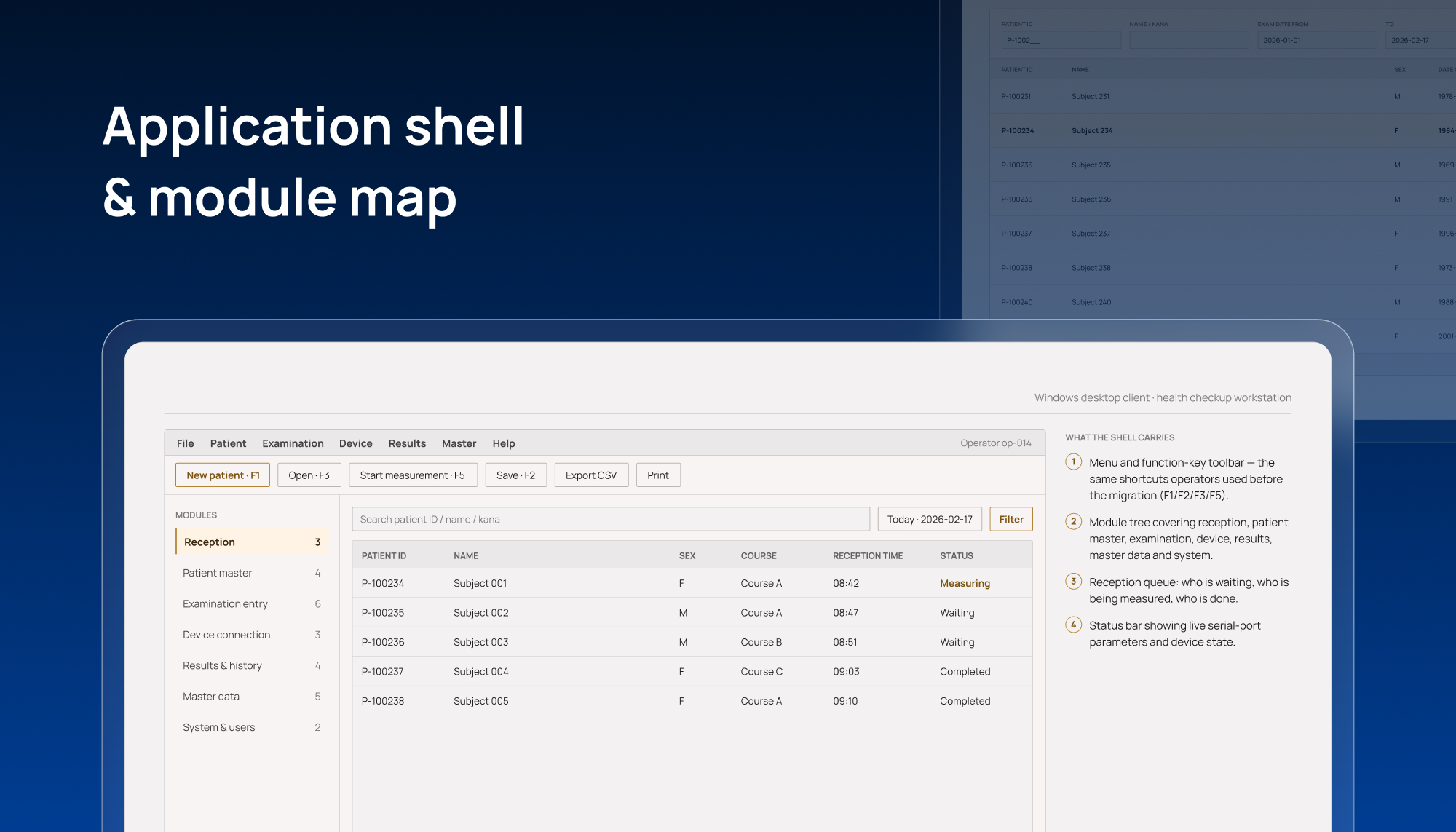
Kenshinkun was successfully released after its framework was upgraded to .NET Framework 4.8 and its application interface migrated from WinForms to WPF/XAML.
The technical solutions proposed by the project team were accepted and positively evaluated by the client.
Business Impact
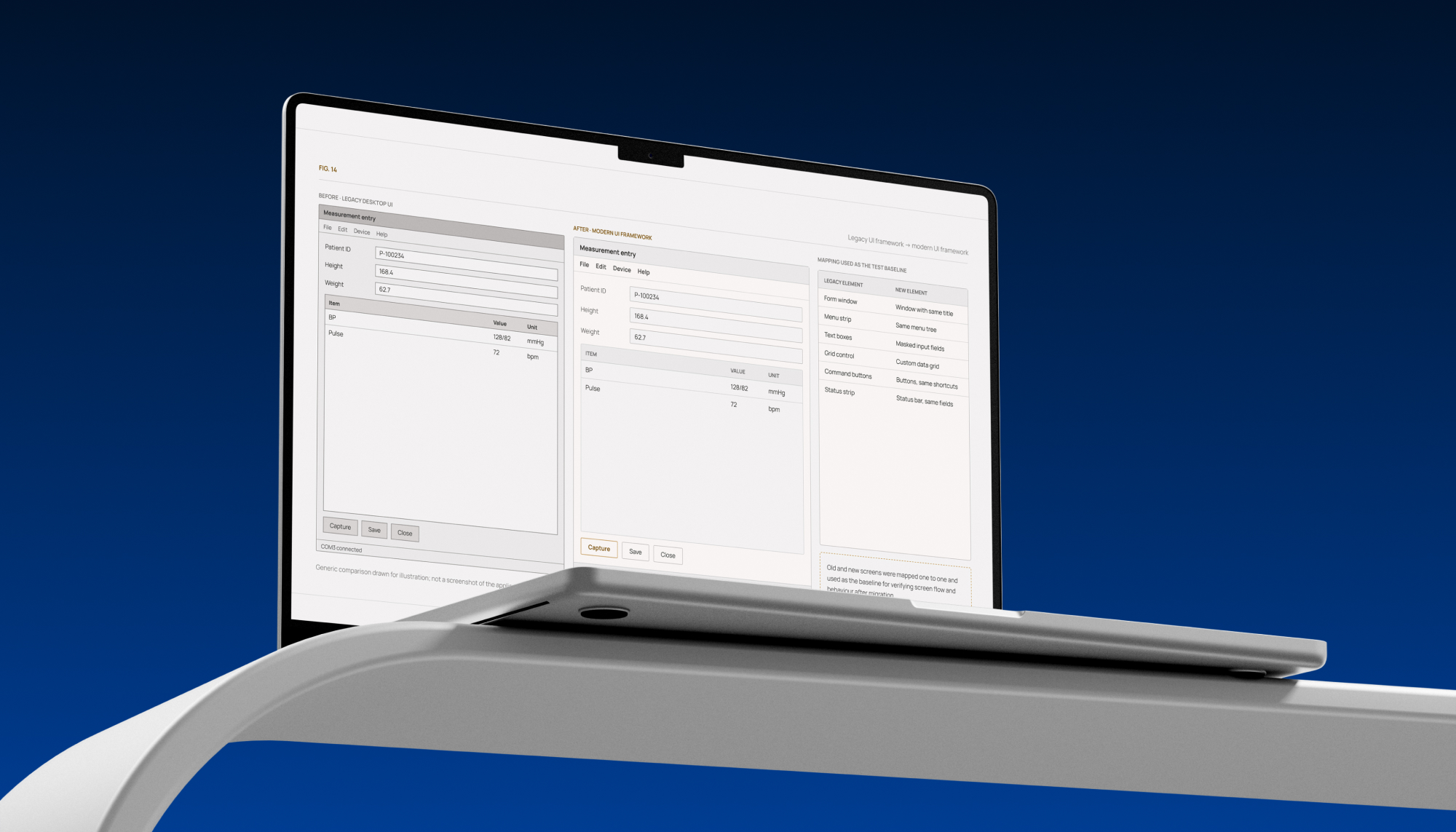
The successful release moved Kenshinkun away from its .NET 2.0 and WinForms foundation to .NET Framework 4.8 and WPF/XAML, reducing the client's dependence on aging technologies that had become increasingly difficult to maintain and extend as experienced resources became more limited.
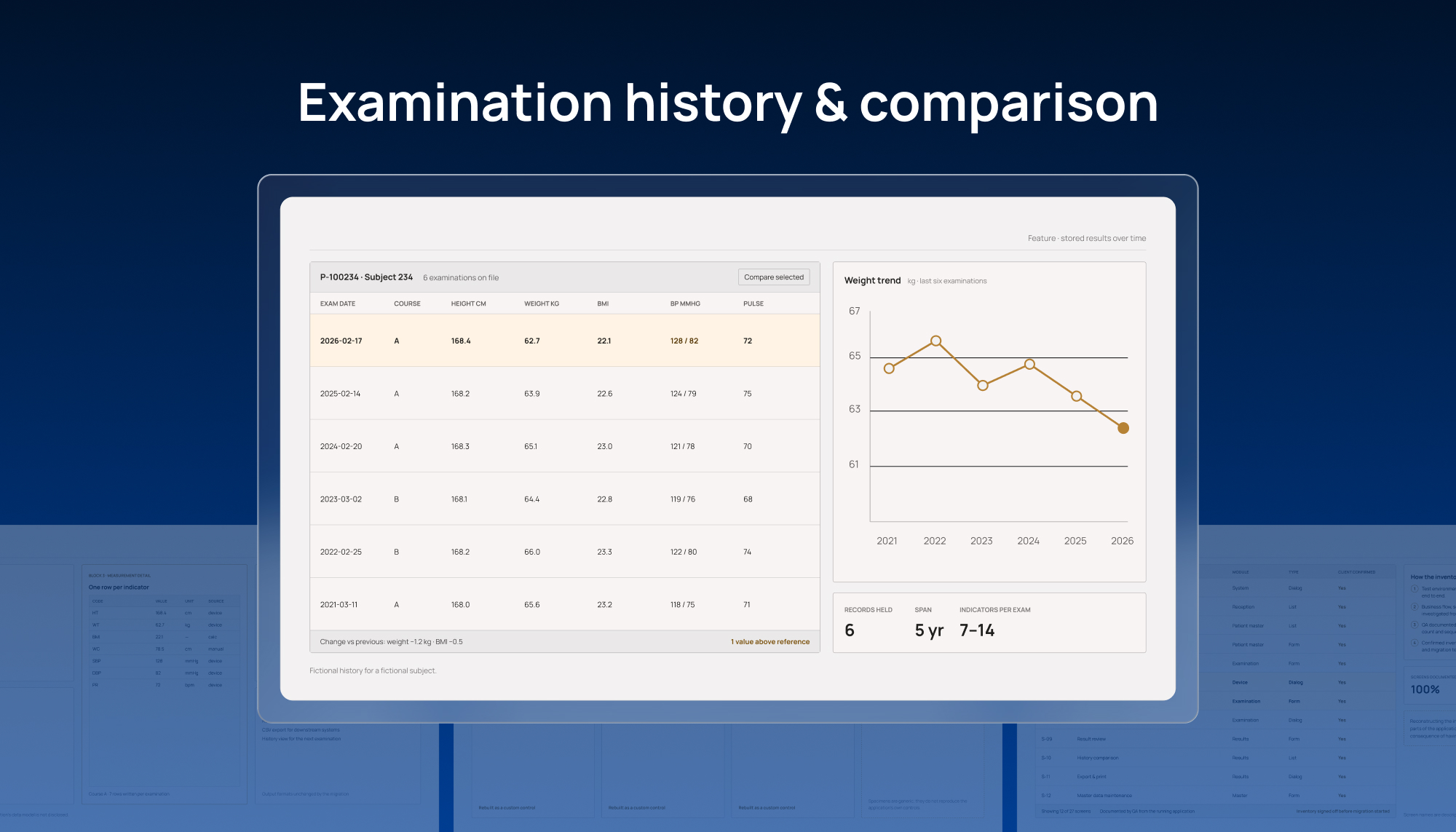
The modernization was completed without introducing new functionality outside the agreed migration scope. Screen-flow reconstruction, 1:1 behavior mapping, custom controls for unsupported legacy components, and COM verification with the client-provided simulator helped the team migrate the existing application while keeping its established patient data collection and workflow functions recognizable in the new environment.
For the client, the project therefore delivered a successfully released modernization of the existing application rather than a functional rebuild, while establishing a newer technical foundation for future maintenance and development.
Related Case Study
Let’s Build Something Extraordinary
Sign up for a 30 min no-obligation strategic session with us. Transform your Ideas into scalable reality.