


Web App vs Mobile App: Which One Best Suits Your Business
In today’s digital-first economy, choosing between a web app vs mobile app is one of the most important technology decisions your business will face. The right choice can directly influence customer experience, market reach, operational efficiency, and long-term growth. In this article, Newwave Solutions will compare web apps vs mobile apps to help you choose the solution that best fits your business goals. Let’s dive in!
What is a Web App?
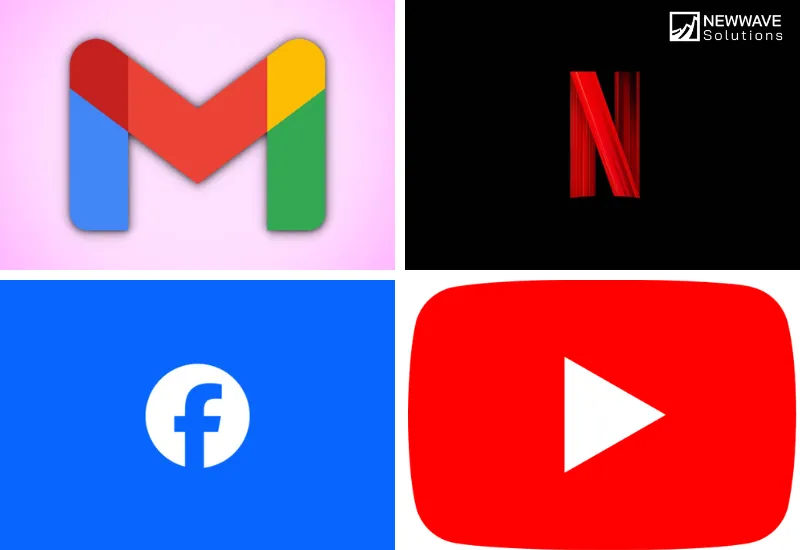
A web app (web application) is software that runs on a web server and is accessed through a browser such as Chrome, Safari, or Firefox. Unlike traditional desktop software, web apps don’t require installation on a device. Users simply enter a URL, log in if needed, and start interacting.
A well-known example of a web app is Google Docs. Instead of downloading software, users can utilize this web app to create, edit, and share documents directly in their browser, from any device connected to the internet.
Key Characteristics of Web Apps
- Accessibility: Run on any device with a browser, ensuring a wide reach.
- No Installation: Users don’t need to download from an app store.
- Automatic Updates: Updates happen on the server side and are instantly available to all users.
- Cross-Platform Compatibility: A single codebase works across desktops, tablets, and smartphones.
- Internet Dependency: Most require an internet connection, though some support limited offline use through caching.
Dive into our beginner’s guide, “What Is a Web App?” to learn about the different types, key benefits, and development challenges.
What is a Mobile App?
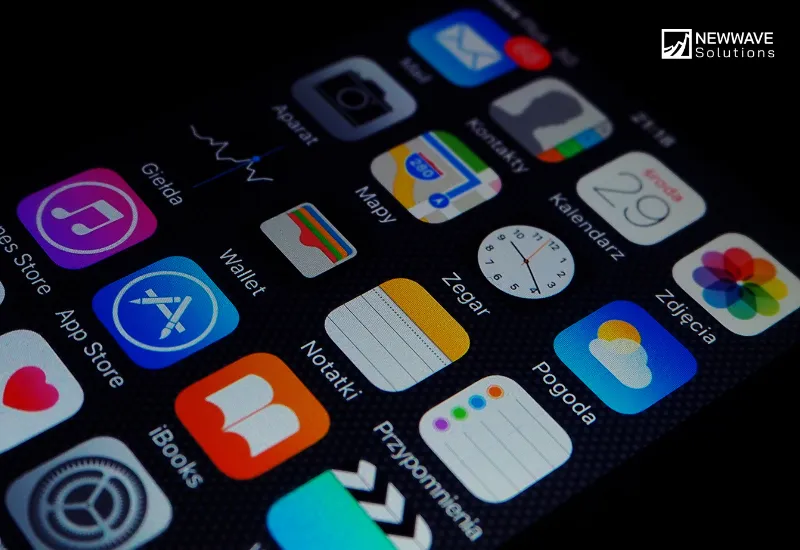
A mobile app (mobile application) is software designed specifically to run on mobile devices such as smartphones or tablets. Unlike web apps, mobile apps are downloaded and installed from app stores (e.g., Apple App Store or Google Play). They can use device-specific features such as GPS, cameras, and push notifications.
A common example of a mobile app is Spotify. This mobile app lets users stream music, download playlists for offline listening, and receive personalized notifications — all optimized for iOS or Android environments.
Key Characteristics of Mobile Apps
- Device Integration: Can access hardware features like GPS, camera, and sensors.
- Performance: Typically faster and more responsive due to native optimization.
- Offline Capabilities: Many offer offline use, such as downloaded content or cached data.
- Distribution: Installed via official app stores, often requiring approval.
- Personalization: Tailored user experiences based on behavior, preferences, and notifications.
Web App vs Mobile App: Pros & Cons that Businesses should know
| Web App | Mobile App | |
| Pros | Cost-Effective Development – A single codebase can serve all platforms, reducing initial investment. | High Performance – Optimized for specific devices, mobile apps deliver faster response times and smoother user experiences. |
| Instant Accessibility – Users access through any browser without installation, lowering barriers to entry. | Offline Functionality – Many mobile apps continue to function without internet access, improving reliability. | |
| Easy Maintenance – Updates are pushed from the server side, instantly available to all users. | Device Integration – Mobile apps leverage hardware features such as GPS, camera, and biometric sensors to enhance functionality. | |
| Cross-Platform Reach – One version of the app works seamlessly on desktops, tablets, and smartphones. | Push Notifications – Businesses can directly engage users with personalized alerts, increasing retention and conversions. | |
| SEO Discoverability – Web apps can be indexed by search engines, improving visibility and attracting organic traffic. | Enhanced Personalization – Mobile apps track user behavior and preferences to deliver tailored content and recommendations. | |
| No App Store Approval – Launching does not require lengthy approval processes from app marketplaces. | Stronger Monetization Options – In-app purchases, subscriptions, and integration with mobile wallets create revenue opportunities. | |
| Lightweight Usage – Web apps typically use less storage space on devices, appealing to users with limited memory. | Brand Presence – Mobile apps stay visible as icons on users’ devices, reinforcing brand recognition. | |
| Cons | Limited Offline Use – Most features require an internet connection, making them less reliable in offline environments. | Higher Development Cost – Separate builds for iOS and Android can significantly increase costs. |
| Lower Performance – Browser-based architecture can lead to slower loading times compared to native mobile apps. | Complex Maintenance – Updates often require user action and app store approval, creating delays. | |
| Minimal Device Integration – Web apps cannot fully utilize advanced hardware features like sensors or Bluetooth. | Storage Requirements – Installing mobile apps consumes device storage, which may discourage some users. | |
| Weaker User Engagement – Lack of push notifications reduces opportunities for real-time interaction. | App Store Dependence – Distribution relies on compliance with app store guidelines, which can be restrictive. | |
| Security Limitations – Browser-based access may expose vulnerabilities, requiring strong safeguards. | User Fatigue – With millions of apps available, businesses may struggle to convince users to download and retain their app. |
Web App vs Mobile App: 7 Key Differences
When businesses evaluate digital solutions, understanding the difference between a mobile app and a web app is a crucial step toward making the right investment. While both types of applications allow companies to connect with customers and streamline operations, the way they function, perform, and deliver value can be very different.
First of all, let’s look at the quick comparison below to see the main differences between the two platforms:
| Aspect | Web App | Mobile App | Better Choice |
| Accessibility | Accessible instantly via browser | Requires installation through the app store | Web App |
| Performance & Speed | Dependent on the browser and network | Optimized for the device, highly responsive | Mobile App |
| Offline Functionality | Limited; mainly dependent on the internet | Often works fully offline once installed | Mobile App |
| Development & Maintenance | Single codebase, easier to maintain | Platform-specific development can increase cost/time | Web App |
| Updates & Deployment | Server-side updates, no user intervention | Requires users to download updates via the app store | Web App |
| Device Integration | Minimal access to device features | Full access (GPS, camera, notifications) | Mobile App |
| Monetization Options | Limited checkout and SEO benefits | Strong in-app payments, subscriptions, and wallets | Mobile App |
By comparing the difference between a web app and a mobile app across multiple dimensions, business leaders gain clarity on which approach best supports their long-term goals. Now, we will investigate deeper into the details of what separates a web app and mobile app.
1. Accessibility
When evaluating the difference between a mobile app and a web app, accessibility stands as a clear differentiator. A web app operates directly within a browser—users simply enter a URL and begin using it immediately, with no download required. In contrast, a mobile app requires users to visit an app store, download, install, and then launch it.
This difference between mobile application and web application usage processes means that web apps generally lower the barrier to entry and enhance accessibility.
–> Winner: Web App
2. Performance & Speed
The difference between a web app and a mobile app becomes especially noticeable in terms of performance. Web apps run within browsers, relying on internet speed and browser efficiency, which can result in lag. Mobile apps, built natively or using optimized frameworks, run directly on the device hardware.
That enables faster loading, smoother transitions, and immediate responsiveness, delivering a noticeably superior user experience.
–> Winner: Mobile App
3. Offline Functionality
Another critical difference between mobile app and web app is the ability to function without an internet connection. Web apps typically require connectivity to load content and features.
Even with advancements like Progressive Web Apps (PWAs), offline use remains limited. Mobile apps, once downloaded, often allow users to access features offline—think of reading saved articles or working on documents without internet access.
–> Winner: Mobile App
4. Development & Maintenance
Regarding the difference between a mobile application and a web application in terms of development, web apps offer a streamlined process: a single codebase can serve all platforms and be updated centrally.
On the other hand, mobile apps usually require distinct versions for iOS and Android, increasing both development complexity and ongoing maintenance cost.
–> Winner: Web App
5. Updates & Deployment
When it comes to the difference between a mobile app vs web app in update deployment, web apps push updates from the server side instantly—users automatically access the latest version without any action.
Meanwhile, mobile apps rely on users manually downloading updates through an app store, which can create version fragmentation if users delay updating.
–> Winner: Web App
6. Device Integration
One of the greatest differences between a mobile app and a web app lies in integration with device features. Web apps have limited access to device-specific capabilities.
Mobile apps, however, can deeply integrate with cameras, GPS, accelerometers, and offer push notifications, delivering a more immersive and context-aware user experience.
–> Winner: Mobile App
7. Monetization Options
Finally, evaluating the difference between mobile app and web app in monetization strategies reveals a clear advantage for mobile. Mobile apps facilitate seamless in-app purchases, recurring subscriptions, and support mobile wallets—features that enhance conversion.
Meanwhile, web apps face greater friction during checkout and lack inbuilt financial tools like mobile wallets, though they do benefit from better search engine visibility.
–> Winner: Mobile App
In short, a web app is the optimal choice for organizations prioritizing accessibility, simplified development, seamless updates, and cost efficiency. On the other hand, a mobile app is more advantageous when performance, offline functionality, device integration, and revenue generation through in-app monetization are critical to success.
Recognizing these distinctions allows businesses to align their technology strategy with their customer expectations, ensuring the right balance between reach, functionality, and return on investment.
Factors to Consider When Choosing Between Web Apps and Mobile Apps
For junior-to-senior decision-makers in enterprises and growing companies, the choice between a web app and a mobile app is rarely just a technical decision. It is a strategic investment that can shape customer engagement, operational efficiency, and even long-term competitiveness. Understanding the underlying factors ensures that technology decisions align with business objectives rather than short-term trends.
- Target Audience and User Behavior: Consider where your audience spends most of their time. If your customers prefer quick access across devices without downloads, a web app may be more effective, while mobile-first users often expect the rich, immersive experiences of a native app.
- Budget and Resource Allocation: Web apps typically require a single codebase, making them more budget-friendly. Mobile apps, however, often demand separate development for iOS and Android, leading to higher upfront and ongoing expenses.
- Time-to-Market: Businesses with tight launch schedules may benefit from a web app, as it avoids app store approval delays. Mobile apps require longer timelines due to design, development, testing, and store review processes.
- Business Objectives: If the goal is maximum visibility and broad reach, web apps are advantageous due to SEO discoverability. If the objective is to maximize engagement, retention, and monetization, mobile apps provide stronger mechanisms through notifications and in-app purchases.
- Scalability and Future Growth: Web apps offer easier scaling across platforms with minimal updates. Mobile apps can support deeper personalization and advanced features, but scaling requires ongoing platform-specific investments.
- Security and Compliance: Mobile apps benefit from app store vetting, but they also require strict compliance with store policies. Web apps depend heavily on the security protocols of browsers and hosting servers, requiring additional safeguards for sensitive data.
- User Experience Expectations: Executives should assess how much the business relies on delivering seamless, high-performance interactions. Mobile apps excel in responsiveness and device integration, while web apps balance functionality with accessibility.
Web App vs Mobile App: Which One Suits Your Business Most?
At Newwave Solutions, we have often faced the same challenge our clients do: deciding whether to invest in a web app or a mobile app for a new initiative. In some projects, the decision seemed straightforward, but in others, weighing the trade-offs between accessibility, performance, and scalability was far more complex.
From our experience, the best choice depends not on what is more popular but on which option aligns most closely with a company’s business objectives and user expectations.
When to build a web app?
- Budget Efficiency Matters: A web app is best when a company needs to launch quickly with limited resources, since one codebase works across all devices.
- Wide Accessibility is a Priority: If the goal is to reach the largest possible audience without requiring downloads, a web app ensures immediate access via browsers.
- Frequent Updates are Required: Businesses that expect to update features regularly benefit from server-side updates that apply instantly for all users.
- SEO and Discoverability are Important: Web apps can be indexed by search engines, driving organic traffic and broadening reach.
- Shorter Development Timeline is Essential: Companies working with tight deadlines can roll out a web app faster without app store approval delays.
When to build a mobile app?
- Performance and User Experience are Critical: Mobile apps offer smoother interactions, faster load times, and deeper integration with device hardware.
- User Engagement is a Strategic Goal: Features like push notifications and in-app personalization make mobile apps ideal for businesses focused on retention.
- Offline Access is Needed: For services where users must continue working without internet connectivity, mobile apps provide reliable offline functionality.
- Monetization is Central: Businesses that rely on in-app purchases, subscriptions, or mobile wallet integrations will benefit more from a mobile app.
- Long-Term Brand Presence is Valuable: With an icon installed on a user’s device, a mobile app ensures constant visibility and reinforces brand loyalty.
Choose Newwave Solutions if you want to either develop a web or mobile app
For enterprises and high-level organizations, choosing the right technology partner is as important as choosing the right application type. At Newwave Solutions, we combine technical expertise, business understanding, and proven delivery capacity to help clients transform their vision into impactful digital solutions. Whether you need a web app to maximize accessibility and scalability or a mobile app to drive engagement and personalization, our team ensures that your investment generates lasting value.
- Comprehensive Application Development Expertise: Newwave Solutions offers deep expertise in creating powerful iOS and high-performance Android apps, including cross-platform solutions like React Native and Flutter, all designed for seamless user engagement and solid security. For web app development services, we provide services ranging from SaaS and Progressive Web Apps (PWA) to eCommerce and custom enterprise solutions, covering both front-end and back-end development.
- Full Software Development Life Cycle (SDLC) Management: The company handles every stage of the software development life cycle, from requirement analysis, planning, and design to development, testing, deployment, and ongoing maintenance and support, ensuring end-to-end reliability and success. This full-cycle approach minimizes risks and maximizes project value for clients.
- Advanced Technology and Skilled Professionals: Newwave Solutions leverages modern technologies, including Node.js and Python for robust back-ends, and React, Angular, and Vue.js for popular front-ends in web development. Our mobile app development services & experts are proficient in Java, Python, React, and Flutter. We boast a strong team of over 300 IT experts who are rigorously vetted and continuously upskilled to meet industry demands, ready to execute complex global tech projects.
- Commitment to Quality, Security, and Cost-Efficiency: Newwave Solutions’ processes are ISO 9001 (Quality Management) and ISO/IEC 27001 (Information Security Management) certified, ensuring adherence to global best practices for quality assurance and robust data protection. We help clients achieve significant cost savings, with offerings that can save up to 30% compared to traditional in-house models, and provide flexible pricing models like Fixed Price and Time & Materials.
- Dedicated Post-Launch Support and High Client Satisfaction: Newwave Solutions’ partnership extends beyond deployment, offering continuous support through performance tuning, security updates, and new feature additions to ensure long-term value and growth. Their decade of experience is reflected in exceptional 5-star client ratings on platforms like Clutch and GoodFirms, demonstrating deep trust and satisfaction.
FAQs
1. Which is more cost-effective: web app or mobile app?
Web apps are generally more cost-effective due to a single codebase and easier maintenance. Mobile apps usually require separate development for iOS and Android, making them more expensive in the long run.
2. Can businesses start with a web app and later move to a mobile app?
Yes. Many companies begin with a web app to test demand and scale more efficiently. Once user adoption is proven, they invest in mobile apps for enhanced engagement and performance.
3. Which is better for user engagement: web app or mobile app?
Mobile apps are better for engagement because of features like push notifications, offline functionality, and personalized user experiences.
4. How should enterprises in regulated industries (e.g., healthcare, finance) decide between web apps and mobile apps?
Regulated industries must prioritize compliance, data security, and accessibility. Web apps offer easier updates for compliance, while mobile apps can provide secure, personalized experiences with device-level encryption.
5. What role does long-term scalability play in choosing a web app vs mobile app?
Web apps scale faster across multiple platforms with minimal effort, while mobile apps scale deeper by adding advanced features and device-specific integrations. The choice depends on whether your business values breadth of reach or depth of engagement.
Conclusion
Deciding between a mobile app or web app is not about choosing the more advanced technology, but about selecting the solution that best aligns with your business objectives, resources, and user expectations.
At Newwave Solutions, we combine technical expertise with industry insight to guide enterprises in making the right choice and delivering applications that create measurable impact. Explore our Software Development Services to start building the app solution that drives your business forward.
To Quang Duy is the CEO of Newwave Solutions, a leading Vietnamese software company. He is recognized as a standout technology consultant. Connect with him on LinkedIn and Twitter.



Read More Guides



Get stories in your inbox twice a month.
Let’s Connect
Let us know what you need, and out professionals will collaborate with you to find a solution that enables growth.
Leave a Reply