


AI in Real Estate: Practical Applications & How to Get Started
Real estate teams still spend significant time handling fragmented data, reviewing documents, and repeating manual tasks across transactions and property operations. AI in real estate can reduce that burden by processing information faster, automating routine work, and supporting more consistent decisions.
This article looks at how AI is changing real estate workflows, the most practical use cases and business benefits, how AI-driven operations differ from traditional approaches, and the main risks firms need to address before scaling adoption.
Key Takeaways
|
How AI Is Transforming Real Estate
AI adoption in real estate is expanding, but usage is still uneven. A survey of 750 CFOs in 2023 found that 30% said their real estate firms were testing AI through pilot programs, while 28% were still in the early stages of adoption. Anotherreported that 14% had already moved to active use.
For many firms, the first step has been task-level assistance. Generative AI can prepare meeting notes, extract key points from property documents, or organize basic property information. These uses can reduce routine workload, but the underlying transaction, portfolio, and property management processes remain largely unchanged.

The bigger shift is toward workflow-level automation. Rather than using AI for isolated tasks, real estate firms can apply it across lease reviews, contract searches, transaction records, and market analysis. AI can extract key details, compare documents, flag items for review, and move structured information into the next step of the workflow.
The strongest opportunities are emerging in back-office operations, where teams handle large volumes of repetitive data and documents. As adoption matures, the difference will be less about who uses AI tools and more about who embeds AI into repeatable workflows that can be reviewed, measured, and scaled.
Traditional vs AI-Driven Real Estate: What are the Differences?
Traditional real estate workflows rely more on manual review and human judgment, while AI-driven workflows automate selected steps and process information at greater scale. The difference becomes clearer as firms handle more data, need greater consistency, or operate at higher speed.
| Comparison Area | Traditional Real Estate | AI-Driven Real Estate |
|---|---|---|
| Decision-making | Decisions depend mainly on professional experience, local knowledge, and judgment. | Decisions can be supported by data analysis, predictive outputs, and automated insights. |
| Data processing | Information is often reviewed manually or through lightly digitized tools and periodic reports. | AI can process large volumes of property and operational data much faster. |
| Routine tasks | Repetitive work typically requires direct staff involvement. | Suitable tasks can be automated or partially handled by AI systems. |
| Speed | Analysis and decisions are constrained by manual review and staff availability. | Automated processing can shorten the time needed to review data and surface relevant information. |
| Consistency | Results may vary depending on individual experience and working methods. | Standardized AI workflows can make repetitive processes more consistent at scale. |
| Property valuation | Valuation depends heavily on professional assessment and market expertise. | AI can add data-based analysis to support valuation decisions across larger datasets. |
| Scalability | Expanding operations usually requires more human effort as workload grows. | AI can handle higher volumes of repeatable analysis and processing without increasing manual effort at the same rate. |
| Role of professionals | Professionals perform most of the analysis and operational work directly. | Human expertise remains important, while AI takes on more data-heavy and repetitive work. |
Key Benefits of AI in Real Estate
The benefits of AI in real estate go beyond simple task automation. When applied to property data, documents, and customer interactions, AI can shorten analysis time, reduce administrative workload, and give teams more consistent information to work with across daily operations.
Faster data analysis
Real estate decisions often require comparing market, property, and portfolio data from multiple sources. AI can process these datasets at greater scale, detect changing patterns, and surface information that might take much longer to identify through manual review. In portfolio analysis, for example, this can make it easier to compare potential opportunities and risks across a larger set of properties.

Reduced manual work
During a property transaction, teams may need to review large volumes of lease and due diligence documents before moving forward. AI can extract key details, organize them into a consistent format, and flag missing or unusual information for review. This reduces time spent searching through documents manually and lets staff focus on items that need closer judgment.
Efficient real estate operations
When routine analysis and administrative work take less time, teams can move information through operational processes faster. AI can handle repetitive processing in the background while employees focus on cases that require interpretation, negotiation, or direct customer involvement. This can reduce workload and make high-volume processes easier to manage.
Personalized customer experiences
AI can use customer preferences and interaction history to make property recommendations and routine communication more relevant.
For example, if a buyer repeatedly searches for two-bedroom apartments near public transit, the system can prioritize listings that match those preferences and tailor future updates accordingly. Automating this first layer of interaction leaves agents more time for complex questions, negotiations, and other situations that need personal attention.

Better data-supported decision making
AI can add another analytical layer to decisions involving property potential, portfolio risk, and market conditions. By comparing large amounts of available data and identifying patterns as they change, it can give decision-makers a broader evidence base. The final judgment still depends on how that analysis is interpreted and applied within the business.
Top AI Use Cases in Real Estate
The practical uses of AI in real estate now stretch across the property lifecycle, from helping buyers narrow a search to processing transaction documents and monitoring building operations. Below are some of the areas where AI can take on a defined part of the workflow.
Property search and personalized recommendations
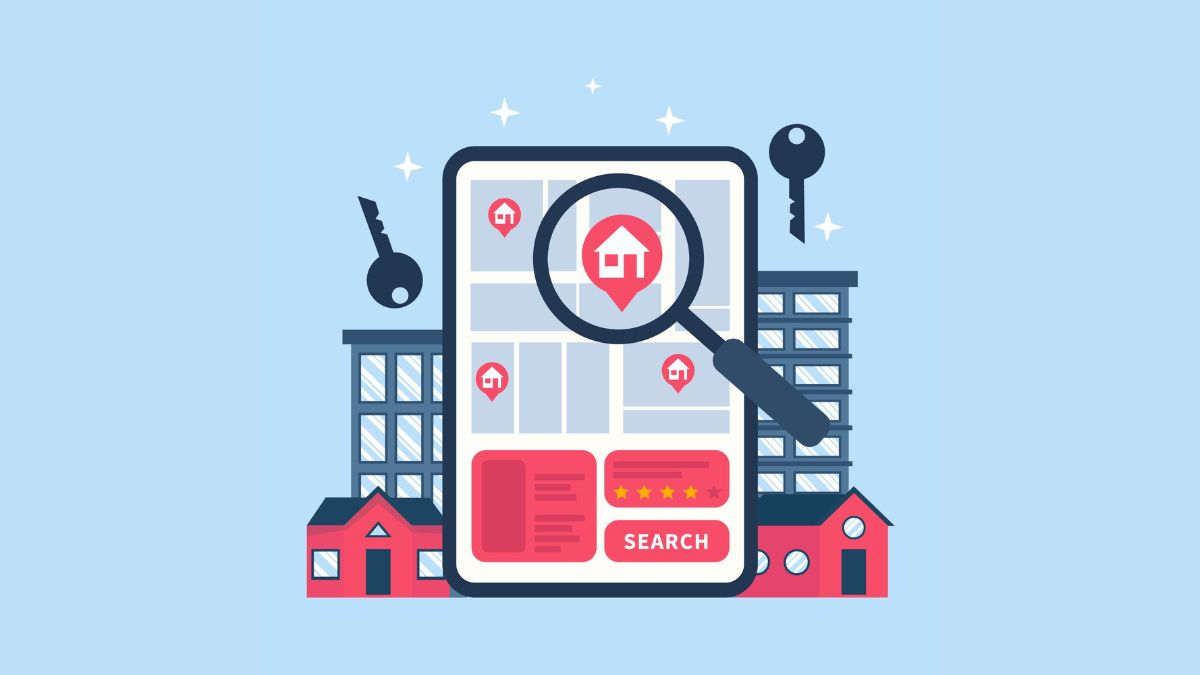
A long list of filters does not always make property search easier. Buyers may know their budget and preferred location but have other preferences that are harder to capture through fixed search fields.
AI recommendation systems can learn from search history, interactions, stated preferences, and property characteristics to narrow the available inventory. Someone who repeatedly views apartments near transit with a certain layout, for instance, can receive suggestions that reflect those patterns rather than starting every search from the same broad filters.
Property valuation and pricing
Property valuation depends on several inputs, including comparable sales, location, historical market information and individual property characteristics. Machine learning models can process these inputs together and generate an estimated value for review.
Some systems can also include visual information from property or street imagery alongside structured sales data. The result can give buyers, sellers, and portfolio teams another reference point when assessing price. It should still sit alongside professional appraisal and market judgment, particularly when the property has features or circumstances that the model data may not capture well.
Market forecasting and predictive analytics
Predictive analytics looks at how market conditions may change over time rather than focusing only on a property’s current value. AI models can compare historical sales, pricing trends, demand patterns, location data, and other market signals to identify shifts that may affect future performance.
For example, an investment team could use these patterns to compare areas where transaction activity is accelerating with locations showing weaker demand.

Investment analysis and risk assessment
Investment teams often need to compare market information, property metrics, financial data, and economic indicators before deciding which opportunities deserve closer review. AI can process these inputs together and rank or score opportunities based on patterns found in historical data.
Risk analysis works from a related but different question. Instead of identifying attractive opportunities alone, models can examine factors such as market volatility, property condition, past performance, and economic indicators for warning signals. The output can narrow the field for further due diligence, leaving the final investment decision with the people responsible for assessing the deal.
Lead qualification and customer engagement
AI can connect customer interactions with CRM and property data, giving sales teams more context before they follow up. A virtual assistant, for example, can handle an initial inquiry, capture what the buyer is looking for, check relevant listing information, and pass the conversation to an agent when more detailed input is needed.
The same data can support more relevant follow-up rather than sending identical messages to every inquiry. When these functions are connected to an AI-enabled CRM, lead information, communication history, and customer preferences can remain part of the same workflow.

Document processing and transaction workflows
A commercial real estate transaction can involve multiple versions of the same lease, with key information scattered across the main agreement, amendments, and supporting documents. Before the transaction moves forward, teams may need to locate details such as rent amounts, renewal dates, notice periods, and specific contractual obligations.
AI can extract these details and organize them into a consistent format for review or transfer to another business system. Instead of reading every page simply to locate a date, amount, or contract term, staff can start from the extracted data and return to the original document when verification is required.
For transaction processes that also use blockchain-based agreements, see how smart contracts in real estate are applied to property transactions.
Fraud and compliance monitoring
Listings and transaction records can contain inconsistencies that are difficult to catch when volumes are high. For property listings, AI can compare information across records to identify conflicting details or unusual changes that may require investigation. This gives teams a first screening layer before potentially suspicious cases are reviewed more closely.
For transaction and contractual content, AI can scan documents for missing information, inconsistencies, or language that requires closer compliance review. These systems are useful for flagging possible issues, but a flag is not the same as a legal determination. Cases involving regulatory or contractual consequences still need appropriate human review.

Property operations and visual intelligence
Computer vision has applications beyond virtual property tours. Property teams can use images from inspections or construction sites to identify visible issues, compare site conditions over time, and track construction progress. Visual recognition can also support inventory management by identifying equipment or other physical assets within a property.
These visual insights can be combined with maintenance requests, tenant records, and other operational data to provide a broader view of property conditions. A property management team, for example, might use these systems to identify recurring maintenance issues, check asset inventory, or flag differences between reported information and observed site conditions for further review.
AI in Real Estate: Real-World Applications and Examples
Real-world adoption shows that AI in real estate is already being used across several parts of the industry, from home valuation to investment screening and portfolio operations. The examples below show different ways companies are applying AI rather than treating it as a single-purpose tool.
Zillow: AI-Assisted property valuation
Zillow uses AI in its Zestimate system to estimate home values. Its neural network is trained on large datasets that combine property information, historical home values, and digital images. When a new listing is added, the model can read visual features from the photos and use them alongside other property data in the valuation process.
The result is an automated estimate that gives buyers and sellers an additional reference point before a formal appraisal or market review.
Keyway: AI for real estate investment analysis
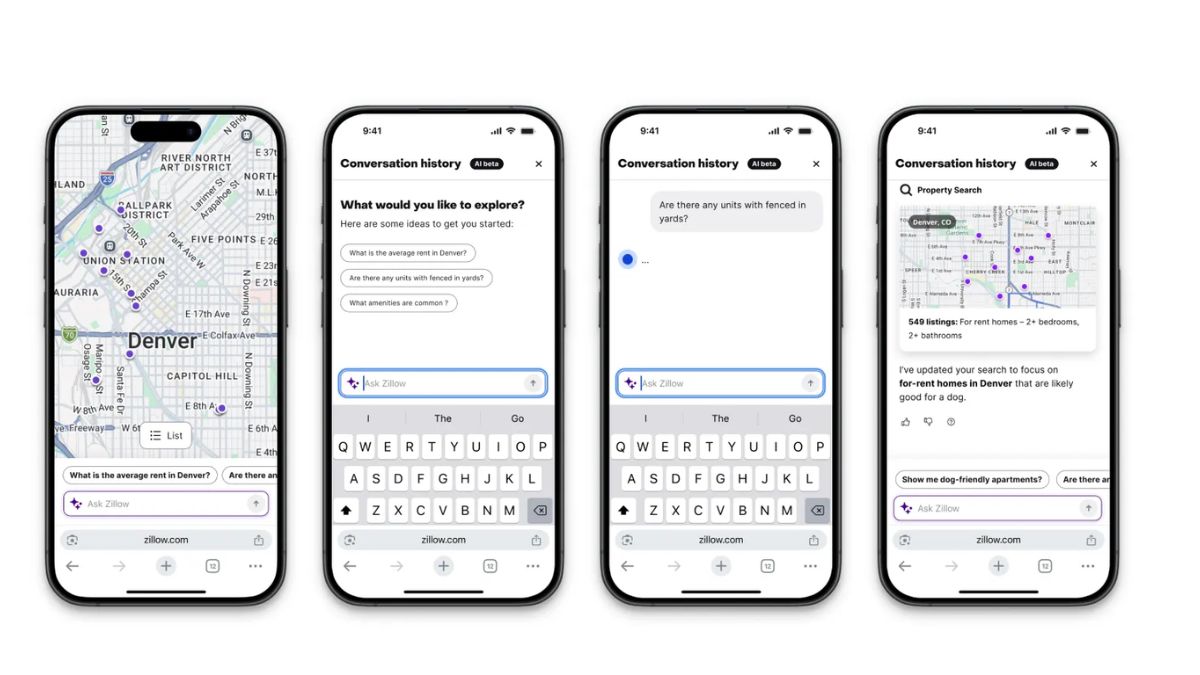
Keyway applies AI and data science to real estate investment management. Its platform is designed to support decisions around multifamily properties and other real estate transactions, including models such as rent-to-own and transition-out agreements.
Here, AI sits closer to the investment process than to property search. It can assist with screening opportunities and organizing the information needed for evaluation, while investment decisions still depend on the people responsible for reviewing the deal.
Entera: AI-supported residential property investing
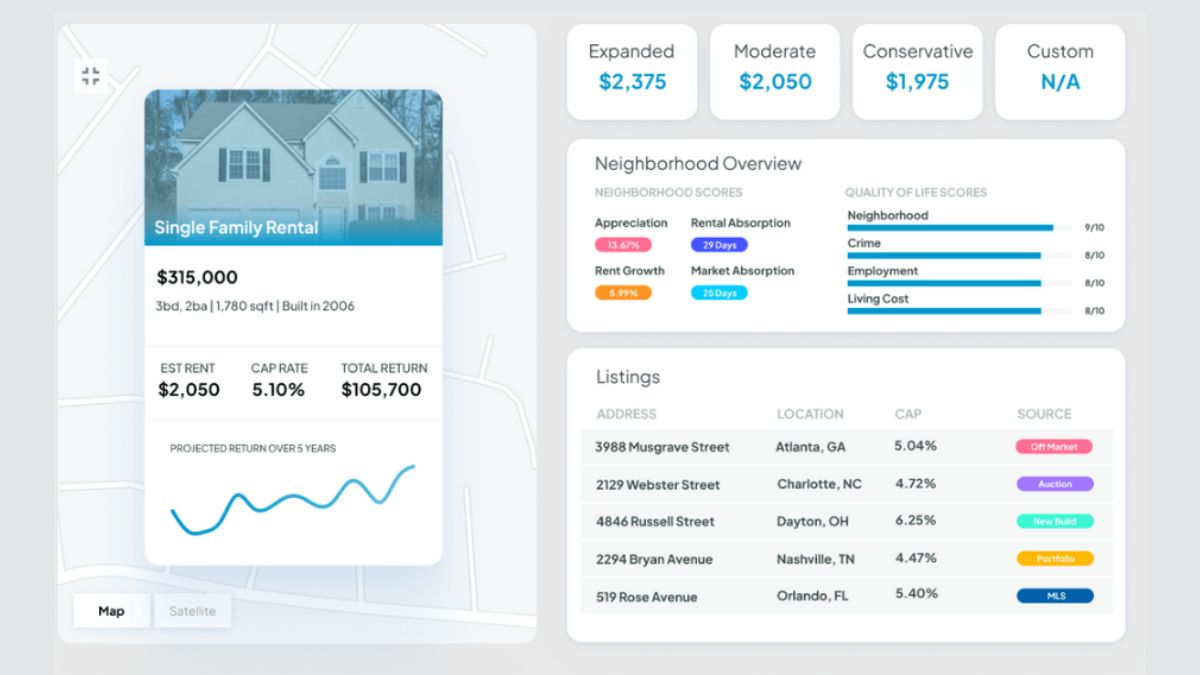
For Entera, AI is used across a broader investment workflow. The platform focuses on single-family homes and supports investors as they search for properties, assess opportunities, complete purchases, and manage assets after acquisition.
Enterra operates in the US and handles more than 1,000 transactions per month. Its technology supports investors throughout the process, from identifying potential properties to managing them after purchase.
Challenges and Risks of AI in Real Estate
AI can improve how real estate firms process information and manage routine work, but the same systems can introduce new operational, legal, and technical risks. These issues become more serious as AI moves from small pilots into workflows that affect customers, transactions, valuations, or investment decisions.
Data quality and security risks
AI systems depend on the quality of the data they receive. In real estate, that data may come from property records, transaction histories, CRM platforms, financial documents, or customer profiles. Missing, outdated, or inconsistent records can produce unreliable outputs, especially when information is spread across several systems.
Security is another concern because many of these datasets contain personal and financial information. Data validation, access controls, encryption, and clear rules for how sensitive information is stored and processed are therefore part of the AI system itself, not separate IT issues.

Bias and fairness in AI decisions
Historical data can carry patterns that should not be repeated in future decisions. If an AI model learns from biased or unbalanced data, the problem may appear in outputs related to valuation, tenant screening, or lending-related analysis.
This matters most when AI is used to rank, recommend, or filter people and properties. Firms need ways to review model behavior, test for uneven outcomes, and keep human judgment involved where a decision could affect housing access, financial treatment, or customer eligibility.
Regulatory and compliance challenges
Real estate AI must follow regulations based on its use and location. In the US, the Fair Housing Act applies to areas such as tenant screening and housing advertising, while the CCPA regulates the use of California consumers’ personal data. In Canada, PIPEDA sets privacy requirements for many private-sector organizations.
To manage this risk, legal and technical teams should define data-use rules, access controls, review points, and accountability before deployment. High-impact outputs should also have a clear human review path so automated recommendations are not applied without checking whether they meet the relevant legal and policy requirements.

Integration with existing real estate systems
Many firms already rely on property management platforms, CRMs, accounting software, databases, and older internal systems. Adding AI means connecting these systems without breaking the workflow around them.
A model can perform well in isolation and still fail in practice if the data arrives in the wrong format, APIs are limited, or the output never reaches the team that needs it. Integration work often includes data mapping, middleware, API connections, and rules for how information moves between systems.
Lack of AI skills and internal understanding
Using an AI tool for writing or summarization is very different from running AI across a business process. Enterprise use requires people who understand the data, the model output, the operating workflow, and the limits of automation.
The gap can be addressed through targeted training and clear operating rules. Teams should learn how to interpret AI outputs, when to escalate uncertain cases, and how each tool fits into the wider process. Starting with a limited use case also gives employees time to build practical experience before AI is introduced across more complex workflows.

Over-reliance on automated outputs
AI can support analysis, screening, and recommendations, but some decisions still require context that the model may not capture. This is especially true when a result could affect contracts, financial exposure, compliance, or customer treatment.
Human review works best when it is focused. Rather than checking every result manually, firms can define escalation rules for low-confidence outputs, unusual cases, or decisions with higher legal or financial impact. That keeps automation useful without removing accountability.
Cost and scalability challenges
The cost of AI adoption goes beyond building or licensing a model. Firms may also need to prepare data, connect existing systems, upgrade infrastructure, monitor performance, and maintain the solution after launch.
These costs become more visible when a pilot is expanded across multiple teams, properties, or regions. A phased rollout can make the investment easier to control, especially when each stage is tied to a defined workflow and measurable business need. For a broader breakdown of budget factors, see our guide to AI development cost.

Future of Artificial Intelligence in Real Estate
AI adoption in real estate is growing quickly, but most firms are still working out how to scale it. JLL’s 2025 survey found that 92% of corporate real estate teams had started or planned AI pilots, while only 5% reported achieving most of their program goals. This gap suggests that the next stage will focus less on launching pilots and more on turning them into measurable business results.
This shift is especially relevant in commercial real estate, where teams manage large volumes of contracts, property data, and operational records. AI can take on more first-pass analysis, surface exceptions, and make information easier to review across complex portfolios.
As AI takes on more business-critical work, firms will also need outputs that can be checked, traced, and reviewed when decisions carry financial or legal consequences. Data quality, infrastructure, and internal capabilities will therefore play a larger role in determining which AI initiatives can move beyond experimentation and operate reliably at scale.
Human involvement will remain important where judgment, negotiation, or relationship management is central. Rather than removing professional oversight, AI is more likely to support real estate teams by handling data-heavy work and providing information for people to assess and act on.
How Newwave Solutions Can Help Build AI Solutions for Real Estate
Newwave Solutions provides AI development services for real estate businesses that need AI capabilities tailored to their own processes, systems, and data. Our custom AI can support more relevant automation, fit existing workflows more closely, and address specific operational or analytical needs. We follow a structured process to turn those requirements into a working solution.
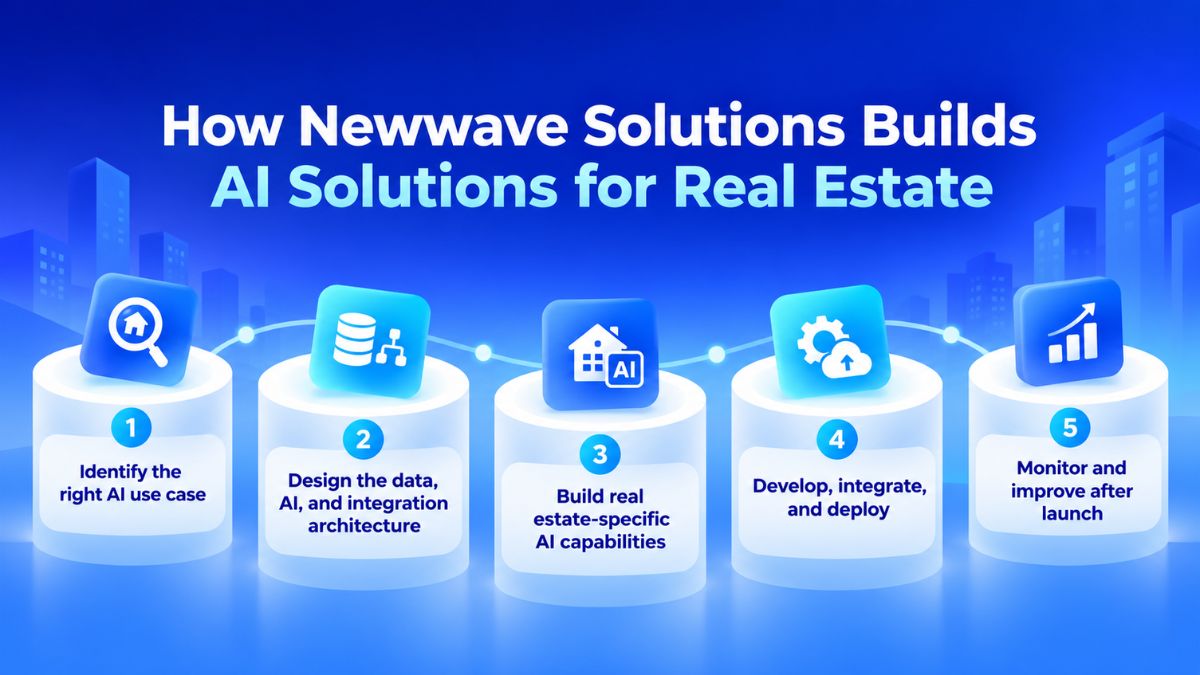
- Identify the right AI use case: We examine where teams spend time across property search, leasing, transaction processing, portfolio analysis, and customer management. We also check whether the required property, customer, and transaction data is available and usable.
- Design the data, AI, and integration architecture: We define how property records, listings, contracts, CRM data, or portfolio information will feed the AI system. The architecture also covers connections with property management platforms, CRMs, databases, APIs, and cloud environments.
- Build real estate-specific AI capabilities: We develop functions around the selected workflow, such as property matching, lease and contract extraction, valuation support, investment analysis, lead qualification, image analysis, or maintenance-related automation.
- Develop, integrate, and deploy: We connect the AI capability with the systems where real estate teams already work, then test the complete flow using relevant property and transaction data. Deployment is prepared around the actual roles, review steps, and operating process.
- Monitor and improve after launch: We track whether outputs remain useful as property data, market conditions, and business rules change. Models, prompts, workflows, or integrations can then be adjusted based on observed performance and user feedback.
If you are planning an AI initiative for your real estate business, contact Newwave Solutions to discuss the use case and the most practical path to implementation.
Conclusion
AI in real estate is moving from isolated tools into workflows that support property analysis, document processing, customer engagement, and operations. The key is to match each use case with the right data, system integration, and level of human review. Starting with a clearly defined workflow can make implementation easier to control and evaluate.
Newwave Solutions works with real estate businesses to design custom AI capabilities around specific operational goals and existing technology. Partner with us to evaluate your use case, define the right architecture, and build an AI solution that can be integrated into real business workflows.
FAQs
1. Will AI replace a real estate agent?
AI is unlikely to replace real estate agents entirely. It can handle tasks such as property research, document processing, lead qualification, and initial customer communication, while agents remain important for negotiation, local market judgment, relationship management, and complex decisions.
2. What are the benefits of AI for real estate agents?
AI can reduce time spent on repetitive work, process property and customer data faster, and make relevant information easier to find. Agents can use it to qualify leads, personalize property recommendations, prepare communications, and review documents before focusing on activities that require direct client involvement.
3. What are the best AI tools for real estate agents?
The best AI tools depend on the workflow an agent wants to improve. Common options include AI-enabled CRM systems for lead management, generative AI tools for content and communication, property valuation tools, recommendation systems, and document-processing solutions for contracts and transaction records.
4. How to use AI for real estate investing?
Investors can use AI to screen properties, compare market and financial data, identify risk signals, and analyze potential opportunities across larger datasets. AI can also support market forecasting and portfolio monitoring, but investment decisions should still include due diligence and human review.
5. What are the risks of AI in real estate?
Key risks include poor data quality, biased outputs, privacy and security issues, regulatory compliance, integration problems, and excessive reliance on automated recommendations. Firms should define appropriate human review, especially when AI outputs affect valuation, tenant screening, financial decisions, or other high-impact workflows.
To Quang Duy is the CEO of Newwave Solutions, a leading Vietnamese software company. He is recognized as a standout technology consultant. Connect with him on LinkedIn and Twitter.



Read More Guides

Get stories in your inbox twice a month.
Let’s Build Something Extraordinary
Sign up for a 30 min no-obligation strategic session with us. Transform your Ideas into scalable reality.
Leave a Reply