


Top 9 Best Cross-Platform App Development Frameworks Worth Using in 2026

Cross-platform app development frameworks allow businesses to build one application with a shared codebase and deploy it across iOS, Android, web, and desktop platforms. Among them, Flutter and React Native are the two leading options, widely adopted for their performance, flexibility, and strong developer ecosystems.
For businesses with limited time, budget, or engineering resources, choosing the right framework can directly affect development speed, product quality, and long term scalability. In this guide, we will explore the top 10 cross-platform app development frameworks and show you how to choose the most suitable one for your project.
What Exactly Are Cross-Platform App Development Frameworks?
In simple terms, a cross-platform application frameworks is like a universal translator for the digital world. It provides a common language and a set of tools that allows developers to write the app’s core logic just once. This single codebase is then translated or interpreted to run natively on both iOS and Android (and sometimes even on the web and desktop).
For your business, this means reaching a wider audience faster and for a fraction of the cost of building native apps separately, all without sacrificing the user experience that makes apps great. This efficiency is why the adoption of these frameworks is soaring and why they are the future of mobile app development.
Top 9 Best Cross-Platform App Development Frameworks in 2026
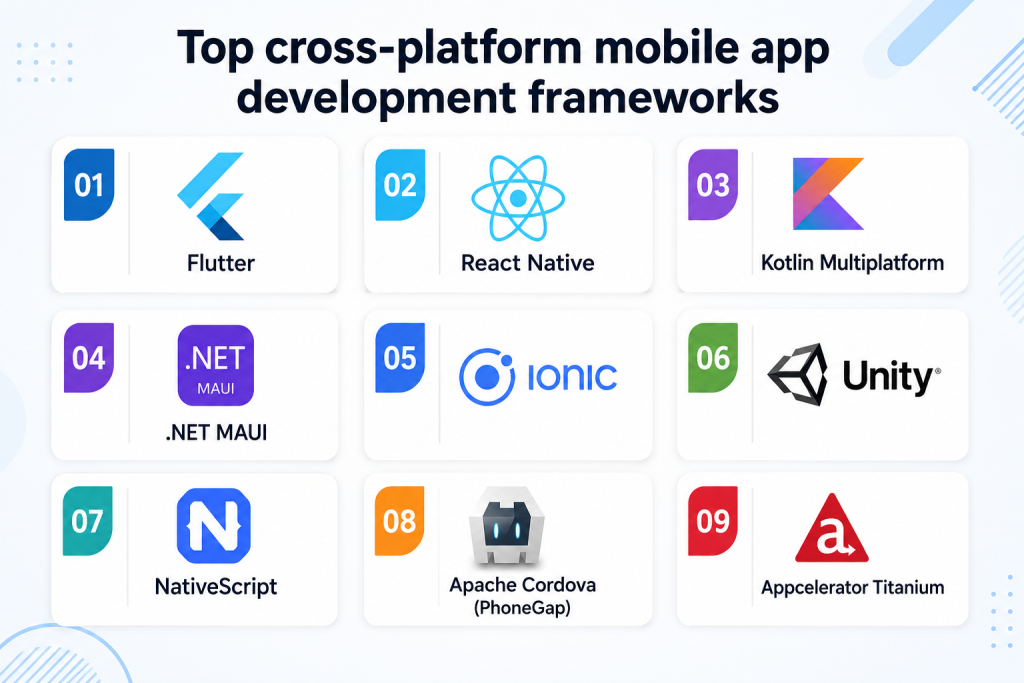
The landscape of cross-platform mobile development frameworks is rich and varied. Choosing the right one is crucial, as it impacts everything from your app’s performance and look to your development speed and long-term maintenance costs. Each framework has a unique philosophy and is tailored for different scenarios.
Before diving deep into each framework, this table summarizes their core strengths and ideal use cases to help you quickly identify the best candidates for your project.
|
Framework |
Primary Language | Best For |
Key Strength |
| Flutter | Dart | Visually rich, highly consistent apps | Pixel-perfect UI control & high performance |
| React Native | JavaScript | JavaScript shops, large-scale apps | Huge community & native feel |
| Kotlin Multiplatform | Kotlin | Sharing business logic, native UIs | True native performance with logic reuse |
| .NET MAUI | C# | Enterprise, Windows integration | Strong tooling & native API access |
| Ionic | HTML/CSS/JS | Web devs, PWAs, simple apps | Easy to learn & deploy everywhere |
| Unity | C# | Games, 3D, AR/VR | Unmatched graphical power |
| NativeScript | JavaScript | Native API access with web skills | Direct native API access from JS |
| Cordova | HTML/CSS/JS | Prototyping, web-view apps | Extremely low learning curve |
| Appcelerator Titanium | JavaScript | Backend for any mobile app | Native UI rendering without WebView limitations & high code reusability across iOS and Android |
1. Flutter
Flutter is Google’s open-source UI software development kit that has revolutionized the concept of cross-platform development. Unlike frameworks that translate code to native components, Flutter paints every pixel on the screen itself using a powerful graphics engine. This approach gives developers total control over the application’s appearance, ensuring perfect visual consistency across iOS, Android, the web, and desktop from a single, shared codebase. It’s known for its high performance, expressive UI, and rapid development cycle.
Primary Language: Dart
Key Strengths:
- Pixel-Perfect Consistency: Uses its own widget library to render UI, guaranteeing that your app looks and works exactly the same on every device and OS version, eliminating native component inconsistencies.
- Exceptional Performance: Compiles directly to native ARM machine code for both iOS and Android, avoiding the performance bottlenecks of JavaScript bridges, resulting in smooth animations and fast execution.
- Hot Reload for Rapid Development: See changes reflected in the running app instantly without losing the application state. This allows for incredibly fast experimentation, bug fixing, and UI building.
- Rich Widget Library: Comes with a comprehensive suite of customizable, pre-built widgets following Cupertino (iOS) and Material Design (Google) guidelines, drastically speeding up the development process.
- Growing Ecosystem: Strong backing from Google and a rapidly expanding community means excellent documentation, a growing package ecosystem (via pub.dev), and long-term viability.
Limitations:
- Smaller dart talent pool: Dart is less widely used than JavaScript, Java, or C#, which can make hiring and team scaling more challenging.
- Larger app size: Flutter apps may have a larger initial file size because the framework includes its own rendering engine and widget library.
- Native feature dependency: Advanced device features or platform specific functions may still require native code or third party plugins.
- Web performance gaps: Flutter performs strongly on mobile, but complex web applications may not always match the performance of traditional web frameworks.
- Platform specific UX challenges: Because Flutter controls its own UI rendering, extra work may be needed to match detailed native behavior on iOS and Android.
Example Cases: Google Ads, BMW, Alibaba, and Reflectly all use Flutter for its ability to create beautiful, consistent, and high-performance user interfaces across mobile and web.
|
When to use |
When not to use |
| Your app needs a highly consistent UI across iOS and Android. | Your main product is an SEO focused web platform |
| You need smooth animations and strong visual control. | Your business is not willing to apply a new language or tooling. |
| You are building a long term product with frequent updates. | The app depends heavily on platform specific native UI |
| You need one codebase for mobile, web, and desktop | You need highly advanced native device integration |
2. React Native
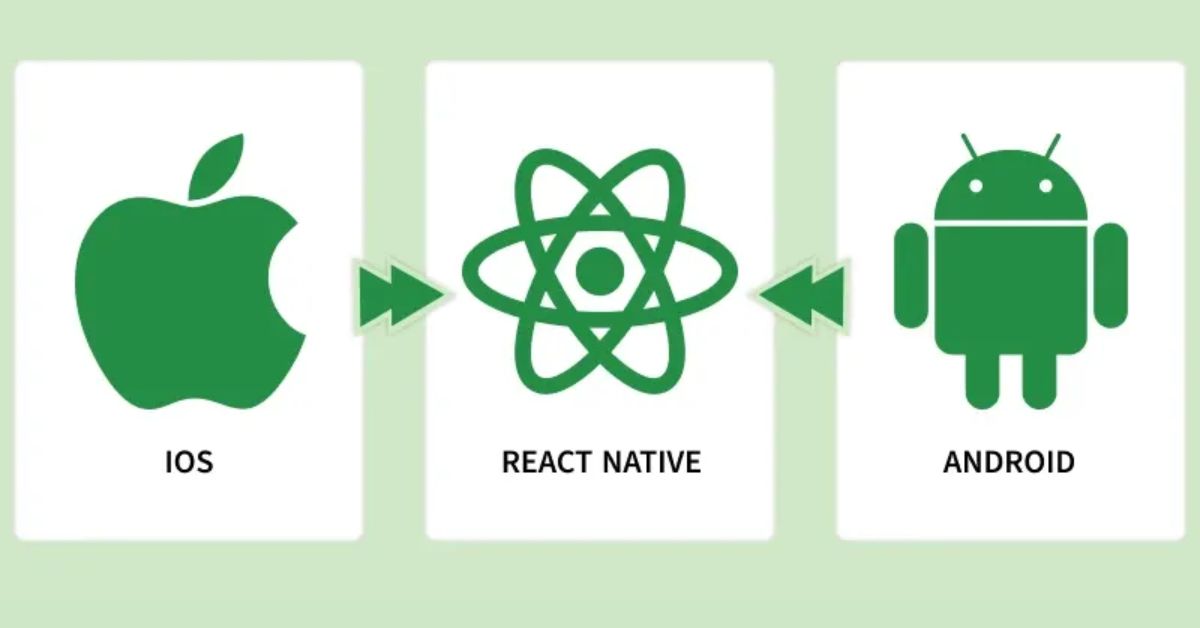
Developed by Facebook (Meta), React Native is a cornerstone of the cross platform app development world. It allows developers to build mobile apps using JavaScript and React, leveraging a web-like programming paradigm to create truly native applications. Instead of rendering WebViews, it uses native components, providing an authentic look and feel on each platform. Its vast community and ecosystem make it a reliable and popular choice for many large-scale companies.
Primary Language: JavaScript (or TypeScript)
Key Strengths:
- Native Performance & Feel: Renders using native platform components (e.g., UIView on iOS, android.view on Android), ensuring your app feels at home on each operating system.
- Massive Community & Ecosystem: Benefits from the enormous JavaScript and React communities. Finding answers, libraries, and third-party plugins is easier than with almost any other framework.
- Live and Hot Reloading: The “Live Reload” feature injects new versions of files and restarts the app, while “Hot Reloading” allows you to inject changes without restarting, maintaining the app’s state for a smoother development experience.
- Code Reusability: A significant portion of the codebase (often 80-90%) can be shared between platforms, significantly reducing development time and effort.
- Strong Corporate Backing: Maintained by Meta and used in their own flagship apps (Facebook, Instagram), ensuring continuous development, stability, and a mature architecture.
Limitations:
- Performance bottlenecks: React Native can face performance issues in apps with complex animations, heavy calculations, or real time interactions.
- Native module requirements: Some advanced features still require native development in Swift, Objective C, Java, or Kotlin.
- Dependency complexity: Projects can become difficult to maintain when they rely heavily on third party libraries with different update cycles.
- UI inconsistency: Since React Native uses native components, small visual or behavioral differences may appear between iOS and Android.
- Bridge related issues: Communication between JavaScript and native layers can create complexity in performance sensitive features.
Example Cases: Facebook, Instagram, Walmart, and Pinterest all utilize React Native to deliver a native experience while maintaining development efficiency across their massive apps.
|
When to use |
When not to use |
| Your team already has React or JavaScript expertise | You need maximum graphics performance |
| You want a native look and feel on mobile | Your app requires complex animations or real time rendering |
| You need fast development with broad library support | You want full UI consistency across all platforms |
| You are building social apps, ecommerce apps, booking apps, or business apps | You want to avoid native code completely |
3. Kotlin Multiplatform
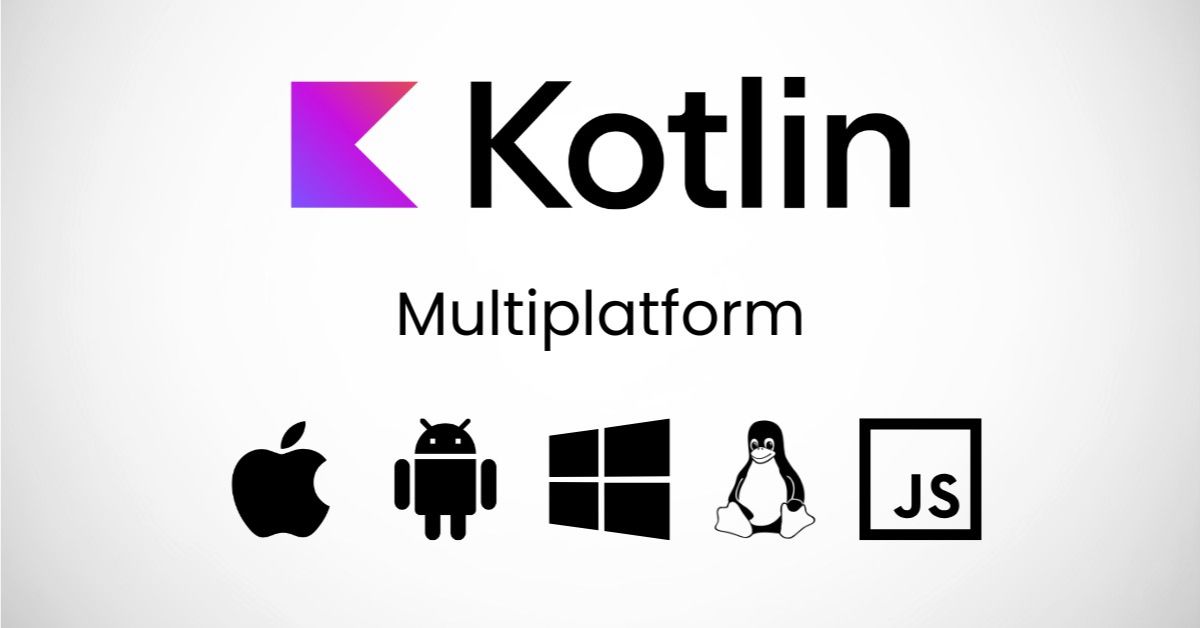
Kotlin Multiplatform (KMP) represents a more modular and flexible approach to cross-platform development. Rather than sharing the entire UI code, KMP focuses on sharing the business logic, data layer, and other non-UI code across platforms (iOS, Android, Web, Desktop) while encouraging developers to build the user interface natively using SwiftUI/Jetpack Compose. This “write once, run anywhere” for logic combined with “native UI” offers a best-of-both-worlds solution.
Primary Language: Kotlin
Key Strengths:
- True Native UI & Performance: By building UIs natively, apps achieve the highest possible performance and perfect platform-specific user experience, as the UI is not abstracted away by the framework.
- Maximum Flexibility in Code Sharing: You decide exactly what logic to share (networking, data storage, analytics, etc.) and what to keep native, avoiding the common compromises of all-UI-sharing frameworks.
- Seamless Native Integration: Provides effortless access to all native APIs and libraries on each platform without requiring complex bridges or plugins, making it ideal for apps that need deep device integration.
- Ideal for Android-First Teams: Kotlin is the modern preferred language for Android development, making KMP a natural and easy adoption for Android teams looking to expand to iOS.
- Growing Industry Adoption: Backed by JetBrains and Google, it’s being adopted by major companies like Netflix, McDonald’s, and Philips for sharing critical business logic.
Limitations:
- Limited UI sharing: Kotlin Multiplatform is mainly used to share business logic, so teams often still need separate native UI development.
- Higher native skill requirement: iOS development usually still requires Swift or SwiftUI knowledge, especially for interface design.
- Smaller ecosystem: The ecosystem is growing, but it is still less mature than Flutter or React Native for cross platform development.
- Complex setup: Project configuration can be challenging for teams new to Kotlin, Gradle, or multiplatform architecture.
- Slower MVP delivery: Because UI work is often separated by platform, it may not be the fastest option for simple MVPs.
Example Cases: Netflix, McDonald’s, Cash App, and Philips use KMP to share critical business logic like data models and networking code between their Android and iOS apps while keeping the UI native.
| When to use |
When not to use |
| You want to share business logic while keeping native UI | You want one shared UI codebase |
| Your team is Android first and familiar with Kotlin | Your team has limited native mobile experience |
| You need strong performance and platform specific UX | You need the fastest MVP with a small team |
| You are building a complex long term mobile product. | You want a large ready made UI component ecosystem |
4. .NET MAUI
.NET MAUI (Multi-platform App UI) is the evolution of Xamarin.Forms, Microsoft’s open-source framework for building native mobile and desktop apps with C# and .NET. It enables developers to create a single project that can target Android, iOS, macOS, and Windows. It’s a powerful choice for enterprises deeply invested in the Microsoft ecosystem, offering robust tooling within Visual Studio.
Primary Language: C#
Key Strengths:
- Native Performance and API Access: Compiles down to native bytecode, providing full access to all underlying platform APIs and delivering performance indistinguishable from purely native apps.
- Single Project Structure: Simplifies development by using a single project to target multiple platforms, managing platform-specific differences within a cleaner, more maintainable structure than its predecessor.
- Strong Enterprise Support: Deep integration with the Microsoft ecosystem (Azure, Visual Studio, Microsoft 365) makes it a trusted and secure choice for enterprise-grade application development.
- Mature Language and Tools: Leverages the powerful, type-safe C# language and the excellent debugging, profiling, and development tools provided by Visual Studio.
- XAML for Declarative UI: Uses XAML, a mature and powerful markup language, for defining dynamic and maintainable user interfaces in a declarative way.
Limitations:
- Smaller mobile community: .NET MAUI has a more limited mobile development community compared to Flutter and React Native.
- Microsoft ecosystem dependence: It works best for teams already using C#, .NET, Azure, and Visual Studio.
- UI customization effort: Highly customized interfaces may require platform specific adjustments to achieve the desired user experience.
- Library maturity gaps: Some third party libraries and plugins are still less mature than those in larger mobile ecosystems.
- Less startup friendly: Startups focused on rapid consumer app development may find .NET MAUI less flexible than Flutter or React Native.
Example Cases: Companies like NBC Sports and Irth Solutions use .NET MAUI to build robust enterprise applications that manage complex data and integrate seamlessly with other Microsoft services.
|
When to use |
When not to use |
| Your business already uses C#, .NET, Azure, or Microsoft tools | Your team mainly works with JavaScript or Dart |
| You need enterprise grade internal apps | You need a highly design driven consumer app |
| You want strong integration with Microsoft tools | You need a very large mobile plugin ecosystem |
| You are building business tools, dashboards, field service apps, or enterprise systems | You are building a graphics heavy or game like app |
5. Ionic
Ionic is a veteran cross platform application framework that focuses on web technologies. It allows developers to build mobile (and web) apps using HTML, CSS, and JavaScript, which are then run inside a native app container called a WebView. With the latest versions, Ionic can also act as a frontend for more native-focused frameworks like React or Vue, offering great flexibility.
Primary Language: HTML, CSS, JavaScript
Key Strengths:
- Web-Dev Friendly: The easiest framework to learn for developers with a background in standard web development, allowing for a very shallow learning curve and rapid onboarding.
- Massive Plugin Ecosystem: Has a huge library of Cordova and Capacitor plugins that provide JavaScript access to native device features like camera, GPS, and Bluetooth.
- Write Once, Run Everywhere: The same codebase can be deployed not just as a native mobile app, but also as a Progressive Web App (PWA) or a standard web application, maximizing reach.
- Rich UI Components: Provides a large set of pre-designed UI components that adapt to the look and feel of the platform they are running on (iOS or Android).
- Flexibility: Can be used as a standalone framework or integrated with popular libraries like React, Vue, or Angular for more structured application logic.
Limitations:
- WebView performance limits: Ionic apps run inside a WebView, so performance may be lower than frameworks that render native components.
- Less native feel: Although Ionic components are polished, the user experience may not feel as native as React Native or Flutter.
- Animation constraints: Apps with complex animations, real time interactions, or graphics heavy interfaces may face performance challenges.
- Plugin dependency: Access to native features often depends on Capacitor or Cordova plugins, which may vary in quality and maintenance.
- Scalability concerns: For highly complex mobile apps, Ionic can become harder to optimize and maintain over time.
Example Cases: MarketWatch, Sworkit, and T-Mobile use Ionic to create apps that function well as both installed mobile apps and progressive web apps, ensuring wide accessibility.
|
When to use |
When not to use |
| You want to reuse web development skills | You need high performance native interactions |
| You need a mobile app and PWA from one codebase | Your app depends on advanced animations or real time features |
| You are building content apps, internal tools, simple ecommerce apps, or prototypes | You need a premium native user experience |
| You want fast development with HTML, CSS, and JavaScript | You need deep native device integration |
6. Unity
While Unity is the world’s leading real-time 3D development platform, primarily for game creation, it is also a powerful cross platform framework for any project requiring high-fidelity 2D/3D visuals, simulations, or Augmented/Virtual Reality Development (AR/VR). It is not typically used for standard form-based business apps but is unparalleled in its domain.
Primary Language: C#
Key Strengths:
- Unmatched Graphical Power: Designed from the ground up to deliver high-performance 2D, 3D, AR, and VR experiences with advanced lighting, physics, and particle effects.
- Massive Cross-Platform Deployment: Build once and deploy to over 25 platforms, including all mobile devices, consoles, PCs, and AR/VR headsets, with minimal extra work.
- Comprehensive Editor and Toolset: Features a powerful, integrated visual editor for designing worlds, animations, and logic, making complex visual tasks more manageable.
- Asset Store: A vast marketplace of pre-built 3D models, textures, scripts, and plugins that can dramatically accelerate development time for complex visual projects.
- Strong for Simulation & Visualization: Used beyond games for architecture visualizations, medical simulations, and industrial training, thanks to its powerful rendering capabilities.
Limitations:
- Not built for standard apps: Unity is not suitable for typical business apps with forms, dashboards, lists, or transaction flows.
- Large app size: Unity applications often have larger file sizes due to the engine, assets, and rendering components.
- Specialized skill requirement: Development requires experience in game logic, 3D design, physics, animation, or real time rendering.
- Higher development cost: For non game projects, Unity may introduce unnecessary complexity and cost.
- Traditional UI limitations: Building standard mobile interfaces in Unity is usually less efficient than using dedicated app frameworks.
Example Cases: Pokémon GO, Among Us, and Monument Valley are all built with Unity, showcasing its dominance in mobile gaming and ability to create immersive, interactive worlds.
|
When to use |
When not to use |
| You are building games, AR, VR, simulations, or 3D experiences | You are building a standard business app |
| You need advanced graphics, physics, or real time interaction | You need a lightweight app |
| You want to deploy to many platforms, including consoles and headsets | Your app is mainly forms, lists, dashboards, or transactions |
| You are creating training, education, entertainment, or visualization products | Your team has no Unity or C# experience |
7. NativeScript
NativeScript is an open-source framework that uses JavaScript (or TypeScript) and CSS to create truly native mobile applications. Its key differentiator is that it provides direct access to 100% of the native Android and iOS APIs through JavaScript, without requiring WebViews. This allows web developers to build truly native apps with the skills they already have.
Primary Language: JavaScript, TypeScript, Angular, or Vue.js
Key Strengths:
- Direct Native API Access: Provides complete access to all native platform APIs directly from JavaScript, enabling deep integration with the device without writing native code.
- Native Performance: Renders the UI using the native platform’s rendering engine, resulting in performance and UX that are indistinguishable from apps built with native tools.
- Framework Freedom: Supports “vanilla” JavaScript/TypeScript as well as popular frameworks like Angular and Vue.js for structuring your application, offering developer choice.
- Reusable Web Skills: Web developers can immediately apply their existing knowledge of CSS for styling and JavaScript for logic, lowering the barrier to native development.
- Full Access to Native UI: Allows you to use any native UI component, either from the core platform or from third-party libraries, directly in your JavaScript code.
Limitations:
- Smaller ecosystem: NativeScript has a smaller community and fewer resources compared to React Native and Flutter.
- Limited plugin availability: Some third party plugins may be outdated or less actively maintained.
- Hiring difficulty: Finding developers with strong NativeScript experience can be harder than hiring React Native or Flutter developers.
- Native API complexity: Direct access to native APIs is powerful, but it may require deeper understanding of iOS and Android internals.
- Long term maintenance risk: Smaller ecosystem adoption can create uncertainty for large, long term product roadmaps.
Example Cases: Apps like Daily Nanny and Workbox use NativeScript to achieve a fully native look and feel with direct access to device features, all while using a JavaScript-based codebase.
|
When to use |
When not to use |
| You want native apps using JavaScript or TypeScript | You need the largest community and ecosystem |
| You need direct access to native APIs | Your team wants a more mainstream framework |
| You work with Angular or Vue and want mobile reuse | You need many ready made third party libraries |
| You are building apps with strong device integration needs | You need fast hiring and easier long term maintenance |
8. Apache Cordova (PhoneGap)
Apache Cordova (formerly known as PhoneGap, which is now a distribution of Cordova by Adobe) is one of the original mobile cross platform frameworks. It wraps a standard web application (HTML, CSS, JS) into a native mobile app container, allowing it to be installed and distributed through app stores.
Primary Language: HTML, CSS, JavaScript
Key Strengths:
- Extremely Low Learning Curve: The simplest framework for any web developer to understand and start building with, as it uses core web technologies without any complex abstractions.
- Extensive Plugin Library: A massive ecosystem of plugins exists to provide JavaScript access to virtually every native device feature (camera, contacts, file system, etc.).
- Proven and Stable: As one of the oldest frameworks, it is very stable and has been used in countless production apps, with most major bugs and issues already resolved.
- Ideal for Simple Apps and Prototyping: Excellent for converting an existing website into a simple app or for quickly building a functional prototype to validate an idea without heavy investment.
Limitations:
- WebView performance constraints: Cordova apps run inside a WebView, which limits performance for complex or interaction heavy applications.
- Outdated ecosystem: Cordova is less modern than newer options like Capacitor, Flutter, and React Native.
- Less native user experience: Apps may feel more like mobile websites than polished native applications.
- Plugin maintenance issues: Many plugins are old, inconsistent, or no longer actively maintained.
- Limited scalability: Cordova is better for simple apps and prototypes than strategic, long term mobile products.
Example Cases: Untappd (a social beer network) and TripCase (a travel organizer) started with or used Cordova to leverage web code for their initial mobile app presence.
|
When to use |
When not to use |
| You need a simple app based on existing web code | You need a modern, high performance mobile app |
| You are building a prototype or lightweight internal tool | Your app requires smooth animations or advanced UX |
| You want a low-cost way to package a web app for app stores | You need strong long-term scalability |
| You have a small web development team | You are starting a new strategic mobile product |
9. Appcelerator Titanium
Appcelerator Titanium, now commonly referred to as Titanium SDK, is an open source framework for building native cross platform mobile applications with JavaScript.
Unlike WebView based frameworks, Titanium uses JavaScript to access native UI components and platform APIs, allowing developers to create apps that feel closer to native iOS and Android experiences. It remains a niche but useful option for teams with existing Titanium codebases or JavaScript based mobile expertise.
Primary Language: JavaScript
Key Strengths:
- Native UI rendering: Uses native platform components instead of WebView, helping apps deliver a more authentic mobile look and feel.
- High code reusability: Allows teams to share a large portion of code across iOS and Android while still accessing native capabilities.
- Direct native API access: Provides APIs for native UI, media, networking, location, notifications, and device features.
- JavaScript based development: Enables web oriented developers to build mobile apps using familiar JavaScript skills.
- Open source availability: Titanium SDK is open source and available for personal and commercial use under the Apache 2 license.
Limitations:
- Smaller modern ecosystem: Titanium has a smaller active community compared to Flutter, React Native, and Kotlin Multiplatform.
- Hiring difficulty: It can be harder to find developers with recent Titanium SDK experience.
- Less popular for new apps: Many new mobile projects now favor more mainstream frameworks with larger ecosystems and stronger market adoption.
- Plugin and module dependency: Advanced features may require native modules, and module quality can vary.
- Long term roadmap considerations: Although Titanium SDK is still available, businesses should evaluate support, community activity, and hiring availability before choosing it for a new strategic product.
Example Cases: Zipcar used Appcelerator Titanium to expand its iOS app to Android, reuse much of its codebase, and deliver native like mobile functionality with a JavaScript based development team.
Benefits of Using Cross Platform App Frameworks
Choosing a cross platform mobile app development framework isn’t just a technical decision, it’s a strategic business move that offers tangible advantages:
- Major Cost Reduction: Maintain a single codebase for all platforms, slashing development, testing, and maintenance expenses. Achieve broader reach for a fraction of the cost of native development.
- Faster Launch Timeline: Develop and deploy your app simultaneously on iOS and Android with one team, accelerating your time-to-market and allowing you to seize opportunities quicker.
- Uniform User Experience: Deliver a consistent brand identity, functionality, and design across every device, building trust and reliability with your entire user base.
- Simplified Maintenance: Update and debug your application in one place, ensuring all platforms are synchronized and drastically reducing long-term overhead.
- Instant Market Expansion: Reach 100% of the mobile market from day one, engaging both iOS and Android users without any delay or additional development cycles.
For businesses looking to leverage these benefits without building an in-house team, our dedicated development team service provides expert engineers well-versed in these frameworks to bring your vision to life efficiently.
How to Choose the Best Cross Platform App Development Framework?
Among various cross-platform app development frameworks like that, selecting the best cross platform mobile development framework is not a one-size-fits-all decision. The right choice hinges on a careful analysis of your specific project and organizational needs. Below are key factors to guide your decision:
1. Define your Project Requirements clearly
What is the core purpose of your app? A graphics-intensive game has vastly different needs than a data-driven business utility. Flutter or React Native are excellent for most business apps, while Unity is the undisputed choice for games and 3D simulations. Clearly outlining your app’s features, target audience, and desired user experience is the essential first step.
2. Leverage your Team’s Expertise
What skills does your development team already possess? Leveraging existing knowledge can save significant time and resources. A team skilled in JavaScript will find React Native or NativeScript easier to adopt, while a C#/.NET shop will be more productive with .NET MAUI from the start. If you need to build a team, consider our staff augmentation services to find the perfect experts for your chosen framework.
3. Understand your Performance Demands
How critical is raw performance and smooth animation? If your app requires complex calculations, 60fps animations, or heavy use of native device features (like AR), you’ll need a high-performance framework like Flutter or Kotlin Multiplatform. For simpler data-capture apps or content portals, a solution like Ionic may be perfectly sufficient and faster to build.
4. Evaluate Community and Support
A strong community is a safety net. It means ample tutorials, third-party plugins, and forums for troubleshooting. React Native and Flutter have massive, active communities. Newer or more niche frameworks might have more limited resources. Also, consider vendor support—having Google, Microsoft, or Meta behind a framework ensures long-term viability.
5. Plan for Long-Term Maintenance
Think beyond the launch. How easy will it be to update the app, fix bugs, and add new features in two or five years? Choose a framework with a clear roadmap, regular updates, and a stable architecture. Consider the availability of developers in the market for that technology to ensure you can support and grow your app in the future.
Ready to Build Your Cross-Platform App?
Cross-platform app development frameworks make mobile development faster, more efficient, and easier to scale. The best choice depends on your app’s complexity, performance needs, UI expectations, and long-term maintenance plan.
At Newwave Solutions, we understand the nuances of each cross platform mobile app development framework and will work with you to select the perfect technology stack for your vision. Our end-to-end custom cross-platform app development services, with expertise covering React Native, Flutter, and hybrid app development, ensure your project is delivered on time, on budget, and to the highest quality standards.
- React Native app development services: Build fast, flexible apps with native-like performance and reusable code.
- Flutter app development services: Create secure, scalable apps with consistent UI and smooth performance across platforms.
- Hybrid app development services: Extend market reach with cost-efficient apps that work across mobile and web.
Beyond development, our mobile app services cover the full product lifecycle. We also support consulting, UI/UX design, coding, testing, deployment, and maintenance.
Whether you are building a startup MVP or scaling an enterprise app, Newwave Solutions helps you reach more users with one efficient codebase and a reliable long-term roadmap.
Book a consultation with our experts to define the right framework, delivery plan, and development approach for your product.
FAQs
1. Which framework is best for cross-platform app development?
There is no single best framework for every project. Flutter is often preferred for visually rich applications and consistent UI, while React Native is popular among teams with JavaScript expertise.
2. Is KMP better than Flutter?
It depends on your goals. For example, Kotlin Multiplatform is better when native UI and platform-specific experiences are priorities, while Flutter is better for maximizing code sharing and accelerating development across multiple platforms.
3. What is an example of a cross-platform app?
Many well-known apps use cross-platform technologies. Google Ads and Alibaba use Flutter, while Facebook, Instagram, and Pinterest use React Native. These apps demonstrate how a single codebase can support multiple platforms while maintaining strong performance and user experience.
4. Is React Native still relevant in 2026?
Yes. React Native remains one of the most widely used cross-platform frameworks in 2026 due to its mature ecosystem, large developer community, and backing from Meta. It continues to power large-scale applications and receives regular updates that improve performance and developer productivity.
5. Which framework offers the best performance?
Flutter and Kotlin Multiplatform are often considered the top performers among cross-platform frameworks. Flutter compiles directly to native machine code, while Kotlin Multiplatform uses native UI components and shares only the business logic. Both can deliver near-native performance for most business applications.
To Quang Duy is the CEO of Newwave Solutions, a leading Vietnamese software company. He is recognized as a standout technology consultant. Connect with him on LinkedIn and Twitter.



Read More Guides
Get stories in your inbox twice a month.
Let’s Build Something Extraordinary
Sign up for a 30 min no-obligation strategic session with us. Transform your Ideas into scalable reality.
Leave a Reply