According to Retool’s 2026 Build vs. Buy Report, 78% of teams expect to build more custom internal tools in 2026, which shows the growing need for flexible, business-specific software. With custom application development, companies can create tailored features, improve system integration, and scale without being limited by vendor roadmaps.
In this article, we will explain what custom application development is, explore its benefits and key types, outline the typical development process, and provides real examples to see how it comes to life in practice.
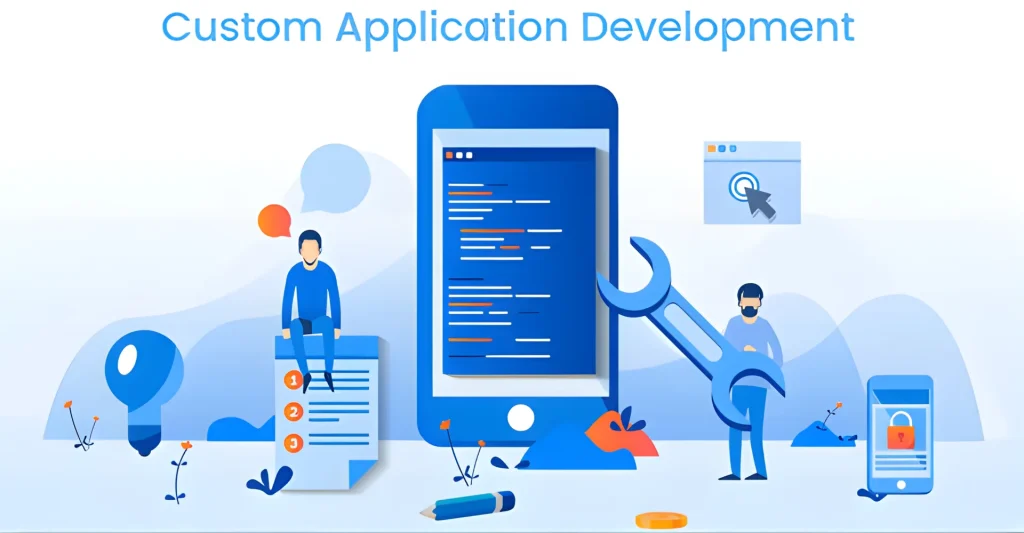
Custom application development empowers businesses to create software applications designed specifically for their unique needs. Unlike generic, pre-built solutions, custom applications are built from the ground up, ensuring a perfect fit for your workflow, user experience, and overall business goals. Overall, custom application development is a powerful tool for businesses seeking digital transformation, increased efficiency, and a competitive advantage.
What is Custom Application Development?
Example:
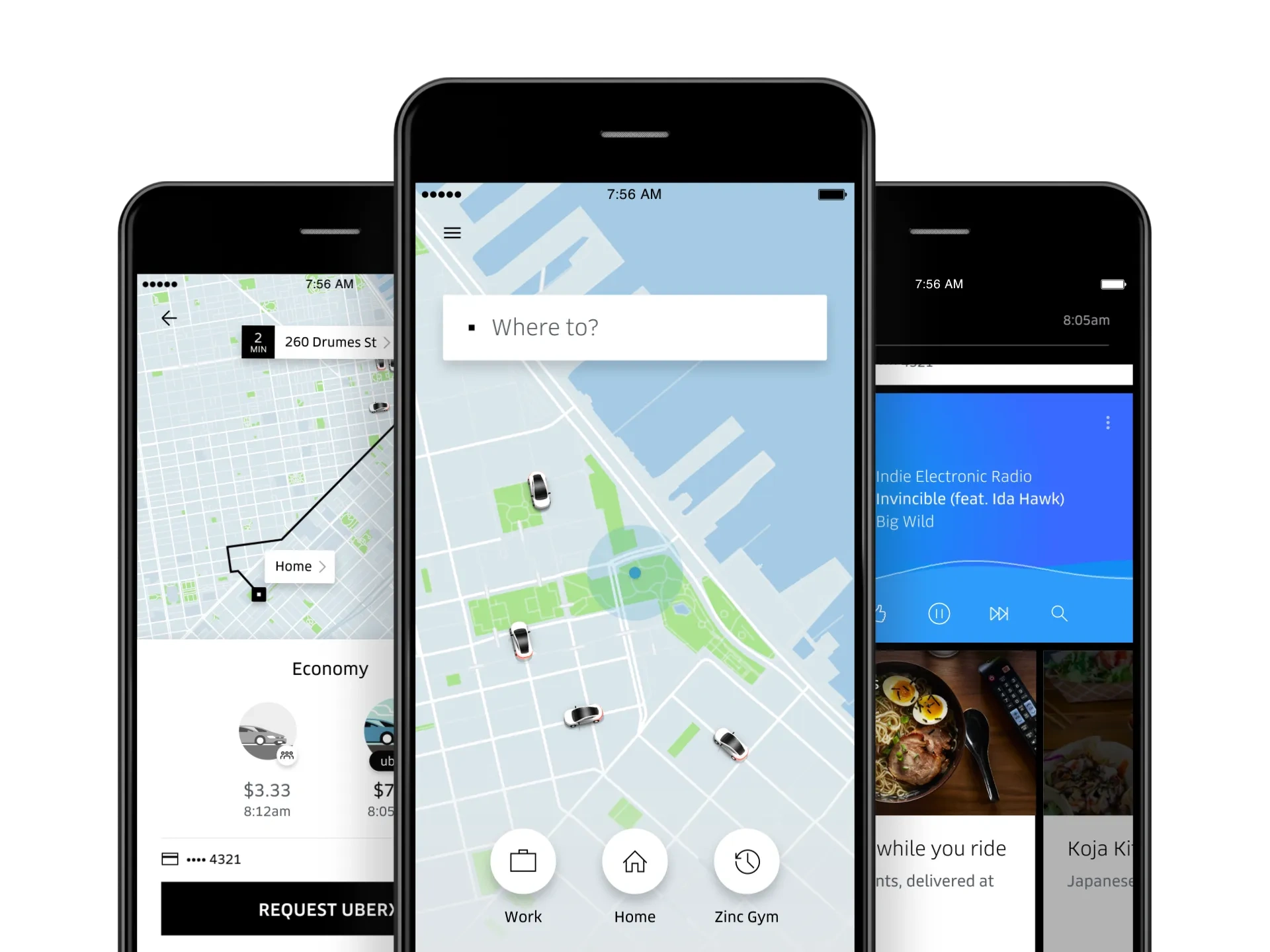
Uber built a custom backend and mobile app to manage drivers, real-time GPS tracking, ride matching, and payments. This custom architecture helped them scale globally, maintain reliability under heavy traffic, and add features like dynamic pricing, live tracking, and multi-service integrations.
Uber customized app
Benefits of custom application development
A lot of enterprises now are trusting custom applications more than pre-built options due to some reasons like:
Built Around Your Business, Not Generic Workflows: Custom applications are designed to match your exact processes, eliminating manual workarounds and unnecessary features.
Greater Agility as Business Needs Change: Unlike off-the-shelf software, custom apps can evolve with new products, workflows, markets, or customer demands. Research shows that around 70% of organizations experience improved operational agility after adopting tailored systems.
Complete Ownership of Data and Technology: You own the source code, application roadmap, and business data. This removes dependency on third-party vendors, protects against unexpected pricing increases, and gives you full control over future enhancements.
Lower Total Cost of Ownership at Scale: Custom apps can cost more upfront, but they may become cheaper over time for larger teams. For example, a SaaS tool at $40 per user per month for 300 users costs $144,000 per year, while a custom app may require one larger build cost plus annual maintenance (about $200,000–$300,000 to build plus $20,000–$40,000 in maintenance per year), with full ownership and no recurring seat fees.
Competitive Advantages: Custom apps allow businesses to embed proprietary workflows, industry expertise, and unique customer experiences into their products. Unlike standard SaaS platforms, competitors cannot gain the same capabilities simply by purchasing the same tool.
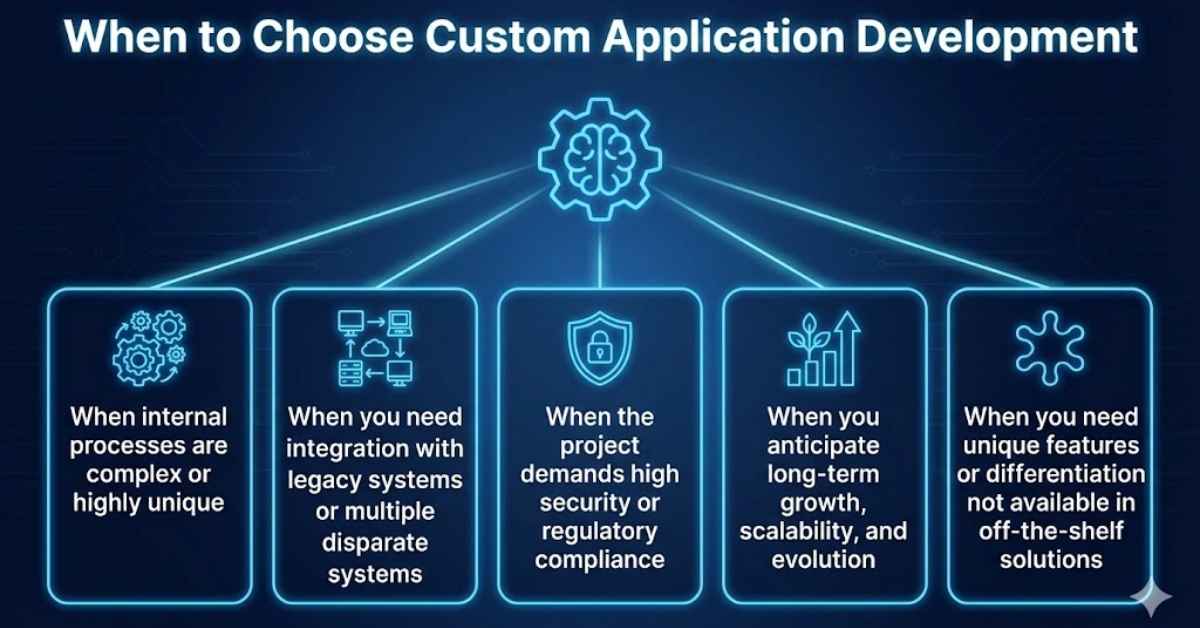
When to Choose Custom Application Development
Custom application development is often the right choice in the following scenarios
1. Internal processes are complex or highly unique
Choose custom app development when your team relies on spreadsheets, duplicate data entry, manual approvals, or complicated tool workarounds to complete daily tasks. These gaps create hidden costs over time and signal that generic software no longer fits how your business actually operates.
2. You need integration with legacy systems or multiple disparate systems
Custom apps are valuable when your ERP, CRM, databases, payment systems, or internal platforms cannot connect smoothly through standard tools. A custom solution can act as a central integration layer that keeps data flowing across business-critical systems.
3. Project demands high security or regulatory compliance
In healthcare, for example, patient data must be protected at every stage of its lifecycle. With custom app development, HIPAA requirements can be built directly into how information is stored, transmitted, and accessed through features such as encryption, role-based access controls, and audit trails. The same approach applies to GDPR, SOC 2, and other industry-specific regulations.
4. You anticipate long-term growth, scalability, and evolution
Custom development is a strong choice when the product roadmap will expand over several years. Instead of being limited by vendor features, pricing tiers, or licensing rules, your application can evolve with new users, markets, workflows, and business models.
5. You need unique features or differentiation not available in off-the-shelf solutions
If your competitive advantage depends on unique workflows, customer experiences, or business logic, standard software may be limiting. A custom app helps turn those strengths into features that competitors cannot easily replicate.
When you should choose custom application development for your business
Custom application development is often the best choice when your business needs software tailored to specific goals or processes. However, if your requirements are straightforward and speed or budget is a priority, off the shelf software may be a better fit:
When you need a fast launch: Use off-the-shelf software if your team needs to start quickly without a long development cycle.
When requirements are standard: It fits common functions such as accounting, CRM, HR, project management, or email marketing.
When budget is limited: Choose it when lower upfront cost is more important than long-term ownership or full customization.
When customization is not critical: It works well if your business can adapt to the software’s existing workflows.
When internal technical resources are limited: Off the shelf tools usually include hosting, updates, support, and maintenance from the vendor.
The comparison below will help you decide which approach aligns best with your needs.
Factor
Custom Application
Off-the-Shelf Software
Functionality
Built specifically around your business processes and requirements.
Designed for a broad audience with standardized features.
Implementation Time
Longer development and deployment timeline, about 3-12+ months.
Can be deployed and used immediately, typically days to weeks.
Upfront Cost
Higher initial investment, ranging from $50,000 to over $400,000 depending on complexity.
Lower upfront cost, usually subscription-based, ranging from $10 to $250 per user/month.
Long-Term Cost
Potentially lower over time due to ownership and flexibility.
Ongoing licensing, subscription, and customization costs.
Scalability
Can be expanded and modified as the business grows.
Scaling options depend on the vendor’s roadmap and limitations.
Customization
Fully customizable, including workflows, integrations, and user experience.
Limited customization options.
Maintenance
Requires ongoing support and maintenance resources.
Maintenance and updates are typically handled by the vendor.
Best For
Growing businesses, enterprises, and organizations with unique requirements.
Small businesses or teams with common processes and limited budgets.
7 Main Types of Custom Applications
Since there are various kinds of Custom Applications available in society, we will focus on the main ones below:
Enterprise Resource Planning (ERP) Systems: These custom applications unify internal processes like finance, inventory, HR, supply-chain, or logistics into a single platform, tailored precisely to a company’s operational flows.
Customer Relationship Management (CRM) & Client Portals: Custom CRMs or portals manage customer data, interactions, order history, or support workflows in a way that matches the business’s sales, service, or support models.
Business Process Automation & Workflow Tools: Applications designed to automate internal workflows, approvals, task management, or document flows, reducing manual effort and human error while aligning with company-specific requirements.
Data Analytics & Business Intelligence Platforms: Custom data applications collect, process, and analyze business data — enabling tailored reporting, dashboards, KPIs, and decision-support tools unique to a company’s metrics and data structure.
Web & Mobile Customer-Facing Applications: Bespoke web or mobile apps developed for client services, bookings, ordering, user portals, or marketplaces — built to deliver a tailored user experience and integrate with backend systems.
Industry-Specific Solutions (e.g., Finance, Healthcare, Logistics): Custom applications designed to meet regulatory compliance, domain workflows, and security requirements unique to industries, where standard software often fails to comply.
Legacy System Modernization & Integration Solutions: Applications that rebuild, integrate, or wrap legacy systems, ensuring compatibility, maintainability, and enabling businesses to upgrade their technology stack without disrupting core operations.
Enterprise Resource Planning Systems
How to Build a Custom Application: Step-by-Step Guide
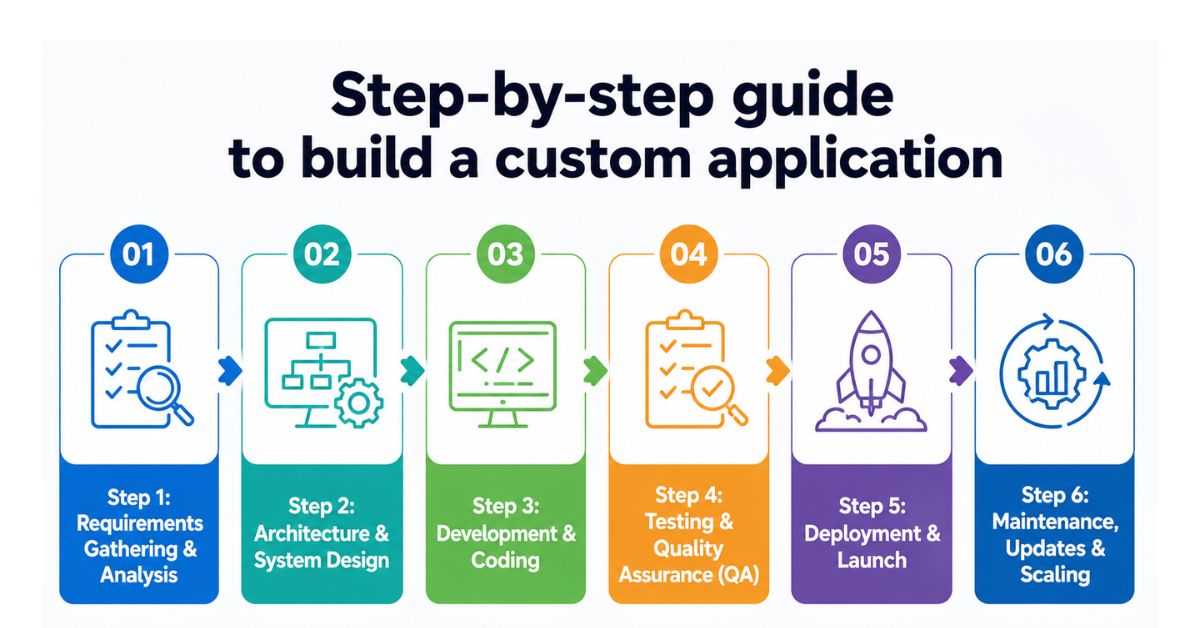
Building a custom application is not a straight jump from idea to coding. A good development process moves step by step: first clarifying the business problem, then designing the right system, building in iterations, testing carefully, launching safely, and improving after release.
Step-by-step guide to build a custom application
Step 1: Requirements Gathering & Analysis
Typical timeline: 1–4 weeks
This is where the project direction is defined. The team works with stakeholders to understand business goals, user needs, current workflows, pain points, and must-have features.
By the end of this stage, you should have:
A clear requirement document
Prioritized feature list
User roles
Workflow diagrams
An agreed MVP scope.
Step 2: Architecture & System Design
Typical timeline: 1–3 weeks
This phase defines how the custom application will be built before development begins. The goal is to make practical decisions around technology, user flow, and MVP scope so the product is technically stable and commercially focused.
Technology decisions: Select the tech stack, database, cloud infrastructure, architecture type, security approach, and integration strategy based on project needs.
Architecture decisions: It often includes system architecture approach (monolith vs. Microservices), cloud hosting and deployment strategy, database architecture, API and third-party integration strategy, security, authentication, and compliance requirements
Design work: Create wireframes or clickable mockups to validate user flows, interface structure, and business logic before development starts.
MVP scope: Define the smallest version that delivers real business value, separates must-have features from later phases, and prevents scope creep.
Step 3: Development & Coding
Typical timeline: 2–9+ months
This is where the approved scope, design, and architecture become working software. Most custom app development teams work in agile sprints, often in two-week cycles, so stakeholders can review completed features, test progress, and give feedback before the full system is finished.
What good development should include:
Modular, reusable code that makes future updates easier
Regular code reviews to catch issues before they become expensive
Clear engineering standards for naming, structure, testing, and documentation
Frontend, backend, database, API, and integration development in parallel where possible
Admin panels or internal tools built efficiently to support operations
Progress tracking against sprint goals, milestones, and release plans
Step 4: Testing & Quality Assurance (QA)
Typical timeline: Ongoing throughout development, plus 2–6 weeks before launch
Testing should happen throughout development, not only right before launch. QA teams verify that the application works correctly, performs well, integrates properly, and meets security and usability expectations.
Types of crucial testings include:
Testing Type
What It Checks
Functional testing
Verifies that each feature works as expected based on approved requirements.
Integration testing
Ensures different modules, systems, and third party tools work together correctly.
Performance testing
Measures how the application performs under normal and high traffic conditions. QA checks loading speed, response time, database performance, and system stability to avoid slowdowns after launch.
Security testing
Identifies vulnerabilities that could expose user data, business information, or system access.
Cross browser and device testing
Confirms that the application works consistently across different browsers, devices, screen sizes, and operating systems.
User acceptance testing
Allows business users or stakeholders to validate whether the application meets real operational needs.
Step 5: Deployment & Launch
Typical timeline: 1–3 weeks
Deployment is the process of releasing the application into a live production environment where real users can access it. The launch strategy depends on the application’s risk level, user base, and business requirements.
Two common launch approaches include:
Soft launch or phased rollout: Release the application to a limited group of users, regions, or departments before expanding availability.
Full launch: Make the application available to all intended users at once. This approach is common for smaller products, new businesses, or applications where immediate adoption is important.
This phase typically includes:
Production environment setup and final deployment validation
Data migration from spreadsheets, legacy software, or existing database
User acceptance testing (UAT) and final stakeholder approval
User training materials, documentation, and onboarding preparation
Monitoring setup for performance, uptime, security, and error tracking
Rollback and recovery planning in case issues occur after launch
For businesses replacing an existing system, teams often run both old and new platforms in parallel for a short period to reduce operational disruption and ensure a smoother transition.
Step 6: Maintenance, Updates & Scaling
Typical timeline: Ongoing after launch
After launch, the application enters its most important phase: real world usage. This is when the team can see how users interact with the product, where issues appear, which features create value, and what should be improved next.
Post launch optimization should include:
Performance monitoring: Track system performance and issues proactively.
User feedback process: Gather user feedback to identify improvements.
Prioritized improvement backlog: Prioritize updates based on business and user impact.
Regular iteration cycles: Release improvements regularly to meet evolving needs.
Security and compliance maintenance: Keep systems secure and compliant through ongoing updates.
Infrastructure and cost optimization: Optimize infrastructure for reliability and cost efficiency.
Maintenance, Updates & Scaling
How Much Does Custom Application Development Cost?
There are many cost components when undertaking a custom application development project. Below is a breakdown of typical cost categories (fixed & variable) and estimated ranges so that your business can better plan the budget.
Application Type
Estimated Cost Range
Typical Scope
Basic / Small-Scale Custom Application
$10,000-$30,000
Simple features, limited user roles, basic UI, and minimal integrations.
Medium-Complexity Custom Application
$30,000-$100,000
Moderate feature set, multiple user roles, refined UI/UX, and some third-party integrations.
Enterprise-Grade Custom Software
$100,000-$500,000+
Advanced functionality, complex workflows, high security, scalability, and multiple system integrations.
Ongoing Maintenance & Scaling
Recurring cost
Bug fixes, updates, infrastructure, performance optimization, security patches, and support after launch.
Key Factors Driving the Cost
The final cost of custom application development depends on project scope, technical complexity, team structure, and long-term operational needs. Before estimating budget, businesses should evaluate the following factors:
Feature complexity: More modules, workflows, dashboards, automation, and business logic increase development time and cost.
UI/UX requirements: Custom design systems, interactive prototypes, and polished user experiences require additional design effort.
Number of user roles: Applications with admins, managers, customers, vendors, or internal staff need more complex permission and access control.
Third-party integrations: Connecting with CRM, ERP, payment gateways, APIs, legacy systems, or external platforms adds development and testing work.
Technology stack: The chosen frameworks, cloud infrastructure, database, and development tools can affect both initial development and long-term maintenance costs.
Scalability requirements: Systems designed for high traffic, large data volume, or multi region deployment need more robust architecture.
Development team location and seniority: Costs vary depending on whether the team is offshore, nearshore, or onshore. For example, US developers may charge around $100 to $250 per hour, while Vietnam based teams often range from $20 to $60 per hour.
Maintenance and support scope: Post-launch updates, monitoring, bug fixing, and infrastructure management should be included in the long-term budget.
Key Factors to Consider When Developing a Custom Application
A successful custom application depends on more than feature requirements alone. Early decisions around technology, integrations, security, and user experience can significantly affect development costs, scalability, maintenance effort, and long-term business value.
Technology Stack & Scalability
The technology stack should support not only current requirements but also where the business expects to be in the next three to five years. A common mistake is selecting technologies solely based on development speed without considering future growth.
Consider questions such as:
Will the application need to support thousands of users or millions?
Are mobile apps, customer portals, or partner platforms likely to be added later?
Will the business eventually adopt cloud infrastructure, microservices, or AI capabilities?
For example, a startup MVP may work perfectly with a monolithic architecture, but a multi-region SaaS platform may require modular services, load balancing, and distributed databases from the beginning.
Integrations & Compatibility
Many custom applications spend more time exchanging data with other systems than performing their core functions. Integration requiremnts should be identified early, not after development begins.
Key areas to assess include:
ERP and CRM systems
Payment gateways
Accounting software
Identity providers (SSO, Active Directory, Google Workspace)
Third-party APIs
Legacy databases and internal systems
The cost and complexity of integration can sometimes exceed the cost of developing the application’s core functionality. Understanding these dependencies early helps avoid unexpected technical challenges and budget overruns.
Security & Compliance
The required level of security varies significantly depending on the type of data being processed.
Organizations should evaluate:
What sensitive information will be stored?
Which users should have access to which data?
What audit and reporting requirements exist?
Which industry regulations must be followed?
Examples in some typical areas:
Healthcare applications may require HIPAA compliance.
Financial platforms may need PCI DSS controls.
Businesses serving European customers may need GDPR compliance.
Enterprise software often requires SOC 2 and ISO 27001-aligned practices.
UI/UX Design
User experience directly affects adoption rates, training costs, and operational efficiency. Rather than focusing solely on visual appearance, businesses should prioritize:
Reducing unnecessary steps in critical workflows
Designing screens around real user tasks
Minimizing manual data entry
Making frequently used functions easily accessible
Supporting different user roles with tailored experiences
Custom Application Development: Success Stories and Outcomes
The impact of custom application development is best demonstrated through real business results. Below are two examples of how Newwave Solutions helped clients overcome operational challenges and build scalable digital products tailored to their needs.
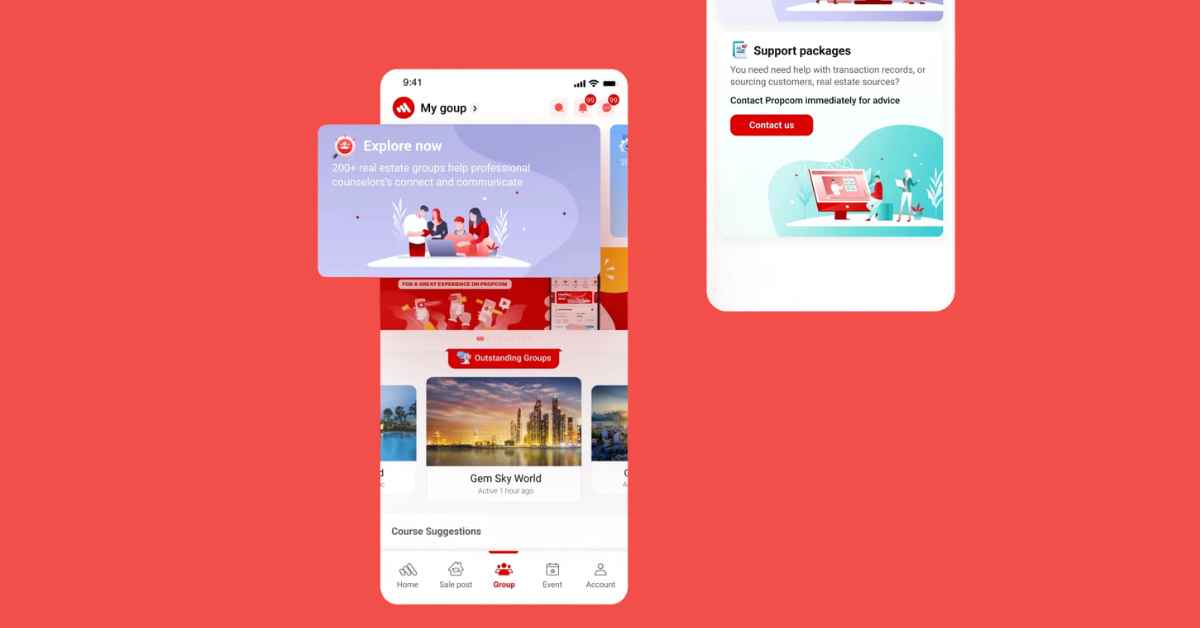
Real Estate Platform with Integrated Member Management System
Challenge: A real estate company was struggling to manage a growing network of agents, members, property listings, and customer interactions through disconnected systems. Manual processes created inefficiencies, inconsistent data, and limited visibility across the organization.
How Newwave Solutions solved it: Our team developed a centralized real estate platform that combined property management, member administration, user permissions, and customer engagement tools within a single ecosystem. The solution streamlined workflows, automated administrative tasks, and provided a scalable architecture capable of supporting future expansion.
Result: The client gained a unified platform for managing both property operations and member activities. Administrative workloads were reduced, information became easier to access, and the organization achieved greater operational efficiency while supporting continued business growth.
Real Estate Platform with Integrated Member Management System
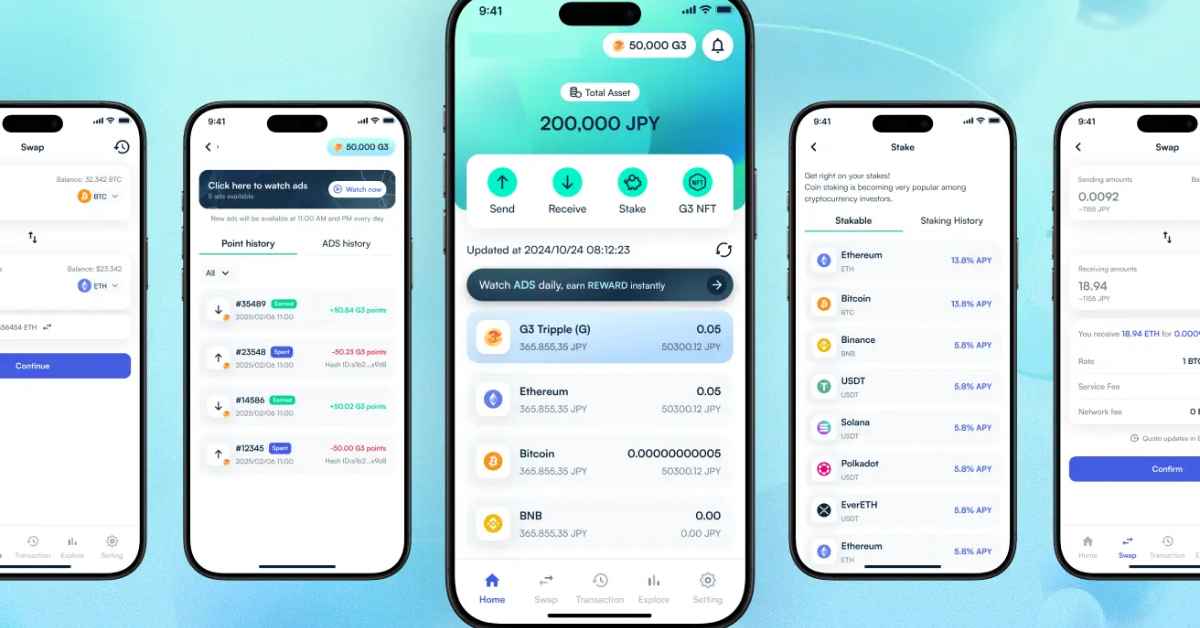
Multi-Chain Cryptocurrency Wallet Application
Challenge: The client needed a secure cryptocurrency wallet capable of supporting multiple blockchain networks while delivering a seamless user experience. Security, transaction management, and compatibility across different chains were critical requirements.
How Newwave Solutions solved it: We designed and developed a multi-chain wallet application with secure key management, cross-chain support, real-time transaction monitoring, and an intuitive mobile-first user experience. The architecture was built to support future blockchain integrations without major system changes.
Result: The client successfully launched a secure and scalable digital asset platform that supports multiple blockchain ecosystems. Users can manage assets across different networks through a single application, creating a more convenient and reliable crypto experience.
With over a decade of experience delivering solutions across finance, healthcare, real estate, eCommerce, education, and emerging technologies, our team combines business understanding with strong engineering expertise to build software that delivers measurable results.
Newwave Solutions – Your trusted partner in custom app development
By combining strategic consulting, UI/UX design, engineering, testing, and post-launch support, we help businesses build applications that are not only functional but also practical to scale. Here is what clients can expect when working with our custom app development team.
Applications designed around your exact business processes and goals
Scalable architecture that supports future growth and expansion
Intuitive user experiences that improve adoption and productivity
Secure systems built with modern security standards and best practices
Seamless integration with existing business platforms and third-party services
Faster development through experienced product and engineering teams
Reduced operational inefficiencies through workflow automation
Long-term technical support, maintenance, and product enhancement
Full ownership and control of your software assets
A reliable technology partner focused on delivering business outcomes, not just code
Contact us now and let Newwave Solutions help turn your ideas into a secure and scalable custom application.
Conclusion
Custom application development plays a pivotal role in helping businesses achieve their digital transformation goals, streamline operations, and drive innovation. By partnering with experienced and reputable service providers, businesses can leverage custom web, mobile, and software applications to enhance customer engagement, improve efficiency, and stay ahead of the competition.
If your business lacks in-house resources, expertise, or time to build a custom application from scratch, outsourcing to a trusted partner can remove those barriers. With over 14 years of experience, a highly skilled development team, and mastery of the latest technologies, Newwave Solutions is well-positioned to deliver full-cycle custom applications — from initial idea and requirements gathering, through design, development, launch, to long-term support and scaling.
FAQs
1. How long does it take to build a custom application?
Development timelines typically range from 2-4 months for an MVP to 6-18 months for larger enterprise applications. The exact timeline depends on project scope, integrations, and technical complexity.
2. When should a business choose custom application development?
Custom development is ideal when a business has unique workflows, requires complex integrations, needs stronger security controls, or expcts significant growth that standard software cannot easily support.
3. What technologies are commonly used for custom application development?
Popular technologies include React, Angular, Vue.js, Node.js, .NET, Java, Python, Laravel, PostgreSQL, MySQL, AWS, Azure, and Google Cloud. The best stack depends on project requirements and scalability goals.
4. When should a business choose custom application development?
Custom development is ideal when a business has unique workflows, requires complex integrations, needs stronger security controls, or expcts significant growth that standard software cannot easily support.
5. Can acustom application integrate with existing systems?
Yes. Custom applications can be integrated with CRM platforms, ERP systems, payment gateways, legacy software, cloud services, third-party APIs, and other business tools to create a unified ecosystem.
To Quang Duy is the CEO of Newwave Solutions, a leading Vietnamese software company. He is recognized as a standout technology consultant. Connect with him on LinkedIn and Twitter.









Leave a Reply